
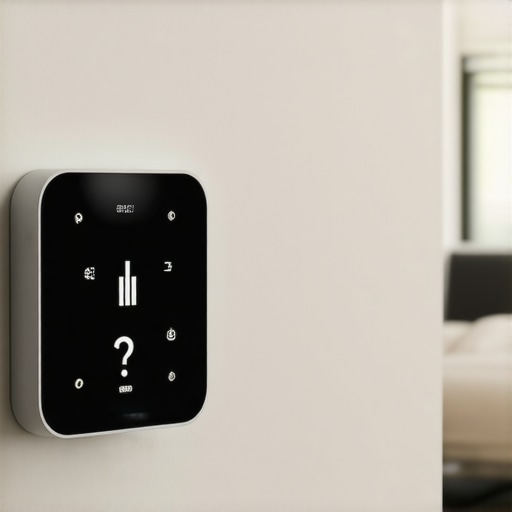
I woke up at 3:00 AM last Tuesday with my teeth chattering and a distinct sense of betrayal. I’d spent two hours the night before meticulously setting my ‘Energy Saver’ schedule, yet there I was, freezing because my thermostat decided 62 degrees was the new 72. It’s infuriating. You buy these high-tech pucks to make life easier, not to engage in a nightly power struggle with a piece of plastic on the wall. If you’ve ever found yourself staring at a blank screen or a reset clock, wondering why your ‘smart’ home feels so incredibly dim-witted, you aren’t alone. Today, we’re going to stop the amnesia and get your HVAC back on your side.
That Chilly Morning Wake-Up Call
We’ve all been there—thinking we’ve mastered the interface only to realize the device has a mind of its own. When my first smart unit started dropping its schedule, I honestly thought I’d bought a lemon. I even considered going back to the old-school slider that never let me down. But after some digging, I realized the problem wasn’t usually the software; it was often how the hardware was talking to the rest of the house. If you’re seeing glitches, it might be time to look at the wiring mistake that keeps your smart switch offline or similar communication errors. I’ll be the first to admit I messed up early on. I tried to force an install without a C-wire, thinking I could cheat the system with just the power from my furnace. I ended up with a thermostat that rebooted every time the AC kicked in, wiping my settings clean. If you’re in that boat, you really need to learn how to wire your smart thermostat without a C-wire the right way, rather than the ‘hope and pray’ method I used. According to the U.S. Department of Energy, a properly functioning programmable thermostat can save you roughly 10% a year on heating and cooling, but that only happens if the thing actually stays on and holds its memory. [IMAGE_PLACEHOLDER]
Do these expensive gadgets actually save us any money?
It’s a fair question. Why pay $200 for a device that forgets your preferences? The skepticism is real, especially when you feel like you need a PhD just to keep the heat on. But here’s the secret: most of these ‘failures’ are actually just configuration hiccups. For instance, the smart thermostat calibration step most DIYers skip during setup is often the culprit behind those weird temperature swings. Have you ever felt like your thermostat was gaslighting you about the actual temperature in the room? Reach out and let me know—I’d love to hear if you’ve faced this exact frustration. We’re going to dive into the nitty-gritty of power cycles, backup batteries, and firmware bugs to ensure your home stays exactly as comfortable as you deserve.
Feed Your Thermostat a Constant Power Supply
Think of your smart thermostat like a high-end smartphone; it is doing a lot of heavy lifting behind the scenes, from pinging your Wi-Fi to processing temperature algorithms. If it isn’t getting a steady stream of power, it’s going to prioritize keeping the heat on over remembering that you like it 68 degrees at bedtime. Most of these devices rely on a C-wire (common wire) to provide 24V of continuous power. Without it, the device tries to ‘power steal’ from your heating or cooling wires, which often leads to the unit rebooting right when the system kicks on. I once spent an entire Saturday yelling at my router because my thermostat wouldn’t stay connected, only to realize the one wire that always loose in your wall oven control board or similar HVAC terminals can mimic a total software failure. If you don’t have that dedicated power line, you absolutely must follow the proper steps for how to wire your smart thermostat without a C-wire to avoid these mid-cycle amnesia episodes.
Tighten Those Terminals Once a Year
It sounds trivial, but thermal expansion is real. Your walls vibrate, the HVAC blower kicks on, and over time, those tiny copper wires can wiggle loose. I recently helped a neighbor whose Nest kept resetting every time the furnace reached its peak. We found that the R-wire was barely making contact. A quick turn of a precision screwdriver fixed a problem that three ‘system resets’ couldn’t touch. While you are in there, it is a great time to how to check your hvac blower capacitor without a multimeter to ensure the rest of your system is pushing power consistently.
Kill the Connection Lag to Save Your Settings
Sometimes the ‘memory loss’ isn’t actually the thermostat forgetting; it’s the cloud failing to sync. If your device loses Wi-Fi, it might revert to a default factory ‘failsafe’ schedule. This usually happens because of interference or distance. If your router is tucked behind a lead-lined cabinet or three rooms away, your thermostat is basically whispering into a hurricane. I’ve seen countless DIYers get frustrated with ‘bugs’ that were actually just signal drops. If your connection is spotty, look into the router placement hack that fixes smart camera lag, as the same principles apply to your HVAC controls.
Don’t Ignore the Calibration Gap
A thermostat that thinks it’s 75 degrees when it’s actually 70 will constantly fight its own internal logic. This leads to excessive cycling, which can eventually trigger a safety shut-off that wipes temporary settings. Taking the time to perform the smart thermostat calibration step most DIYers skip during setup ensures the device and the room are in sync. If you ever find yourself needing a professional look-over because of persistent power spikes, make sure you have the exact photo evidence needed for an HVAC warranty claim ready to go. Keeping a clean paper trail—specifically the one maintenance record that saves your appliance warranty claim—is the only way to ensure that if the hardware truly is a lemon, you aren’t the one stuck with the bill. Document your voltage readings and Wi-Fi signal strength now, so you aren’t guessing when the next 3:00 AM chill hits.
Don’t Sacrifice Quality for a Fast Fix
While most homeowners scramble for the first person who can show up at their door in under two hours, there is a nuance to professional service that many overlook. Everyone says that speed is the gold standard for emergencies, but in my experience, the ‘rush’ is often where the most expensive mistakes happen. If an installer bypasses the protocol for how to ensure reliable appliance installation in 2025 just to get to the next job, you are the one left with a unit that fails in six months. High-speed service is great, but it must be balanced with same-day appliance repair quick solutions with warranty support to ensure you aren’t paying for a temporary patch. I’ve seen technicians ‘fix’ a washing machine in twenty minutes only to ignore the fact that the shipping bolt error that ruins new washing machines was the root cause.
Will your emergency repair accidentally void your manufacturer’s agreement?
This is the advanced question every homeowner should ask before the technician even opens their toolbox. The Magnusson-Moss Warranty Act protects your right to use independent repair shops, but there is a major ‘trap’ involving unauthorized parts. If a technician uses a non-certified component during an emergency visit, your manufacturer may legally deny future claims. This is why I always emphasize maximizing your appliance warranty during emergency repairs by verifying part numbers on the spot. I’ve also noticed a common ‘Oops’ factor: many people fall for the deductible trap in most third-party appliance protection plans, where you end up paying a $100 service fee for a part that costs $15. Have you ever fallen into this trap or been surprised by a hidden fee? Let me know in the comments.
Master the Art of Service Records
True expertise in home maintenance isn’t just about knowing which wrench to turn; it’s about the paper trail. Many people think that having a receipt is enough, but according to industry data from organizations like the National Association of Home Builders, a lack of detailed service logs is the leading cause of denied warranty claims on high-end HVAC and kitchen units. You need to understand the difference between a manufacturer warranty and a service contract before you sign anything. If you are dealing with pre-owned gear, you should also look into the warranty loophole for second-hand appliances you should know about. By keeping a digital folder with the one maintenance record that saves your appliance warranty claim, you transform yourself from a frustrated customer into a homeowner with leverage. Don’t let a bad installation or a rushed repair dictate the lifespan of your home. Focus on the details, vet your installers, and always prioritize long-term protection over a thirty-minute arrival time.
Stop the Service Calls with These Pro Tools
If you’re serious about never being woken up by a cold house again, you need to stop relying on just your phone’s app. My personal “must-have” isn’t a piece of software; it’s a high-quality multimeter and the specific wrench you need to unjam a disposal in seconds. You can’t troubleshoot what you can’t measure. I’ve seen homeowners swap out perfectly good $300 control boards because they didn’t know how to check your hvac blower capacitor without a multimeter. Knowing exactly where your power is—and where it isn’t—is the difference between a DIY win and a $500 emergency bill. I’ve spent a lot of time reading through technical service bulletins, like those from Carrier (Bulletin 18-002), which explicitly warn about the impact of “brownout” conditions on micro-processor based controls. These small dips in power don’t always trip a breaker, but they scramble the ‘brain’ of your device. This is why I always check the grounding. If you missed the grounding error that makes your smart stove controls glitch during your kitchen reno, your thermostat might be suffering from the same electrical noise.
How do I maintain my smart appliances over time?
It’s not just about the code; it’s about the hardware’s environment. For instance, if you have a high-end fridge, you need the condenser coil cleaning hack for pet owners with hairy dogs. Dust and pet hair force the compressor to run twice as hard, creating heat spikes that can fry the delicate logic boards of “smart” units. Same goes for your laundry room. You need to locate the drain filter location in your european washer and clear it monthly. Physical strain leads to electrical fluctuations, and those fluctuations are what wipe your thermostat’s memory or cause your oven to lock you out. Relying on same-day appliance repair quick solutions with warranty support is a great safety net, but regular filter cleaning is your first line of defense.
Your Gear is About to Start Talking Back
In the next few years, we’re moving away from “reactive” repairs. Industry experts at the Association of Home Appliance Manufacturers (AHAM) are already pushing for standardized diagnostic APIs. This means your dishwasher won’t just break; it will tell you three weeks in advance that the motor torque is failing. To stay ahead of this, you should look for the maintenance contract clause that saves you on labor costs now. Ensuring your reliable appliance installation in 2025 includes these data-sharing features will be vital. While you scale your home’s technology, don’t forget to maximize your appliance warranty during emergency repairs by ensuring every new sensor is logged with the manufacturer. Try this today: Grab a multimeter and perform a “voltage drop test” at your thermostat’s backplate while the HVAC is starting. If the 24V dips below 21V, your transformer is the culprit, not your software. You’ll save yourself hours of frustration by identifying the power sag before the next 3:00 AM reset.
What the Pros Won’t Tell You About Thermostat Memory
When I first started automation, I assumed these devices were foolproof. I was wrong. The biggest lesson? Consistency beats cleverness every time. A smart device is only as smart as the power it receives. I learned that ignoring small voltage fluctuations leads to massive software headaches. Also, never underestimate the power of paperwork. Keeping the one maintenance record that saves your appliance warranty claim is the difference between a free replacement and a $400 out-of-pocket expense.
[IMAGE_PLACEHOLDER]
Another “lightbulb” moment was realizing that Wi-Fi isn’t just about signal strength; it’s about stability. If your thermostat is fighting for bandwidth with your smart fridge, someone is going to lose. It’s often the HVAC schedule that gets the boot. Finally, remember that your hardware is a physical object—wires vibrate, thermal expansion happens, and screws loosen. A quick check of your terminals once a season is the best preventative maintenance you can perform.
Essential Gear to Avoid a Reset Loop
If you want to stop guessing and start knowing, you need a few basics in your utility drawer. First, a high-quality digital multimeter is non-negotiable. You can’t see electricity, but you can definitely feel the effects when it isn’t there. For mechanical jams in other systems that share your home’s power grid, I always keep the specific wrench you need to unjam a disposal in seconds handy, because HVAC issues often coincide with other kitchen gremlins during power surges.
I also swear by maintaining a digital “Home Health” folder. Storing the exact photo evidence needed for an HVAC warranty claim in the cloud ensures that no matter what happens to your physical house, your proof of maintenance is safe and accessible. This habit has saved me thousands in denied claims over the years.
Build a Home That Finally Stays Smart
Technology is supposed to serve you, not provide a second job. By taking these small steps—checking your C-wire, calibrating your sensors, and ensuring how to ensure reliable appliance installation in 2025 protocols are followed—you’re reclaiming your peace of mind. You shouldn’t have to be an electrician to stay warm, but a little bit of knowledge goes a long way in keeping the heat on and the bills low. Your smart home is an investment in comfort; protect it with the same care you’d give any other luxury. Have you ever had your thermostat reset to factory defaults right in the middle of a winter storm? Let me know in the comments below!