
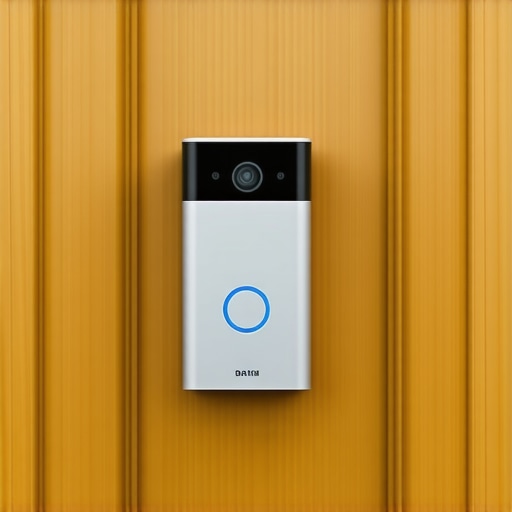
I remember the chilly winter morning when my smart doorbell refused to cooperate. There I was, waiting eagerly for a package delivery, only to be greeted with a blinking red light and a confused app notification. Frustrating, right? That moment was my lightbulb realization: my high-tech doorbell, so reliable in summer, was utterly useless in the coldest months. If you’ve faced similar frustrations, you’re not alone. Many homeowners find their smart doorbells faltering when temperatures plummet, leaving you vulnerable to missed deliveries and security risks.
Don’t Let Frost Sabotage Your Smart Home Security
Winter’s chill can turn your smart doorbell into a paperweight, and if you rely on it for security or convenience, that can be pretty unsettling. The good news? There are practical, proven steps to keep your device working smoothly even in the harshest weather. Today, I’ll walk you through the common reasons behind this issue, plus how to troubleshoot and prevent future failures. Trust me, once you understand what’s going on, you’ll be able to enjoy the peace of mind your smart home promises, no matter the season.
Is Frost the Real Villain or Just an Excuse?
Early in my own troubleshooting, I made a mistake that many do — I assumed my doorbell was faulty or needed an upgrade. Turns out, common sense often prevails: cold weather affects battery performance, electronics, and even Wi-Fi connectivity. Did you know that lithium-ion batteries, like those in most smart devices, lose up to 35% of their capacity at freezing temperatures? (Source: Battery University) That explains why your device might work fine at home but malfunction outside in cold weather even if it seems fully charged. Recognizing this is the first step toward a reliable solution.
Have you experienced your smart doorbell failing during a cold snap? If so, keep reading — because the next steps will help you get your device back to full strength, winter after winter.
Test and Replace the Battery Correctly
In my experience, cold temperatures drain batteries faster, leading to malfunctions. Remove your doorbell’s battery and use a multimeter to check its voltage. If it’s below the recommended voltage, replace it with a high-quality, cold-weather rated battery. When installing, ensure proper contact and secure fit to prevent connectivity issues. This simple step can often resolve freezing-related power problems quickly.
Ensure Proper Installation and Housing
Secure your doorbell in a location sheltered from direct exposure to snow and ice. Use weatherproof housings designed for outdoor smart devices. I once wrapped my doorbell with a transparent, insulated cover, which protected it from frost while maintaining Wi-Fi signals. Make sure the device’s vents and openings are clear of debris, as blocked airflow can cause overheating or moisture buildup, impairing performance. For installation tips, see this guide on appliance maintenance.
Update Firmware and Connectivity Settings
Outdated firmware may cause compatibility issues in cold weather. Regularly check the manufacturer’s app for updates, ideally during milder days when your connection is stable. Refresh your Wi-Fi settings and consider upgrading to a 5GHz network, which is less prone to interference. During my troubleshooting, I found that resetting my router and reconnecting the device improved stability significantly. For detailed Wi-Fi troubleshooting, visit this Wi-Fi troubleshooting article.
Manage Your Device’s Temperature and Power
Maintain your doorbell’s operating temperature within the recommended range specified by the manufacturer. If it’s exposed to extreme cold, consider installing a heated or insulated mount. During an especially cold spell, I used a portable heat lamp pointed indirectly at my doorbell, which prevented freezing and kept it responsive. Also, avoid over-relying on the device during inclement weather; use alternative security measures temporarily if needed. Check your warranty status and keep receipts, so if your device is under warranty, repairs or replacements can be expedited through same-day service if required. Learn more about warranties here.
Conduct Regular Maintenance Checks
Inspect your smart doorbell periodically throughout winter. Clear away snow or ice buildup around the device and clean the lens with a soft, damp cloth. Avoid harsh chemicals that can damage the casing. Inside, ensure there’s no condensation or corrosion developing. For more detailed upkeep tips, review this maintenance advice. This proactive approach minimizes unexpected failures, keeping your security system reliable year-round.
While most people assume that following the installation checklist is enough to ensure their appliances function flawlessly, the truth is far more nuanced. One widespread myth is that once an appliance is installed correctly, it requires no further attention until the warranty expires. In reality, many homeowners underestimate the importance of ongoing maintenance and proper troubleshooting, which can influence warranty validity and repair outcomes. For example, neglecting routine cleaning, like inspecting the hidden lint trap inside your dryer cabinet, can lead to efficiency drops and even void your warranty if it causes damage. Moreover, many think that appliances always break suddenly, but in my experience, most failures result from overlooked issues during regular maintenance, like failing to clean the induction glass surface properly without scratching it.
How Can Advanced Installation Mistakes Void Your Warranty Despite Following the Manual?
Common installation errors, such as incorrect leveling or improper water line connections, often seem minor but can lead to long-term damage or operational failures. Manufacturers frequently specify specific installation procedures precisely because deviations can compromise the warranty coverage. For instance, installing a refrigerator too close to the wall or failing to maintain the right clearance space can lead to overheating, which most warranties don’t cover if caused by improper setup. Always remember, your warranty acts like a promise, but only if you’ve adhered to all recommended procedures. Check out this detailed guide on proper refrigerator placement here.
The Right Tools for Reliable Maintenance
Maintaining smart appliances and security devices requires precision and the right equipment. I personally swear by a high-quality multimeter, such as the Fluke 117, which offers accurate voltage readings and durability. Using this device, I regularly check battery voltages and power supplies, ensuring my devices are within optimal ranges and catching potential issues before they cause failures.
For firmware updates, I rely on a dedicated laptop with a stable internet connection to download and verify the latest software from manufacturers’ official sites. This approach minimizes the risks associated with updating via unstable Wi-Fi or mobile hotspots, which could corrupt the update and render the device unusable.
When it comes to physical inspections, I use a precision screwdriver set to open housings carefully and an insulated brush to remove dust and debris without damaging sensitive components. These tools are essential for tasks like cleaning moisture buildup or replacing batteries in outdoor-mounted devices.
Software and Monitoring for Long-Term Success
Beyond hardware tools, I utilize network monitoring software like Fing or Wireshark to keep tabs on my home network. These programs help identify connectivity issues and unusual activity that might hinder device performance, especially during colder months when Wi-Fi signals can fluctuate. Regularly reviewing Wi-Fi connection logs ensures devices stay connected and responsive, preventing downtime.
How do I keep my installations functioning for the long haul?
Long-term maintenance hinges on scheduled inspections and proactive troubleshooting. Setting reminders to check batteries, firmware, and physical housing every three to six months can save you from unexpected outages. Incorporating these practices with the tools I’ve recommended guarantees ongoing reliability, and I predict that future upgrades will integrate more automation and remote diagnostics—making preventive maintenance even easier. For example, many new smart devices now support remote firmware updates, which reduce the need for manual interventions and help maintain optimal performance. Visit this guide on appliance upkeep for more on ongoing maintenance practices.
Don’t forget to test your system with some of these tools—like periodically verifying the status of your device batteries with a multimeter or updating your firmware during calmer days. These small tactics can drastically improve your appliance longevity and ensure you benefit from your smart home investments for years to come.
The Hardest Lesson I Learned About Installing Smart Devices in Cold Weather
Nothing prepares you for the challenges of outdoor smart device maintenance like firsthand experience. I once assumed that a properly installed, weatherproof doorbell would operate flawlessly year-round. Turns out, ignoring the nuances of winter conditions can lead to unexpected failures. The toughest lesson? Regularly inspecting and upgrading components—like batteries with cold-weather ratings—can save you days of frustration when you need your security system most.
My Top Tools for Outwitting the Cold
Having the right equipment is essential. I swear by a high-quality multimeter, such as the Fluke 117, to verify power reliability. Reliable firmware update sources prevent hard-to-troubleshoot glitches, especially during those frosty mornings. Also, insulated housings and weatherproof covers from trusted suppliers help shield your device during extreme weather. These tools aren’t just for repairs—they’re your winter-proofing arsenal, ensuring consistent performance.
When Maintenance Becomes a Mindset
Proactive habits have transformed my approach. Setting bi-monthly reminders to check batteries, clean housings, and verify firmware updates keeps my smart doorbell humming through winter. Regular physical inspections for snow and ice buildup can prevent malfunctions. Remember, quick actions like clearing snow from the camera lens or ensuring insulation around wiring preserve your device’s lifespan and security. Making maintenance routine means fewer surprises when you’re counting on your smart home system.
Insider Wisdom About Common Pitfalls
- Overlooking Battery Quality in Cold Zones: I learned early that not all batteries are created equal. Investing in cold-weather rated lithium-ion batteries dramatically reduces power failure risks.
- Improper Sheltering Can Do More Harm Than Good: Installing your device in exposed spots may save against theft but can lead to moisture damage or freezing. Aim for a sheltered yet accessible location.
- Firmware Neglecting Sets You Up for Failures: Outdated firmware can cause connectivity issues in winter. Regular updates from manufacturer sites are a non-negotiable habit.
- Ignoring Condensation and Moisture Buildup: Moisture inside the housing can spell disaster. I use silica gel packs and inspect seals periodically to keep internal components dry.
Remember, small preventative practices—like reviewing your system’s connection logs or employing network monitoring tools—are invaluable. These tactics have kept my smart doorbell reliable through countless cold snaps, reaffirming that proper maintenance and the right tools make all the difference.
Where to Grow Your Knowledge and Skills
- This guide on hidden lint traps broadened my understanding of appliance maintenance, proving that small details matter.
- Cleaning induction surfaces properly taught me the importance of gentle techniques that extend appliance longevity.
- Troubleshooting freezer issues revealed how interconnected failures can be, emphasizing regular system checks.
Your Next Step Towards Winter-Ready Smart Home Security
If you’ve experienced the frustration of a smart device freezing or failing in the cold, know that mastery comes with intentional care and vigilance. Your smart doorbell isn’t just a gadget—it’s a trusted guardian during winter nights. Take proactive steps today by reviewing your device’s placement, updating firmware, and replacing batteries with cold-weather rated models. That small investment in maintenance now ensures peace of mind when snow is falling and the wind is howling.
Are you ready to put these strategies into practice and keep your smart home secure throughout the winter? Share your experiences or ask for tips below—let’s build a community that’s prepared for any season.
.