
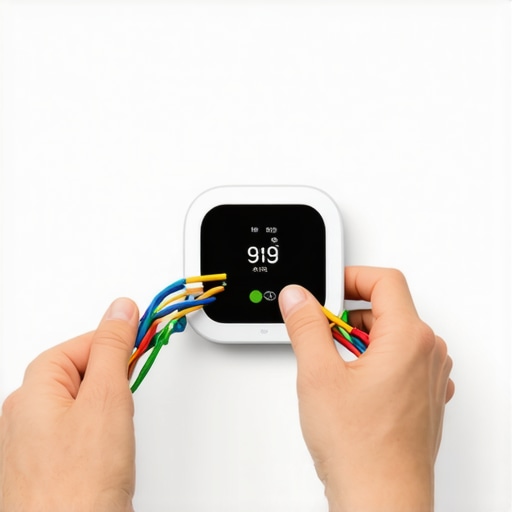
I remember standing in my hallway back in 2018, clutching a brand-new smart thermostat like it was a holy relic. I’d spent two hours watching YouTube videos, convinced I was a weekend warrior ready to conquer the world of home automation. Then, I pulled the old Honeywell off the wall. My heart sank. There were only four wires. No ‘C’ in sight. I tried to wing it anyway—big mistake. In my hubris, I accidentally shorted the transformer on my furnace because I thought I could just jump a connection without a plan. I spent the next six hours in a freezing house waiting for an emergency tech. It was embarrassing, cold, and entirely avoidable. If you’re looking at a bunch of colorful wires and feeling that same rising panic, take a deep breath. You don’t need to be a master electrician, and you definitely don’t need to start ripping out drywall to run new cables. Today, I’m going to walk you through exactly how to bypass that missing C-wire so you can finally stop manually tweaking your heat every hour.
Stop Panicking Over That Missing Common Wire
We’ve been told for years that smart tech requires a dedicated power line, but the truth is a lot more flexible. Most people think they’re stuck with a ‘dumb’ thermostat forever unless they spend a fortune on a professional rewire. That’s just not true. Whether you use a power extender kit or a clever ‘G-wire’ workaround, there’s always a path forward. I learned the hard way that the one wire that always fails in your smart thermostat is often just the one that isn’t there! Dealing with this stuff is a lot like scheduling your appliance repair for same-day service in 2025; it’s all about knowing the right shortcuts and knowing when to call for backup. You want that sleek interface on your wall, and I want to make sure you don’t blow a fuse like I did.
Is a C-wire really necessary for my energy bills?
You might be wondering if it’s even worth the hassle of a workaround. According to the U.S. Department of Energy, a properly programmed smart thermostat can save you about 8% on annual heating and cooling costs. That’s real money staying in your pocket. But without a C-wire, your fancy new gadget has to ‘steal’ power from your HVAC system, which can lead to clicking noises or, worse, a dead battery in the middle of a blizzard. My first attempt at a ‘hack’ involved a messy external battery pack that lasted exactly three days. Don’t be like 2018 me. Trust me, reading an expert guide to appliance repair and installation today will show you that doing it right the first time saves your sanity and your hardware. Have you ever opened up your wall only to find a wiring mess that looked like a bowl of rainbow spaghetti? Let me know in the comments because I need to know I wasn’t the only one who almost cried over a thermostat plate!
[image_placeholder]
Look for the Hidden Spare Wire Behind the Drywall
Before you buy any extra hardware, do a little detective work. I once helped a neighbor who was ready to pay for a full professional rewire, only to find the blue C-wire was actually there the whole time. It was tucked four inches deep into the wall cavity and wrapped in electrical tape like it was hiding from the law. Pull your wire bundle out an extra few inches and see if there’s a wire clipped off or folded back. If you find one, you’ve hit the jackpot. Just connect it to the ‘C’ terminal on both ends. If you don’t, you need a more tactical approach to [how to ensure reliable appliance installation in 2025](https://discountappliancehub.com/how-to-ensure-reliable-appliance-installation-in-2025) that doesn’t involve tearing down your living room. Making sure you have a solid connection is the first step in avoiding the frustration of a device that constantly reboots.
Install a Power Extender Kit to Bridge the Gap
The most professional fix for a four-wire system is using a Power Extender Kit, often called a PEK. Think of a PEK as a universal translator for your furnace; it allows your existing four wires to do the work of five by multiplexing the signals. You’ll have to open the furnace panel—which feels intimidating, like performing open-heart surgery on your home—but it’s usually just a few screws. Just remember to shut off the breaker first! If you don’t, you might find yourself frantically searching for [same-day appliance repair quick solutions with warranty support](https://discountappliancehub.com/same-day-appliance-repair-quick-solutions-with-warranty-support) because you shorted the control board. Most modern smart thermostats like Ecobee or Nest include these kits in the box precisely because this issue is so common. It’s a clean, permanent solution that keeps your walls looking pristine.
Borrow Power from the Fan Wire
If you don’t have a kit and you’re in a hurry, you can try the G-wire workaround. This is the ‘MacGyver’ method of the HVAC world. You essentially take the wire currently powering your fan (the Green one) and move it to the ‘C’ terminal on both the thermostat and the furnace control board. The catch? You lose the ability to run the fan independently of the heat or AC. It’s a trade-off, much like deciding between [affordable same-day appliance fixes with warranty benefits](https://discountappliancehub.com/affordable-same-day-appliance-fixes-with-warranty-benefits) or a quick DIY patch—you have to weigh the long-term convenience. I did this in my first apartment, and while it worked perfectly for years, I definitely missed that ‘fan only’ breeze during the mild spring months. It’s a solid backup plan if you’re stuck in a pinch during a heatwave or a freeze.
Use an External Transformer as a Last Resort
Finally, if you’re truly stuck and none of the internal wiring tricks work, an external 24V transformer is your ‘break glass in case of emergency’ option. You plug this small brick into a nearby wall outlet and run two thin wires directly to the ‘C’ and ‘RC’ terminals on your thermostat. It looks a bit messy, like a laptop charger hanging off your wall, but it guarantees a constant, stable power flow. Just make sure you follow the [expert guide to appliance repair and installation today](https://discountappliancehub.com/expert-guide-to-appliance-repair-and-installation-today) to ensure the wires are tucked away safely so nobody trips and rips the unit off the wall. Much like [the hvac filter direction error that strains your motor](https://discountappliancehub.com/the-hvac-filter-direction-error-that-strains-your-motor), a sloppy installation can cause subtle electronic damage over time that you won’t notice until your system refuses to kick on during the coldest night of the year.
While an external transformer is a reliable fix, the nuance most people miss is how it interacts with your existing HVAC logic. Everyone says that ‘power is power,’ but in my experience, mixing an external 24V source with your furnace’s internal transformer without proper isolation is a recipe for a blown fuse—or worse. When you’re scheduling your appliance repair for same-day service in 2025, the real experts will tell you that ‘power stealing’ thermostats are often the secret culprit behind mysterious system behavior. We’re led to believe these devices are ‘plug and play,’ yet without a dedicated C-wire, many thermostats pulse the heating circuit to stay alive. This can cause ‘chatter’ in your relays, which mimics the long-term damage caused by the hvac filter direction error that strains your motor. It’s a subtle, high-frequency wear and tear that won’t show up for months but will eventually kill your control board.
Rushing the Job Often Breaks the System Logic
The biggest ‘Oops’ factor I see with advanced DIY installs involves the grounding of the thermostat baseplate. We often think only high-voltage appliances like ranges need serious grounding, but the grounding error that makes your smart stove controls glitch can happen to your thermostat too. If the backplate picks up static or electromagnetic interference from nearby high-voltage lines in the wall, the processor will lock up or ‘ghost touch.’ This isn’t a hardware failure; it’s a site-specific installation error that a standard ‘fast fix’ might overlook.
Why does my smart thermostat keep dropping the Wi-Fi connection even with a C-wire?
This is a classic ‘hidden nuance’ problem that drives homeowners crazy. Most users assume a Wi-Fi drop is an internet issue, but often it’s a thermal protection shutdown. According to studies by the Air Conditioning Contractors of America (ACCA), electronic controls are highly sensitive to ‘unintended heat soak.’ If your thermostat is mounted on an exterior wall without a sealed wire hole, the internal Wi-Fi chip can overheat while trying to maintain a signal through the wall’s insulation. This leads to the same frustration as why your smart hub keeps disconnecting from wi-fi. Always seal that hole with a bit of plumber’s putty; it sounds trivial, but it’s the difference between a stable smart home and a paperweight on your wall.
Protect Your Coverage from Simple DIY Mistakes
Finally, let’s talk about the ‘Warranty Trap.’ Many homeowners think that following a YouTube guide counts as ‘proper maintenance.’ However, the reason your warranty claim was denied is frequently cited as ‘unauthorized modification’ if you’ve jumped wires without a proper kit. To keep your system protected, you must understand the wear and tear clauses that might void your warranty. Manufacturers want to see that the installation followed the National Electrical Code, not just a creative hack. If you’re ever in doubt, reading a comprehensive guide on how to ensure reliable appliance installation in 2025 will keep you on the right side of the fine print. Have you ever fallen into this trap where a ‘simple’ fix ended up voiding your entire coverage? Let me know in the comments because navigating these warranties is a full-time job in itself!
Stop Guessing and Buy a Real Multimeter
If there is one tool that separates the weekend warriors from the pros, it is a high-quality digital multimeter. I personally swear by the Fluke 115. When I was struggling with my initial four-wire setup, I was just guessing if I had 24V at the baseplate. In reality, I was only getting 18V because of a corroded terminal at the furnace. Without a meter, you are blind. You might think you’re following an expert guide to appliance repair and installation today, but your specific home’s electrical health is a unique variable. Testing the voltage between the ‘R’ and ‘C’ terminals is the only way to confirm your power extender or workaround is actually delivering the juice your thermostat needs to stay connected. Over-relying on the thermostat’s internal battery is a trap that leads to scheduling your appliance repair for same-day service in 2025 when you could have fixed a loose wire in five minutes.
How do I keep my smart thermostat accurate over the years?
Maintenance isn’t just for heavy machinery; it’s for precision sensors too. According to the ASHRAE Handbook—Fundamentals, environmental factors like dust and localized heat can cause sensor drift of up to 2 degrees Fahrenheit annually. This drift causes your HVAC to cycle more than necessary, leading to the kind of mechanical stress seen when the hvac filter direction error that strains your motor. Every six months, I use a can of compressed air to gently blow out the vents on my thermostat housing. If your readings seem off, check if you need a calibration offset. It is the same logic as why your oven temperature sensor needs a calibrated adjustment; sensors are delicate, and keeping them clean is the easiest way to ensure they don’t lie to your furnace.
The Future of Smart Home Wiring Is Getting Crowded
Looking ahead, the shift toward Matter and Thread protocols means our thermostats will soon be doing much more than just switching a relay. They are becoming central hubs. This means the power draw is only going to increase, making that ‘borrowed’ G-wire or power-stealing method even riskier. In the next few years, I predict we will see a move toward mandatory six-wire standards for all new builds to accommodate dedicated data lines. If you are currently struggling with a four-wire system, consider this your warning: a temporary fix might not support the next generation of hardware. Keeping a paper trail of your current setup is vital for how to prove periodic maintenance to keep your warranty valid if a future device causes a short. You don’t want to be in the dark about what an extended warranty really covers when your ac quits simply because you didn’t document your wiring changes. I want you to go to your thermostat right now, pop it off the wall, and check for any dust buildup—it’s the easiest way to prevent a service call this winter and keep your smart home actually smart.
Lessons My Burned-Out Furnace Transformer Taught Me
Looking back at my 2018 HVAC disaster, I realize that the biggest mistakes weren’t about the wires themselves, but about my assumptions. First, labels matter far more than colors. I’ve seen systems where a blue wire was actually the cooling call and a yellow one was common. Never trust the ‘standard’ color code without checking the labels on the furnace control board first. Second, watch out for the ‘short cycle’—it’s the silent killer of HVAC systems. If you hear your AC unit clicking on and off every few minutes after a DIY install, pull the power immediately. Your thermostat is likely ‘power stealing’ and starving the system’s contactor, which mimics the electrical logic failures that same-day appliance repair quick solutions with warranty support experts find during emergency calls.
Another hard-earned tip is to always photograph the ‘before’ state. I once spent a miserable Saturday afternoon guessing where a stray white wire went because I was too overconfident to snap a two-second picture. Finally, remember that a huge percentage of smart thermostat connection failures are just loose screws at the terminal block. Before you buy new hardware or assume your workaround failed, give those tiny screws a firm turn to ensure a solid contact.
[image_placeholder]
The Gadgets and Guides That Saved My Sanity
Over the years, I’ve refined a toolkit that makes these low-voltage installations much easier. My first recommendation is a digital multimeter like the Fluke 115; it is truly the only way to verify you have a true 24V signal and not just ‘ghost’ voltage. I also highly recommend keeping a copy of an expert guide to appliance repair and installation today on your phone whenever you encounter a control board that doesn’t look like the one in your manual. For those who are strictly anti-wiring, the Emerson Sensi line offers models that work without a C-wire more reliably than early competitors. Lastly, always use high-temp electrical tape for your jumpers—cheap tape can turn into a sticky mess inside a warm furnace cabinet, leading to the kind of shorts that require scheduling your appliance repair for same-day service in 2025.
Take Control of Your Home’s Comfort Today
You’ve done the hard work—you’ve researched the workarounds and understood the risks of a four-wire system. Don’t let a missing wire prevent you from upgrading to a system that saves you money and improves your daily life. Whether you decide to use a Power Extender Kit or the G-wire jump, the key to success is moving slowly and double-checking every terminal. Learning how to ensure reliable appliance installation in 2025 is a skill that will serve you well for every smart device you add to your home. You’ve got the knowledge; now it’s time to get that sleek new display on your wall. Have you ever opened your thermostat only to find a wire color that didn’t match any of the guides? How did you figure out which one was which? Let me know in the comments below!