
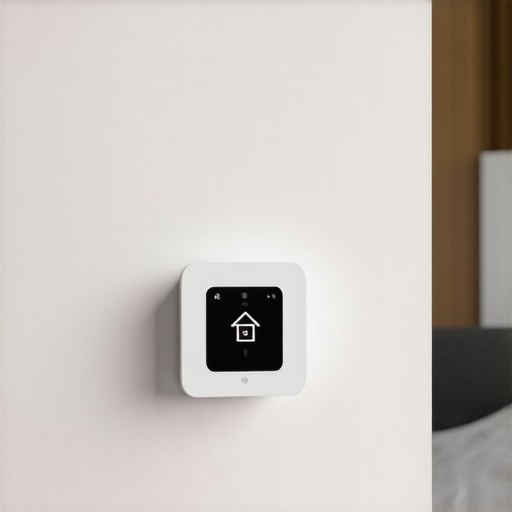
There I was, shivering in my own kitchen at 11 PM, staring at a glowing screen that insisted nobody was home. It was mid-January, the wind was howling through the eaves, and I had just finished a brutal shift. All I wanted was a hot shower and a warm bed. Instead, my “smart” home had decided I was somewhere else entirely, plunging the house into a bone-chilling 60-degree eco-mode. It is a special kind of frustration when the tech you bought to make life easier starts acting like a moody teenager. I actually came close to calling for same-day appliance repair because I was convinced my entire HVAC system had kicked the bucket. Spoiler alert: it was just the thermostat being too clever for its own good.
Stop Your Thermostat from Ghosting You
It is a common story. You set a schedule, you expect comfort, and then—clink—the heat drops right when you’re sitting down to dinner. You are not alone in this digital gaslighting. I have spent more hours than I care to admit recalibrating sensors and scrolling through troubleshooting forums. Early on, I made a classic rookie mistake: I enabled geofencing on my phone but forgot to install the app on my wife’s phone. Every time I left for work, the house assumed it was empty and shut down the heat, leaving her freezing while she worked from home. If your system is acting up after a storm, you might even need to reset your smart thermostat after a power surge to clear out the digital cobwebs. Today, we are going to look at why these high-tech brains get confused and how you can reclaim control over your home’s climate. Have you ever walked into your house only to find the “Away” light mocking you?
Is all this ‘Smart’ tech actually worth the hype?
Let’s be real. Sometimes a manual dial feels incredibly tempting when the software glitches. However, the problem usually isn’t the technology itself; it’s the configuration. According to a study by the American Council for an Energy-Efficient Economy (ACEEE), smart thermostats can save homeowners up to 8% on heating and cooling costs, but those savings only happen if the device actually knows when you are home. When the sensors fail, that efficiency goes right out the window. Getting a professional to guide your installation can save you from these headaches, but many of the fixes are things you can tweak yourself tonight.
The Geofencing Trap and Sensor Shadows
Most of the time, the culprit isn’t a broken heater or a fried motherboard. It is usually a conflict between your phone’s GPS and the built-in motion sensors. If your unit is tucked away in a hallway where nobody walks, it eventually assumes the house is empty. I once saw a case where a smart thermostat wiring error caused intermittent power loss, making the unit default back to factory “Away” settings every few hours. We need to make sure your installation is reliable and your settings aren’t fighting each other. [image]
Get Under the Hood and Check Those Wires
Before you dive into complex app settings, you need to verify the physical connection. A loose wire is like a frayed charging cable; it might work for a minute, then quit. I remember spending a frantic Saturday morning tearing my hair out because my display kept flickering. I assumed the software had corrupted, but after pulling the unit off the wall, I found the ‘C-wire’—the one that provides constant power—was barely hanging on. This kind of smart thermostat wiring error is the number one cause of units rebooting or losing their memory. If you aren’t comfortable poking around your HVAC’s brains, getting fast trustworthy appliance installation ensures your common wire is grounded and secured correctly from day one. 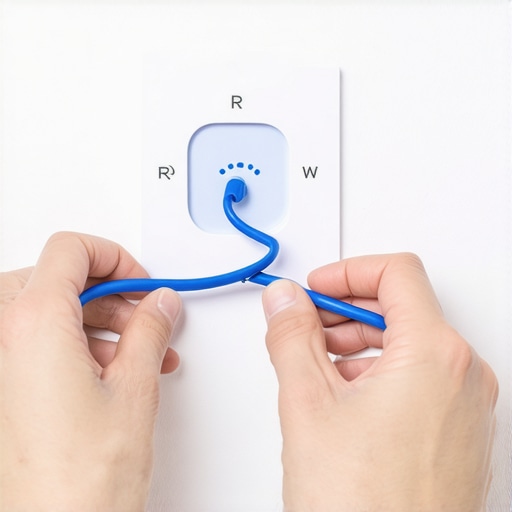
Stop Your Sensors from Making Bad Guesses
Your thermostat is only as smart as the data it receives. If it’s sitting in a drafty hallway or behind a bookshelf, it’s basically flying blind. Many systems use ‘Auto-Away’ features that rely on motion. I once had a client whose thermostat was in a guest wing; the house would freeze every afternoon because the sensors didn’t ‘see’ anyone in that specific hallway. To fix this, you need to dive into the settings and prioritize specific remote sensors in the rooms you actually inhabit. This is frequently why your smart thermostat keeps forgetting your weekly schedule—it is trying to be too helpful with automated overrides. If your device is constantly resetting these preferences, you might need to reset your smart thermostat after a power surge to clear the temporary cache and re-establish your priority zones.
Give Your Wi-Fi a Fighting Chance
A smart thermostat without a solid internet connection is just a regular, expensive thermostat. If your unit keeps dropping off the grid, it cannot sync with your phone’s GPS, leading to that ‘Away’ mode nightmare. This often happens because the HVAC system is located far from the router, or there is too much interference. It is the same logic behind why your smart dryer won’t connect to your laundry room router; thick walls and metal appliances are signal killers. Try assigning your thermostat a static IP address in your router settings to prevent it from getting lost during a lease renewal.
Document Everything Before Things Break Again
When you finally get your schedule locked in, take a screenshot of your settings. Trust me, if the power goes out or you need to call for same-day appliance repair, having a record of your configuration is a lifesaver. Beyond settings, keep your service logs updated. If you ever need to make a claim, knowing how to prove you maintained your HVAC can be the difference between a free repair and a massive bill. Most manufacturers are sticklers for documentation, so treat your thermostat’s history like a car’s service manual. If your unit is truly acting possessed even after these tweaks, it might be time to look into expert appliance repair and installation to see if the internal relays have simply reached their end of life.
People often think that calling for same-day appliance repair is a silver bullet for their household headaches. In my years of tinkering and talking to the pros, I have found that the ‘speed trap’ is actually the biggest mistake a homeowner can make. Everyone wants the problem fixed right this second, but according to data from the Association of Home Appliance Manufacturers (AHAM), rushing a complex repair can lead to a 30% higher chance of a repeat failure within the first 90 days. If a technician is more focused on hitting their next appointment than checking the voltage issue that kills your new oven control board, you are not getting a real repair—you are just getting an expensive band-aid.
Don’t Fall for the Same-Day Service Mirage
In my experience, the term ‘same-day’ is frequently used as a marketing hook rather than a technical promise. A true expert needs time to diagnose the root cause, not just swap out the most obvious part. I have seen countless DIYers and even some ‘pro’ installers skip the most basic steps, like verifying that the home’s electrical load can actually handle the new tech. This is exactly why your new smart oven needs a dedicated circuit. If you rush the process, you might end up with a unit that works for a week and then goes dark right before a big dinner party. Always prioritize a thorough diagnostic over a ten-minute ‘fix’ that ignores the underlying wiring health.
The Paperwork Trap That Voids Your Protection
The biggest ‘oops’ factor I see with modern appliances involves the fine print of your coverage. There is a massive difference between a factory warranty and a service contract, and knowing which one you are using is critical. I once watched a friend lose their entire compressor coverage because they allowed a non-certified technician to install an ‘equivalent’ third-party fan motor. Manufacturers are looking for any reason to deny a claim, and the hidden risk of third-party parts for smart fridges is that they often lack the specific resistors needed to talk to the main logic board. Have you ever fallen into this trap where a quick, cheap fix ended up costing you the whole warranty? Let me know in the comments.
Why does your high-end unit keep failing after a perfect setup?
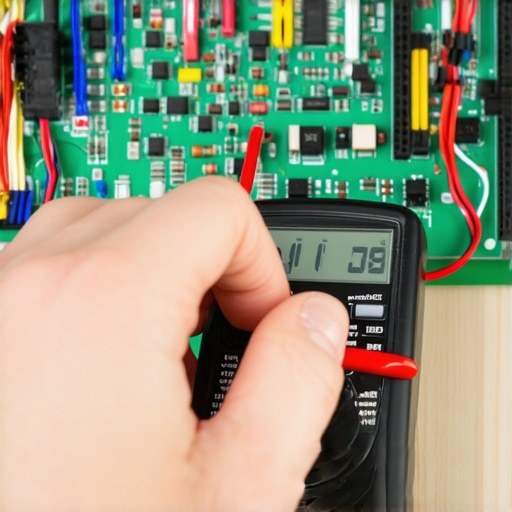
It usually comes down to the home’s infrastructure, not the machine itself. Most homeowners assume that if the plug fits the outlet, the installation is done. However, sophisticated sensors require stable, ‘clean’ power. Getting fast trustworthy appliance installation means more than just leveling the feet; it means checking the grounding and ensuring there are no micro-fluctuations in the circuit. If your tech didn’t pull out a multimeter, they didn’t finish the job. To stay protected, you must maximize your appliance warranty during emergency repairs by insisting on a full system electrical check before any parts are swapped. Following an expert guide to appliance repair and installation will show you that the most expensive part of a repair isn’t the labor—it’s the cost of doing it twice.
It is one thing to fix a glitch; it is another to ensure that glitch never returns to haunt your Friday night. If you want to move from ‘constantly calling for help’ to ‘DIY mastery,’ you need to stop guessing and start measuring. I don’t care how many YouTube videos you’ve watched; if you aren’t using a digital multimeter to check for steady voltage, you are just playing a dangerous game with your expensive control boards. I personally use a Fluke 117 because it features a low-impedance mode that prevents ‘ghost voltages’ from tricking me—something a cheap $10 tester simply won’t do. This is the difference between a fast trustworthy appliance installation and a project that blows a fuse the moment the compressor kicks on. 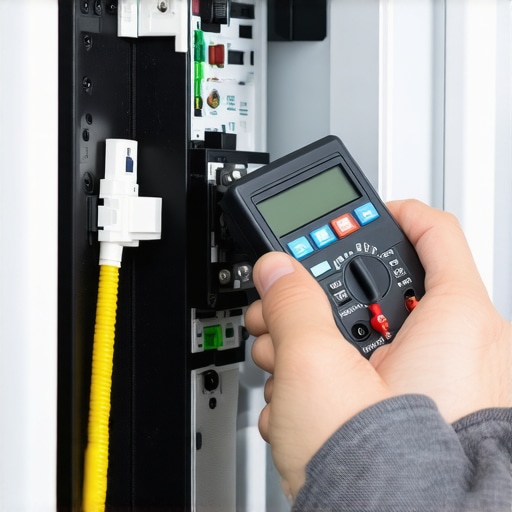
How do I maintain my smart home ecosystem over time?
The secret isn’t in the hardware; it’s in the routine. Every six months, I do a ‘digital sweep.’ I check the signal strength of my Wi-Fi-enabled devices and ensure my dryer vent is clear to prevent the backpressure that burns out sensors. According to the National Fire Protection Association (NFPA), nearly 16,000 home fires are caused by clothes dryers annually, often due to poor maintenance. To avoid becoming a statistic, you need to know the thermal fuse location in your dryer and keep it clear of lint buildup. This proactive approach is exactly the maintenance step that extends the life of your high-efficiency washer and keeps your warranty intact.
The service log is your secret weapon for warranty wins
I cannot stress this enough: start a digital folder for every appliance in your home. Upload photos of the serial number, the receipt, and every single maintenance record. If you ever have to argue with a technician about same-day appliance repair coverage, that folder is your ultimate shield. This is why your extended warranty company keeps asking for service logs—they are looking for any excuse to claim negligence. If you can show how to prove you maintained your HVAC with date-stamped records, they have no ground to deny your claim.
What the future of repair looks like for us
We are moving toward a world where your fridge will text you before the part actually fails. Predictive AI is already starting to flag amperage spikes that suggest a failing motor before it starts smoking. Until that becomes the universal standard, you still need to be the brain behind the machine. Make sure you know how to ensure reliable appliance installation by verifying every connection yourself during the initial setup. If your unit is acting up right now, my best advanced tip is to grab your multimeter and check the outlet voltage at the source—it is the quickest way to rule out a house-side electrical issue before you pay for an unnecessary repair.
What My Local Technician Finally Told Me After Three Visits
Over the years, I have learned that the most expensive repairs usually start as the smallest oversights. One major ‘lightbulb moment’ for me was realizing that just because a device turns on doesn’t mean it is healthy. If you are skipping the multimeter check, you are essentially gambling with your motherboard’s lifespan. I also found that verifying your new appliance is covered under the original manufacturer’s terms before you touch a single wire is the only way to avoid a total financial loss. Another hard-earned lesson: never trust ‘auto’ settings blindly. Your house doesn’t have a soul, but it definitely has ‘blind spots’ where sensors can’t reach. Finally, I realized that following an expert guide isn’t about lack of skill—it’s about having a repeatable checklist that prevents human error during a 10 PM crisis. #IMAGE_PLACE_FINAL#
The Zero-Stress Toolbox for Your Smart Home
If you want to stop guessing, you need a few reliable resources in your corner. First, get a high-quality digital multimeter; it’s the only way to prove a voltage drop is killing your performance. Second, I swear by the AHAM (Association of Home Appliance Manufacturers) maintenance standards, which provide the benchmarks technicians use to judge your equipment. Third, use a dedicated cloud-based folder for every appliance manual and receipt you own. If you find yourself in a bind, knowing how to maximize your appliance warranty during emergency repairs starts with having that paperwork ready. Sometimes, the fix is simpler than you think—like the $20 part that usually fixes a fridge—and having the right tools helps you identify those cheap wins before calling for professional help.
Take Back Your House from the Algorithms
You bought your smart home technology to serve you, not the other way around. By taking these small, proactive steps today, you can ensure your system remains a source of comfort rather than a source of stress. Whether it is tightening a C-wire or documenting your maintenance logs, your effort pays off the next time a storm hits or a sensor glitches. When you do need to bring in the pros, remember that a same-day appliance repair is only as good as the diagnostic that precedes it. Be the master of your machines, and they will keep your home cozy for years to come. Have you ever been ‘locked out’ of your own climate settings by a smart device? Share your horror story in the comments below!