
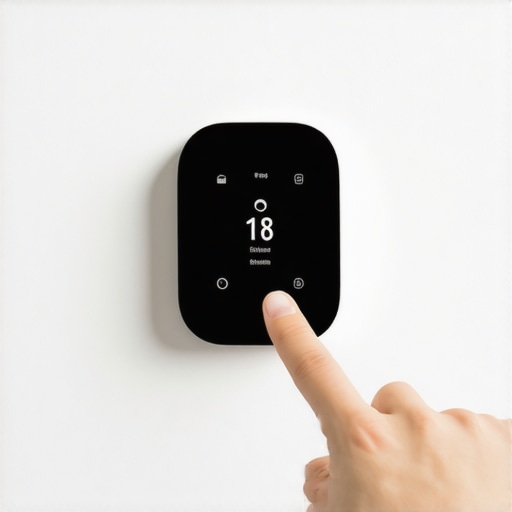
There I was, sitting in the dark last Tuesday, clutching a lukewarm coffee as a summer storm hammered the roof. Then it happened—a blinding flash, a boom that rattled my teeth, and every light in the house died. When the juice finally kicked back on ten minutes later, I expected my smart thermostat to greet me with its usual friendly glow. Instead? Nothing. Just a black screen and a house that was quickly turning into a sauna. It’s a sinking feeling, wondering if a single bolt of lightning just turned your expensive gadget into a high-tech paperweight. [IMAGE_1]
When the Lights Come Back but the AC Doesn’t
If you’re staring at a blank screen or a weird error code right now, don’t panic. I’ve been there, and I’ve made the mistake of calling for an expensive same-day appliance repair before even checking the basics. The truth is, these smart devices are basically tiny computers glued to your wall, and like any computer, a sudden power spike can scramble their brains. Most of the time, they aren’t actually dead; they’re just stuck in a digital “hangover” and need a specific nudge to wake up. We are going to get your HVAC system talking to your thermostat again without you having to spend a dime on a service call. It’s a lot like the reset sequence for a glitched microwave display after a surge—sometimes the internal memory just needs a hard clear.
Is My Expensive Smart Thermostat Actually Fried?
It’s the first thing everyone asks, and it’s a valid fear. I once spent two hours tearing apart my furnace panel only to realize I had tripped the dedicated HVAC breaker during the storm—a move that made me feel like I’d never seen a tool belt in my life. Before you assume the worst, remember that your thermostat usually has built-in protections. According to the Insurance Information Institute, lightning and power surges account for nearly $1 billion in homeowners insurance claims annually, but many “broken” electronics are actually just locked in a safety state. Have you ever seen your thermostat just sit there, unresponsive, even though the rest of the house has power? It’s frustrating, right? We’re going to look at why the HVAC breaker reset that actually works is your first line of defense and how to perform a deep restart that goes beyond just pulling it off the wall. We’ll also touch on the smart thermostat calibration step most diy-ers skip which can get lost during a power failure. Let’s get that air moving again.
Flip the Switch Before You Pull the Wall Plate
First, head to your main electrical panel. It’s tempting to start poking at the thermostat screen immediately, but you need to ensure the system actually has juice. Even if the breaker doesn’t look “tripped,” flip the HVAC switch all the way to OFF and then back to ON. This is the HVAC breaker reset that actually works because it forces the physical contact to snap back into place, clearing any minor arcing that happened during the surge. If your outdoor unit hums but the indoor screen is still dead, your furnace or air handler might have its own dedicated power switch nearby—often looking like a regular light switch—that also needs a quick toggle to reset the internal circuitry.
Perform the 60-Second Digital Drain
If the screen stays dark after checking the breakers, it’s time for a hard restart. This isn’t just turning it off; it’s a “digital drain.” Pull the thermostat off its base—most just snap off with a firm tug—and remove any backup batteries. While the batteries are out, hold down the power button if the device has one, or simply let it sit for a full minute. This discharges the internal capacitors, a process very similar to how to reset your washer after a sudden power outage. You are essentially forcing the motherboard to dump its temporary memory and boot from scratch, which often clears the digital “lockup” caused by a voltage spike during a storm.
The Tiny Fuse and the Loose C-Wire
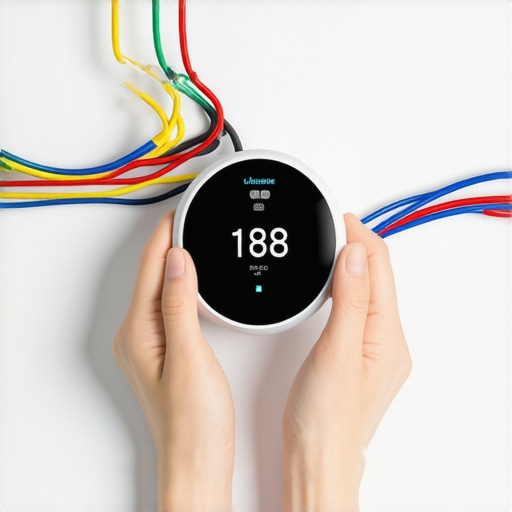
I remember a humid Friday night when I was convinced my high-end thermostat had finally fried. I was already looking up how to verify your new appliance is covered under the original warranty and bracing for a miserable, sweaty weekend. On a whim, I opened the furnace panel and checked the internal glass fuse. Sure enough, a tiny 3-amp fuse had sacrificed itself to save the expensive control board. It was a $2 fix that looked like a $500 disaster. You should also check the “C-wire” (usually the blue one) for a snug fit. Heat and vibration can make these wires brittle, and a surge can finish off a weak connection, much like the one wire that always loose in your wall oven control board. If that connection isn’t solid, your smart features will never receive the constant power they need to stay online.
Don’t Ignore the Re-Configuration Menu
Once the power is back and the screen is glowing, don’t assume the job is done. Often, a severe power spike wipes the localized settings, leading to the smart thermostat calibration step most diyers-skip during setup. You need to dive back into the advanced menu and ensure the thermostat accurately recognizes your specific equipment, such as a heat pump or a multi-stage furnace. If these settings reverted to factory defaults, the thermostat might send signals your HVAC system can’t understand. If you still can’t get it to trigger the cooling cycle despite a bright screen, you may need to look into same-day appliance repair-quick solutions with warranty support to diagnose a potentially damaged transformer or contactor within the unit itself.
Many homeowners assume that once the lights are back on and the screen is glowing, the technical battle is won. But here is where we need to look closer at the logistical traps that catch even the most prepared DIYers. Everyone wants a tech at their door within four hours, but the real expertise in high-stakes repair isn’t just showing up—it’s the van stock and the paperwork. Most people think what to expect from same-day appliance repair experts is a magic wand that fixes everything in one visit. In reality, the most skilled pros use that first visit for a high-level diagnostic to stop further electrical degradation, even if a specialized capacitor needs a next-day delivery.
Why Your Manufacturer Warranty Isn’t a Safety Net
There is a massive misconception about what actually happens when a surge hits a smart device. You might think you’re protected, but the difference between a manufacturer warranty and a service contract can mean the difference between a $0 bill and a $400 surprise. Manufacturer warranties typically cover defects in materials, not “acts of God” like a lightning strike. If your HVAC board fried during a storm, you’re often leaning on your homeowner’s insurance or a secondary service contract rather than the brand’s factory guarantee.
Why did the technician deny my ‘covered’ repair?
It is the question that ruins every homeowner’s day. According to research from Consumer Reports, nearly one in five homeowners with extended warranties face claim denials, often due to a lack of documented maintenance or unauthorized previous repairs. This is why knowing how to verify your new appliance is covered under the original warranty is only step one. Step two is keeping a literal paper trail. If you cannot provide the document every technician needs to see for a valid warranty visit, they are often contractually obligated to bill you for the call out-of-pocket. 
Don’t Get Stuck With the Service Fee
One of the biggest “oops” factors I’ve encountered is the service fee trap. You call for a warranty visit, assuming it’s free. The tech arrives, finds out the problem was a simple tripped breaker you missed or a clogged filter you didn’t change, and suddenly you are hit with a $100+ trip charge. Learning how to avoid paying the service fee for a denied warranty claim starts with performing the deep resets we covered earlier. If the fault is deemed “maintenance related” or “user error,” the warranty provider will not foot the bill for the technician’s time. This is especially true for complex systems; if you are wondering how to prove you maintained your hvac for a warranty claim, you need more than just a memory of changing the filter. You need dated receipts and ideally, a professional maintenance log. Without it, that “10-year parts warranty” isn’t worth the digital paper it’s printed on. Have you ever fallen into this trap where a ‘guaranteed’ fix turned into a paperwork nightmare? Let me know in the comments.
Stop Guessing and Start Measuring with a Multimeter
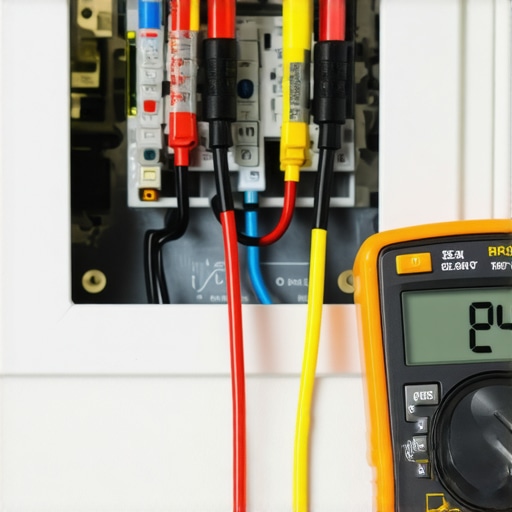
If you are serious about being your own home hero, you need more than just a screwdriver. I personally keep a Klein Tools CL800 multimeter in my utility drawer specifically for these moments. Why? Because you need to verify that your transformer is actually pumping out the 24V AC required for your thermostat to live. If you don’t have a meter yet, you might need to learn how to check your hvac blower capacitor without a multimeter, but for the thermostat itself, voltage is king. According to the NEMA (National Electrical Manufacturers Association) guide on Surge Protective Devices, even a single large spike can degrade internal components even if the device doesn’t fail immediately. Measuring the output from your C-wire ensures that the ‘invisible’ damage hasn’t dropped your voltage below the operational threshold.
Why Your Wall Needs a Dedicated Surge Protector
We often protect our computers, yet we leave our $300 thermostats vulnerable. I have seen so many people make the power strip mistake killing your high-end coffee machine circuit, and the same logic applies to your HVAC system. You can actually buy localized surge protectors that install directly onto your furnace’s control board. This is a game-changer for long-term results because it acts as a sacrificial lamb for your expensive smart tech. I predict that by 2030, we won’t be resetting breakers manually; we will see AI-driven power modules that isolate surges at the appliance level before they ever reach the motherboard.
How do I maintain my smart thermostat and HVAC system over time?
Maintenance isn’t just about the hardware; it’s about the environment. Just like the maintenance step that extends the life of your high efficiency washer, your thermostat needs a clean environment to read temperature accurately. Dust buildup behind the wall plate can cause ‘ghost’ readings, making your AC kick on when it shouldn’t. Every six months, I use a can of compressed air to blow out the sensors. Also, keep an eye on your external unit—remember that the one maintenance move that stops your ac from smelling like mildew often starts with ensuring your condensate drain line is clear, which prevents the system from triggering a high-water safety shut-off that kills power to your thermostat.
The Professional Installation Advantage
I know the DIY itch is strong, but there is a reason many homeowners transition to expert-guide to appliance repair and installation today. If your wiring looks like a bowl of spaghetti behind the wall, you risk a short circuit that can void every protection plan you have. Proper installation is the foundation of reliability. As we look at how to ensure reliable appliance installation in 2025, the focus is shifting toward integrated home ecosystems where every device communicates its health to a central hub. If you aren’t ready for that complexity, sticking to warranty-backed appliance services you can rely on ensures that if a component fails after a storm, the burden of proof (and the bill) isn’t solely on your shoulders. Try this today: Go to your breaker panel and use a permanent marker to clearly label which breaker controls your HVAC vs. your furnace—you’ll thank me the next time the lights go out.
Hard-Won Lessons from My Worst Summer Blackout
Dealing with a dead thermostat taught me that a power surge is rarely a one-and-done event. It often leaves behind subtle damage that shortens the life of your equipment. First, never assume a simple reboot fixed the underlying stress on the transformer. Second, I learned that the document every technician needs to see for a valid warranty visit is usually the original purchase receipt paired with a log of your maintenance. Third, if you have to call for help, knowing what to expect from same-day appliance repair experts helps you prep the workspace so they can work fast and avoid extra labor fees.
My Gear for Electrical Peace
I don’t leave my HVAC health to chance anymore. Here are the three things currently in my ‘storm kit’ that I recommend to every homeowner:
- A High-Quality Multimeter: This is essential for checking if your 24V transformer actually survived the spike or if it is pumping out erratic voltage.
- Maintenance Records Folder: You must know how to prove you maintained your hvac for a warranty claim if you want the manufacturer to foot the bill for parts.
- Professional Support Contacts: Keep a link to warranty-backed appliance services you can rely on bookmarked for when the hardware failure goes beyond a simple fuse swap.
[IMAGE_E]
Take Control of Your Home’s Digital Brain
You don’t have to be a master electrician to manage a smart home, but you do need to be a prepared homeowner. By performing the deep resets we discussed and keeping your documentation in order, you turn a potential $1,000 disaster into a minor weekend inconvenience. Whether you are dealing with a glitched smart thermostat or a complete HVAC shutdown, the key is to act methodically rather than out of panic. If the screen is still black after your best efforts, don’t hesitate to reach out for same-day appliance repair to get your home’s climate back under control. Have you ever had a warranty claim denied because of a missing receipt or a missing service log? Let me know your experience in the comments below!