
I stood there, sweat dripping onto my phone screen, staring at the “Searching…” animation for the forty-fifth time. It was 98 degrees in the shade, and my brand-new, high-tech AC unit was sitting right there, mocking me. I’d followed every step in the manual, but my smart hub insisted I was living in a vacuum. It’s that sinking feeling we all get when the “future” feels more like a chore than a convenience. My neighbor even peeked over the fence while I was waving my phone around like a divining rod, laughing at how my “fancy gadgets” were failing me. I know you’re likely feeling that same heat right now, but don’t throw the remote across the room just yet. I’ve been in those trenches, and I’ve learned that usually, it’s not a broken machine; it’s just a failure to communicate. [IMAGE_PLACEHOLDER]
Your AC is Talking but Your Hub is Not Listening
It’s easy to think that once you’ve secured fast trustworthy appliance installation near you, the rest should be a breeze. But the reality of smart home integration is often a mess of competing signals and invisible barriers. I remember my first big mistake: I tried to set up a whole suite of appliances on a single, congested 2.4GHz band while my kids were streaming 4K video in the next room. I almost fried my patience entirely before realizing the signal was simply too crowded for the hub to pick up a new friend. If you’re stuck, the reason your smart home hub fails to find your new AC unit usually boils down to a few specific technical hiccups like frequency mismatch or local interference that are surprisingly easy to fix yourself. You don’t need a degree in computer science; you just need a bit of neighborhood wisdom and a systematic approach to the handshake process between your devices.
Is all this extra tech actually worth the headache?
I get the skepticism. When you’re sweating through your shirt, a “dumb” AC with a physical knob starts looking like a stroke of genius. However, once you bridge that digital gap, the energy savings and comfort are game-changers. The trick is knowing how the initial handshake works between your devices. According to industry data from Statista, the average American home now manages over 10 connected devices, which creates a “noisy” environment that can drown out a new AC’s pairing signal. If you’ve recently had to reset your smart thermostat after a sudden power surge, your hub might still be recovering its internal network map, leaving your new AC out in the cold—or rather, the heat. Have you ever had a device simply refuse to appear on your network even though it was inches away from the router? It’s a common nightmare, but we’re going to wake you up from it today with this expert guide to appliance repair and installation today. We are going to look at everything from IP address conflicts to the simple voodoo of power cycling that actually works, ensuring your home stays cool without the digital drama.
Force Your Router to Speak the Same Language
The biggest hurdle in getting your AC to talk to your hub isn’t the hardware; it’s the frequency. Think of your Wi-Fi like a highway with two lanes: 2.4GHz and 5GHz. Most high-speed devices like laptops love the fast 5GHz lane, but smart appliances are like slow-moving tractors that only operate on the 2.4GHz band. If your phone is on the fast lane and your AC is on the slow lane, they will never see each other. To fix this, you need to manually set your router to broadcast these as two separate network names. I once spent three hours wrestling with a connection until I realized my ‘Smart Connect’ feature was trying to force a 5GHz handshake on a unit that didn’t have the ears for it. Once I split the bands, the AC popped up instantly. This is a core part of how to ensure reliable appliance installation in 2025, as newer routers are increasingly aggressive about hiding that 2.4GHz band.
Ditch the 5GHz Band for Ten Minutes
While you are in the pairing process, tell your phone to ‘Forget’ the 5GHz network. By staying strictly on the 2.4GHz signal, you ensure that the app sends the correct credentials to the AC unit. If you find that the unit connects but then drops out, you might be dealing with the voltage issue that kills your new oven control board or similar electrical interference that messes with the Wi-Fi chip’s stability. In my experience, if the signal has to pass through more than two walls or a refrigerator, the connection will be flaky at best. You might need a simple range extender placed halfway between the hub and the AC unit.
Stop Your Hub from Holding a Grudge
Sometimes your hub is the problem because it’s remembering an old version of your home network. It’s like trying to navigate a new city with an old map. When this happens, you need to perform a ‘Hard Reset’ on the hub itself, not just the AC. I remember a specific Saturday where I had to help a friend who was convinced his new unit was a lemon. We spent an hour on the phone with tech support before we realized his hub was still looking for a thermostat he’d replaced three years ago. We wiped the hub’s cache, and suddenly, the AC was visible. If your hub is acting up after a storm, you might need to know how to reset your washer after a sudden power outage because the logic for clearing a trapped logic board is identical across most smart home gear. 
Assign a Static IP Address
If you want to stop the ‘Device Offline’ dance forever, go into your router settings and assign a static IP to your AC. This gives the unit a permanent ‘home address’ so the hub never loses track of it. This prevents the common issue where a router reboot gives the AC a new address that the hub doesn’t recognize. If you’ve tried all these digital tweaks and the unit still won’t respond, it might be a hardware defect. In those cases, looking for same-day appliance repair quick solutions with warranty support is your best bet to ensure you aren’t voiding any protections. Always rely on warranty-backed appliance services you can rely on to handle internal sensor failures that no amount of Wi-Fi tweaking can fix.
Check Your Circuits Before You Blame the Software
We often blame the app when the culprit is actually the electrical panel. Smart AC units are sensitive to ‘dirty power.’ If your AC is on a circuit shared with a high-draw appliance like a vacuum or a hairdryer, the tiny fluctuations in voltage can cause the Wi-Fi module to reboot or hang. I’ve seen cases where a unit would disconnect every time the fridge compressor kicked in. Ensuring your unit has a stable power supply is just as important as having a strong Wi-Fi signal. If the unit won’t even power on its Wi-Fi light, verify the breaker isn’t partially tripped, as a weak connection can mimic a software failure.
But even with a solid breaker, you’re not out of the woods yet. Most homeowners believe that a manufacturer’s warranty is a safety net that catches everything, but in my experience, it’s more like a sieve with very specific holes. We often assume that as long as we have the paper receipt from the big-box store, we are protected. I learned the hard way that this is a myth. To truly maximize your appliance warranty during emergency repairs, you need more than a proof of purchase; you need a maintenance log. I once watched a friend lose a $400 repair claim because he couldn’t prove he’d cleaned his filters according to the manual’s schedule. The technician didn’t just look at the broken part; they looked for neglect. If you want to stay ahead, knowing how to prove you maintained your hvac for a warranty claim is the difference between a free fix and a massive bill.
Does Your Local Power Grid Hate Your New Smart Fridge?
It sounds like a conspiracy theory, but it’s actually physics. Modern smart appliances are built with micro-sensors that are incredibly sensitive. According to data from the Association of Home Appliance Manufacturers (AHAM), electronic control boards are now the leading cause of service calls, often triggered by “unseen” power quality issues. This is the “oops” factor most people miss: you might have 120V at the outlet, but if it’s “dirty” power with high-frequency noise, your smart hub will constantly drop the connection to your AC or fridge. This is why the voltage issue that kills your new oven control board is so rampant in older neighborhoods. If your hub keeps forgetting your devices, stop looking at the software and start looking at your line noise. 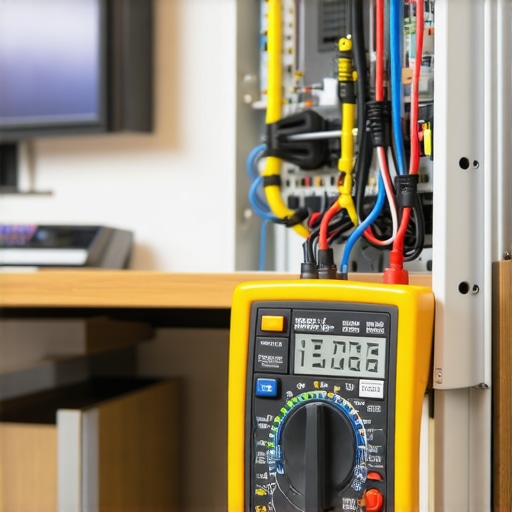
The Same-Day Service Trap You Didn’t See Coming
Everyone wants scheduling your appliance repair for same-day service in 2025 to be as simple as an Uber ride. However, here is a nuance most people get wrong: “same-day” often refers to the diagnostic visit, not necessarily the total fix. If you’re not careful, you can end up paying a premium for a technician to tell you what you already know, only to wait a week for a proprietary chip. To avoid this, you need to understand what to expect from same-day appliance repair experts before they arrive. I always tell my neighbors to provide the exact model and serial number during the initial call—it’s the only way to ensure they have the part on the truck. By being proactive, you can often secure affordable same-day appliance fixes with warranty benefits without the hidden frustration of a two-part repair process. Have you ever fallen into this trap where the “fast” fix turned into a week-long ordeal? Let me know in the comments. In the end, your smart home is only as reliable as your understanding of these invisible technical requirements. Always aim for warranty-backed appliance services you can rely on to protect your investment from these advanced electrical gremlins.
I don’t just own a toolkit; I own a Fluke 115 Multimeter. People sometimes laugh when I pull it out to check a simple kitchen outlet, but it’s the only way to catch ‘dirty power’ before it fries a $300 control board. Modern appliances aren’t just mechanical; they are computers with heating elements attached. If you aren’t measuring the True-RMS voltage, you are basically guessing. I learned this the hard way after three different ‘smart’ ovens failed in a row. It wasn’t the ovens; it was a transient voltage spike from a nearby transformer that a cheap $10 meter couldn’t detect. This is why the voltage issue that kills your new oven control board is often invisible to the naked eye. To protect your gear, you need to verify your home’s grounding is actually solid, especially if you live in an older neighborhood where the copper might be degrading.
Your Warranty is Only as Strong as Your Paper Trail
I keep a dedicated folder on my Google Drive specifically for appliance ‘birth certificates.’ This includes a PDF of the receipt, a photo of the serial number plate, and a log of every single time I’ve vacuumed the coils or cleared a drain. You might think it’s overkill, but I’ve seen manufacturers deny claims because a homeowner couldn’t prove they performed basic upkeep. If you want to maximize your appliance warranty during emergency repairs, you have to treat it like a legal case. The IEEE 1100-2005 (The Emerald Book) highlights that proper grounding and power quality are the foundations of electronic longevity. If you show a technician your maintenance log, they immediately know they aren’t dealing with a ‘negligent’ owner, which makes them much more likely to push for a covered repair. Knowing how to prove you maintained your hvac for a warranty claim isn’t just about the money; it’s about having the upper hand in the negotiation. 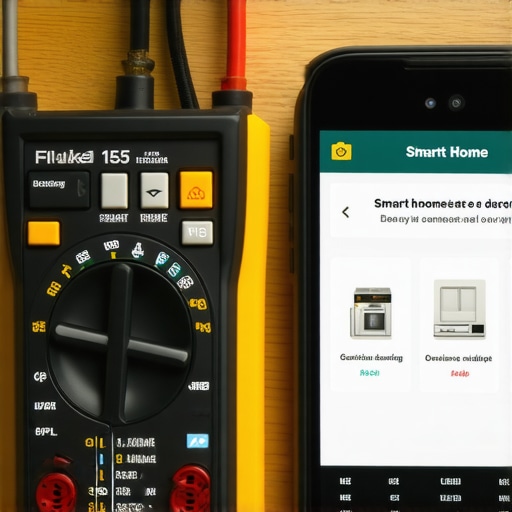
How can I keep my smart appliances running for a decade?
The secret isn’t just in the software; it’s in the airflow. I’ve noticed a trend where people shove smart appliances into tight cabinets without realizing that processors generate heat. If your smart fridge or AC unit is running its Wi-Fi chip 24/7, it needs even more clearance than the ‘dumb’ models of the 90s. I personally use a small handheld vacuum to clean out the air intakes every three months. This prevents the motherboard from overheating and losing its connection to your hub. You should also look into the maintenance step that extends the life of your high-efficiency washer, as keeping the seals clean prevents the moisture that eventually corrodes internal sensors. Even with fast trustworthy appliance installation near you, the long-term survival of the machine depends on how you treat the physical components that support the digital ones. Simple habits like the one maintenance move that stops your ac from smelling like mildew will keep your home healthy while protecting the expensive electronics inside.
The Future of Repair is Predictive and AI-Driven
Looking ahead, the days of calling a technician and waiting three days for a diagnosis are numbered. With the Matter 1.3 protocol becoming the standard, appliances will soon be able to run their own internal stress tests and send a report to your phone before they actually break. We are moving toward a world where your dishwasher will tell you exactly which valve is failing weeks in advance. However, until that tech is in every home, you still need to rely on an expert guide to appliance repair and installation today to bridge the gap. My advice? Start by assigning that static IP address I mentioned earlier. It’s the single most effective way to stop your hub from ‘forgetting’ your devices, and it costs exactly zero dollars to do.
Three Hard Lessons I Learned While Sweating in a Smart Home
After years of wrestling with routers and AC units, I’ve realized that the ‘smart’ in smart home doesn’t come from the device—it comes from the setup. First, I learned that Wi-Fi congestion is the silent killer of connectivity; if you have thirty devices on one band, something will eventually break. Second, I discovered that a paper trail is worth its weight in gold. I used to think a warranty was a promise, but it’s actually a contract that requires you to prove you did your part. Finally, I realized that power quality matters more than software updates. If your voltage is fluctuating, no amount of firmware patches will keep your hub online. Before you assume you need affordable same-day appliance fixes with warranty benefits, check your router’s device limit first. [IMAGE_PLACEHOLDER]
The Essential Toolkit for Any Smart Home Troubleshooter
You don’t need a van full of tools to keep things running, but you do need a few high-value items. I swear by a True-RMS Multimeter for checking line noise—it caught a transformer issue that saved my oven. I also recommend a dedicated digital folder for appliance documentation; it’s the only way to effectively manage same-day service warranty coverage without a headache. Lastly, keep a simple Wi-Fi analyzer app on your phone. It shows you exactly where the dead zones are so you don’t waste time trying to pair a device where signal goes to die. If you find yourself in over your head, don’t be afraid to read an expert guide to appliance repair and installation today to see if your problem is a common hardware failure.
Your Next Move Toward a Truly Connected Home
Getting your AC and hub to finally shake hands is a victory, but it’s just the beginning of maintaining a modern household. By taking these proactive steps—like assigning static IPs and keeping a maintenance log—you are turning a fragile system into a resilient one. Don’t let the technical hiccups discourage you from the convenience you deserve. Whether you are dealing with a faulty connection or need to know how to check if your oven igniter is too weak to light, remember that every fix is a lesson that makes you a more capable homeowner. Reliability is built, not bought, and you’ve already taken the first step by learning the rules of the digital road. Have you ever had a smart device that refused to connect until you changed one tiny router setting? Let me know your biggest ‘Aha!’ moment in the comments below!