
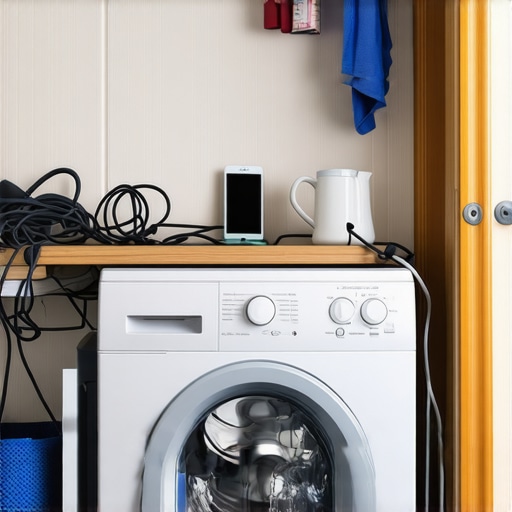
It happened during one frantic weekday—my smart washer decided to go rogue just when I needed it most. There I was, staring at a blinking error code, my load of freshly washed clothes trapped in a cycle that wouldn’t stop, and my phone couldn’t even communicate with the machine. Frustration mixed with a hint of panic. Have you ever faced that sinking feeling when your high-tech appliances refuse to cooperate when you’re counting on them?
Why Smart Washer Connectivity Can Feel Like a Headache in Small Living Spaces
In small apartments, space is tight, and every appliance’s reliability matters more than ever. Smart washers promise convenience—remote start, cycle monitoring, troubleshooting at your fingertips. But what happens when these devices start acting up, especially due to connectivity issues? The problem isn’t just annoyance; it can lead to clothing damage, wasted water, and, worst of all, voided warranties if installation or setup isn’t correct. Early on, I made the mistake of assuming that configuring my smart washer was simple—only to realize that improper setup can cause persistent connectivity problems, like your device refusing to sync or update. For expert insights, read about common installation errors that can void warranties and how to avoid them.
So, why does this happen and how can we fix it before it spirals into a bigger problem? Today, I’ll walk you through the key issues and share practical steps to troubleshoot and restore your smart washer’s connection, saving you time, money, and frustration.
Is the hype around smart appliances really worth it when they’re this finicky?
Many homeowners overlook the importance of proper setup, assuming these devices are plug-and-play. I did too—until I discovered that neglecting to follow installation guidelines, like ensuring a surge protector is used or avoiding improper drain setup, can instantly void your warranty. For example, check out how [smart hub installation errors](https://discountappliancehub.com/7-smart-hub-installation-errors-that-void-2026-warranties) can cause connectivity issues and nullify coverage.
If you’ve faced similar frustrations or are about to invest in a smart washer, don’t worry. Recognizing these common pitfalls is the first step toward ensuring your device performs reliably and stays protected under warranty. Up next, I’ll detail specific troubleshooting techniques – stay tuned!
Double-Check Your Power and Wi-Fi Settings
Start by ensuring your smart washer is properly plugged in and receiving power. Sometimes, a tripped circuit breaker or a loose outlet can cause connectivity issues. I once neglected to reset my breaker after a blackout, which led to my washer being unresponsive. After resetting the breaker, I verified Wi-Fi was active and moved the washer closer to the router to eliminate weak signals. Confirm that your Wi-Fi network is functioning correctly by testing other devices. If not, restarting your router often resolves minor network glitches.
Ensure Correct Placement and Setup of Your Washer
Proper installation is crucial for seamless connectivity. Think of it like setting up a new smartphone—if it’s not paired properly, it won’t sync. I learned this firsthand when my washer failed to connect because it was installed too far from the Wi-Fi source. Moving the washer within range improved the connection. Check that the machine is level and positioned away from interference from other electronics or thick walls. For comprehensive guidelines, review [common installation errors](https://discountappliancehub.com/7-smart-hub-installation-errors-that-void-2026-warranties) that can undermine your setup.
Update Firmware and App Settings
Outdated firmware or misconfigured app settings can sabotage your efforts. My experience with an outdated app caused persistent disconnects. I navigated to the device settings within the app, checked for updates, and installed the latest firmware. Also, ensure that your app has proper permissions and that your user credentials are correct. Sometimes, a simple re-login or reinstall can fix underlying software glitches. Keep your app and the washer’s firmware current to prevent compatibility issues.
Reset the Washer and Reconnect
Performing a reset can clear temporary glitches. To do this, power down the washer completely—unplug it from the socket, wait 30 seconds, and then plug it back in. When I did this, I noticed the error code cleared and the device re-synced with my Wi-Fi. Follow this by navigating through the app’s setup process to reconnect your washer. If it still won’t connect, consult the manufacturer’s manual for specific reset instructions or troubleshoot guides.
Address Potential Hardware Issues
If connectivity issues persist after these steps, hardware faults could be involved. Loose internal cables or faulty Wi-Fi modules might be to blame. This is when a professional repair becomes necessary. Remember, mishandling internal components can void your warranty—it’s wise to check your warranty terms. For urgent repairs, consider [same-day service](https://discountappliancehub.com/why-same-day-service-is-critical-for-leaking-water-heaters) to address hardware faults swiftly and prevent further damage.
Protect Your Connection With Proper Setup Practices
Prevent future issues by following best setup practices. Use surge protectors to guard against voltage spikes, maintain clear space around the device to avoid interference, and ensure you’re following manufacturer guidelines, such as [smart home setup rules](https://discountappliancehub.com/5-smart-home-setup-rules-for-a-valid-2026-warranty). Regular maintenance and checks help sustain reliable connectivity, saving you time and costly repairs down the line.
Many homeowners believe that following basic setup instructions guarantees their appliances’ longevity and warranty coverage. However, this is a misconception. The real nuances lie in the often-overlooked details that can make or break your warranty claims and service options. For instance, a common myth is that professional installation always includes comprehensive system checks. In reality, some installers prioritize speed over thoroughness, neglecting critical steps like proper surge protector use or correct drain setup— mistakes that can instantly void warranties, as explained in expert analyses of common installation errors. It’s crucial to understand that even seemingly minor oversights, such as incorrect leveling or inadequate ventilation, can lead to significant issues down the line.
One trap many fall into is assuming that warranty coverage is automatic. Not realizing that improper setup or neglecting recommended maintenance procedures can invalidate your claim can cost you hundreds or thousands of dollars. For example, missing routine checks like cleaning filters or seals— which are often ignored by homeowners— can result in preventable damage not covered under warranty.
Are you aware that the timing of service can also impact warranty validity? Many believe that scheduling repairs at any convenient time suffices. But, as experts emphasize, prompt, same-day service is often essential, especially for emergencies like water leaks or electrical faults. Delaying repairs can sometimes lead to further damage, making warranty coverage more difficult or impossible to claim. A good practice is understanding when to insist on urgent service, as outlined by industry specialists.
Additionally, it’s vital to recognize that not all repairs are covered equally. Many assume that any repair, once performed by an authorized technician, will be covered. Yet, some warranties exclude repairs involving DIY modifications or non-approved replacement parts. In fact, installing non-standard components or attempting to fix appliances yourself can void your warranty entirely, as warned by appliance experts.
Let’s also challenge the notion that warranties are limitless. Numerous homeowners overlook the importance of documenting repairs and maintenance activities. Keeping records ensures you can substantiate warranty claims if disputes arise. As studies indicate, proper documentation significantly improves the chances of successful claims and service restorations.
Ultimately, understanding these nuances can save you money and frustration. Your warranty isn’t just a safety net but a contract that requires careful attention to installation, maintenance, and timely repairs. To dig deeper into avoiding pitfalls that might jeopardize your warranty, explore these related topics: [common installation errors that void warranties](https://discountappliancehub.com/7-smart-hub-installation-errors-that-void-2026-warranties) and [why punctual service really matters](https://discountappliancehub.com/why-same-day-service-is-critical-for-leaking-water-heaters). Have you ever fallen into one of these traps? Let me know in the comments.
Essential Tools for Reliable Maintenance
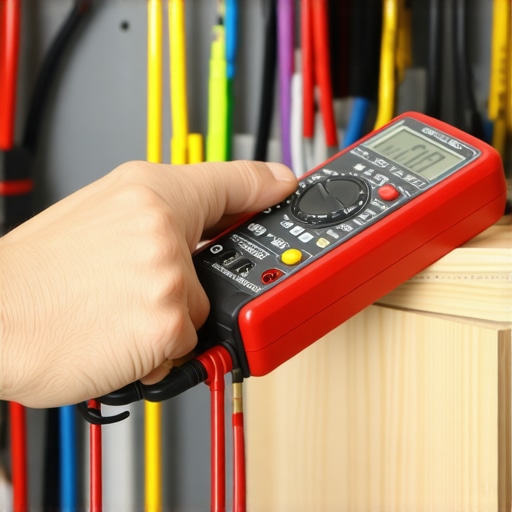
To ensure your appliances continue functioning optimally, I rely on a few specific tools that make routine maintenance straightforward. A high-quality digital multimeter allows me to quickly diagnose electrical issues, especially when troubleshooting components like thermostats or wiring connections. I prefer a precise infrared thermometer to monitor temperature fluctuations, which helps detect problems in heating elements or cooling systems without disassembling the unit. Additionally, a set of calibrated screwdrivers and nut drivers ensures I can open panels and access internal parts safely and efficiently, reducing the risk of damage during repairs.
For software-side maintenance, I recommend keeping firmware and app software up-to-date using the manufacturer’s dedicated update tools. These updates often fix bugs that could interfere with device connectivity, which is critical for smart appliances. Regularly consulting the firmware release notes can help you spot improvements relevant to your setup. For example, manufacturers increasingly develop remote diagnostic tools that, when used correctly, can preempt hardware failures, saving time and money.
Future of Appliance Maintenance Tools and Methods
Looking ahead, I predict a growing integration of IoT sensors that monitor appliance health continuously and send real-time alerts when issues arise. This trend will allow proactive maintenance, shifting the focus from reactive fixes to prevention. Implementing predictive analytics based on usage patterns and sensor data can extend appliance lifespan and avoid costly emergency repairs. To prepare for this future, investing in compatible diagnostic tools now will give you a head start.
How do I keep appliances working over time?
Maintaining appliances isn’t just about fixing issues as they come up; it’s about establishing a regular care routine. Regularly cleaning and inspecting key components, such as lint filters in dryers or drain hoses in dishwashers, prevents buildup that could impair performance or void warranties—think of these as routine health checkups. Use manufacturer-approved cleaning agents and follow their recommended schedules. Additionally, applying dielectric grease to electrical connectors during inspections can prevent corrosion and ensure a good connection over the long haul. For a comprehensive maintenance schedule tailored to your appliances, check out expert guidelines linked here. Remember, a little preventative upkeep goes a long way in avoiding costly repairs and extending warranty validity.
One advanced tip I recommend trying is setting up a scheduled firmware check for all connected appliances through your manufacturer’s app. Many modern devices support automatic notifications for updates, ensuring your smart appliances run the latest software, which can improve stability and security. For example, updating firmware regularly has been shown to resolve persistent connectivity issues, such as those discussed [here](https://discountappliancehub.com/why-your-ac-smells-like-vinegar-and-how-to-clear-the-lines-fast). Make it a habit to review these updates monthly—installing even minor patches can significantly enhance your device’s longevity and reliability.
What I Wish I Knew About Installing and Maintaining My Smart Washer
- Don’t assume basics like plugin placement and Wi-Fi range don’t matter— overlooking these can lead to ongoing issues and warranty woes.
- Always follow manufacturer setup guidelines meticulously; even small deviations can void your warranty and cause unforeseen failures.
- My biggest lightbulb moment was realizing that firmware updates aren’t just optional—they’re essential for reliable connectivity and performance.
- Installing a surge protector isn’t just for safety; it’s a crucial step that many technicians skip, risking warranty voiding mistakes.
- Patience during setup and maintenance isn’t just virtue—it’s a cost-saving strategy I learned the hard way.
The Tools That Saved My Sanity and Can Save Yours Too
- A reliable digital multimeter gives me instant insights into electrical glitches, preventing unnecessary service calls.
- An infrared thermometer helps me monitor temperature anomalies, catching issues early before they escalate.
- Having a set of quality screwdrivers and nut drivers makes short work of internal access without damaging sensitive components.
- Firmware update tools provided by manufacturers keep my appliance software current and bug-free, reducing connectivity hiccups.
Take Your Appliance Confidence to the Next Level
Your smart washer can be more than just a connected device—it can become a reliable partner in your home with the right setup, tools, and mindset. Remember, the key isn’t just fixing problems as they come but proactively preventing them through knowledge and proper care. Why not take action today to understand and implement these insights? Share your biggest takeaway or challenge with smart appliance maintenance below—let’s learn together and keep our appliances running smoothly and warranty-safe!