
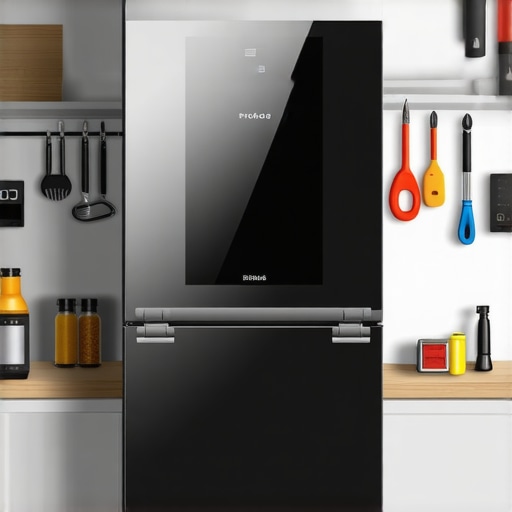
Ever found yourself staring at your smart fridge, only to be greeted by a screen that won’t stop reacting to phantom touches? I remember the frustration all too well. One morning, as I reached for my favorite yogurt, the screen lit up with accidental commands, making the whole fridge seem haunted. It was a lightbulb moment—this wasn’t just a glitch; it was a persistent problem that needed solving.
Why Ghost Touch Matters More Than You Think
The screen on your smart fridge isn’t just for show. It controls crucial functions like temperature settings, inventory management, and even features like smart shopping lists. When ghost touches occur, they can lead to unintended changes, disruptions, or even damage over time. Plus, these issues often hint at underlying hardware problems that, if ignored, could become costly repairs down the line. I’ve learned that tackling this early not only restores normalcy but also preserves the lifespan of your appliance.
Is Fixing Ghost Touch Really Worth the Hype?
Initially, I was skeptical—would fiddling with the screen make things worse? Early on, I made the mistake of trying quick fixes like resetting the unit without reading the manual, which only temporarily masked the problem. It was only after consulting experts and reliable resources, like the same-day repair guide, that I realized proper diagnosis and professional help are often the best routes. So if you’ve faced similar issues, rest assured—there’s a practical way forward that can save you time and money.
In the next sections, I’ll walk you through step-by-step solutions to fix your ghost-touch issue, share common pitfalls to avoid, and how to ensure your repair sticks. Ready to reclaim control over your smart fridge? Let’s dive in!
,
Power Cycle the Fridge Properly
Start with a complete reset. Turn off the fridge using the main power switch or unplug it from the outlet. Wait for at least 15 minutes to ensure all residual charge dissipates, which can often resolve ghost touch issues caused by temporary glitches. When I first attempted this, I realized that a simple unplugged rest was more effective than multiple resets—my screen stopped reacting erratically afterward.
Clean the Screen Thoroughly
Over time, dust, grime, and moisture buildup can cause false touches. Use a soft, lint-free cloth dampened slightly with 70% isopropyl alcohol to clean the display gently. Pay special attention to edges and corners where dirt tends to accumulate. Remember, never spray liquid directly onto the screen—apply it to the cloth instead. I once neglected this step, and the ghost touches persisted; after a good cleaning, the problem vanished.
Check for External Factors
Ensure no protective films, screen covers, or nearby objects are causing interference. Remove any temporary screen protectors, as they can sometimes cause false signals. Also, verify that there aren’t any water or moisture leaks near the display. For example, I had a situation where a water spill caused persistent ghost touches until I let the area dry completely.
Adjust Settings and Disable Unnecessary Features
Navigate your fridge’s settings menu to disable features like touch calibration or accessibility options that might be misinterpreted. Sometimes, firmware updates include calibration options that can fix touch sensitivity issues. When I performed a calibration during a firmware update, the screen’s responsiveness dramatically improved. To ensure your firmware is current, check the manufacturer’s website or use the app associated with your fridge.
Perform a Factory Reset
If the problem persists, initiate a factory reset via the settings menu or by following the manual instructions. This restores default configurations and clears any corrupted data causing ghost touches. During my own troubleshooting, a factory reset eliminated the glitch, but remember this will erase personalized settings—so back up if possible.
Inspect for Hardware Damage
If cleaning and resetting fail, examine the display for visible damage, cracks, or signs of water ingress. Loose connections or damaged cables can cause erratic behavior. Carefully open the panel if you’re comfortable with DIY repairs, or consult a professional if you’re unsure. I once noticed a loose ribbon cable; reseating it solved my issue instantly.
Seek Professional Repair Support
When all else fails, contacting a qualified technician is your best option. Expert technicians can diagnose issues like faulty touch controllers or failing component boards. Schedule a same-day appointment to minimize appliance downtime—this quick turnaround can prevent further damage and extend your appliance’s lifespan. For efficient service, consider platforms offering same-day repair scheduling.
Maximize Your Warranty Benefits
Before proceeding with repairs, review your warranty coverage to avoid unnecessary costs. Many appliances include warranty-backed services that cover parts and labor for certain issues. Learn how to leverage this support by visiting warranty maximization tips.
Prevent Future Ghost Touches
Once fixed, keep your display clean and dry, avoid excessive direct sunlight, and handle your fridge gently around the screen area. Regular maintenance minimizes the risk of similar issues recurring. Remember, responsible usage and timely professional checkups can prolong your appliance’s function and avoid costly replacements.Many homeowners operate under misconceptions about appliance repair, installation, warranties, and same-day service, which can lead to costly mistakes. One common myth is that all repair services are created equal; many believe that choosing a cheap, generic technician guarantees savings, but in reality, unqualified repairers can cause more damage or void warranties. In fact, specialized, warranty-backed services often provide better value and ensure long-term reliability.
Why Do People Overlook the Fine Print in Warranties?
A hidden nuance is that many warranties come with strict conditions—failure to follow proper installation procedures or delaying repairs can void coverage. According to industry experts, understanding your warranty terms is crucial; failure to do so might result in paying out-of-pocket for issues that could have been covered, especially if you opt for unverified repair services. Moreover, many assume that same-day service is a luxury rather than a necessity, but in emergencies like a leaking water heater or a malfunctioning refrigerator, delays can cause extensive damage or spoilage. This misconception often leads to ignoring minor issues until they escalate, resulting in higher repair costs. Additionally, homeowners frequently misunderstand the scope of installation services, believing that DIY fixes are sufficient. However, improper installation can cause long-term inefficiencies or safety hazards, which is why trusting professionals with the right certifications and experience, such as those listed on trusted platforms, is vital.  Always consider that a quick, affordable fix might not address underlying problems—it’s essential to evaluate the true scope of service, warranty conditions, and the technician’s expertise. Forgetting these details can lead to warranty voidance, recurring issues, and unnecessary expenses. For a comprehensive understanding of how to navigate repair and warranty options effectively, consult reliable resources and professional guides such as our expert guide. Remember, precision and knowledge shield your investment and ensure your appliances serve you better for years to come. Have you ever fallen into this trap? Let me know in the comments.
Keep It Running: The Tools That Make a Difference
Maintaining and repairing appliances efficiently requires the right set of tools and knowledge of modern techniques. Personally, I rely on specialized equipment that guarantees precision and minimizes downtime. A digital multimeter, for example, is indispensable for diagnosing electrical faults accurately. I prefer a high-quality, auto-ranging model like the Fluke 117—it simplifies troubleshooting by providing clear readings and is built to withstand tough environments. For more complex issues, a reliable circuit tester allows me to verify power presence quickly, preventing accidental shorts or shocks during repairs.
Why I Trust Professional-Grade Equipment
Using premium tools ensures that repairs adhere to safety standards and last longer. For instance, a precision screwdriver set with insulated handles is vital for working safely on sensitive electronic components. When I work on refrigerants or sealed systems, I always have a refrigerant leak detector—like the Inficon 705-202-D1—that can spot even tiny leaks. This proactive approach not only saves time but also protects the environment, aligning with best practices outlined in industry guidelines.
Software and Diagnostic Apps for Appliance Care
Beyond physical tools, software solutions are becoming integral. Many modern appliances have diagnostic protocols accessible via manufacturer apps or third-party platforms. For example, I use the Samsung Smart Appliance app to run firmware updates or check system logs remotely, which helps me identify issues before they become critical. These apps often provide step-by-step guidance, reducing errors and improving customer satisfaction. As technology evolves, integrating IoT diagnostics will likely become the standard, enabling even more proactive maintenance.
Planning for Long-Term Success and Scalability
Investing in scalable diagnostic tools, like modular testing kits, prepares me for future appliance models and new feature sets. It’s crucial to keep parts like replacement sensors and control boards on hand—these can be stored in organized compartments for quick access. Consistent documentation of repairs and tool calibration schedules also extend their lifespan and reliability. Staying ahead with current tech means fewer callbacks and happier clients, making professional maintenance more sustainable.
Future Trends in Appliance Maintenance
The future points toward smart diagnostics that integrate into cloud systems, offering remote troubleshooting and predictive maintenance. This shift could reduce emergency repairs significantly, aligning with the rising demand for same-day services, which you can learn more about here. Embracing these innovations now positions technicians at the forefront of the industry, providing faster and more reliable service.
How do I keep my tools and skills sharp over time?
Regularly calibrate your equipment using manufacturer-recommended procedures and stay updated with industry standards. Participating in professional training and reading latest technical bulletins ensures your methods remain current. This ongoing learning process helps me confidently troubleshoot and adapt to new appliance technologies, which greatly benefits clients and preserves your reputation as a top-tier technician. For detailed guidance, check out our expert guide. Start by testing your multimeter’s accuracy today—an easy but impactful step toward maintaining reliability in your repairs.
Lessons I Wish I Learned Earlier in Appliance Repair
One of the biggest revelations in troubleshooting ghost touch issues was discovering how sensitive firmware and hardware interactions are—sometimes, a simple software glitch causes persistent problems that seem hardware-related. It taught me the importance of not rushing to replace parts without thorough diagnosis.
I also realized that many appliance issues are symptoms of broader system health, meaning that proactive maintenance can prevent embarrassing glitches. Regularly updating firmware and keeping components clean saves time and money in the long run.
My most valuable lesson was understanding that professional help isn’t just for major repairs. Sometimes, a quick consultation or diagnostic check can reveal underlying issues I wouldn’t detect on my own, emphasizing the importance of leveraging warranty-backed and trusted services whenever possible.
Tools and Resources That Changed My Approach
My go-to toolkit includes a high-quality digital multimeter like the Fluke 117, which provides precise electrical readings essential for diagnosing electrical faults. Pairing this with a reliable circuit tester has made troubleshooting quicker and safer.
For software insights, I use manufacturer apps such as Samsung’s Smart Appliance platform to check system logs and run diagnostics remotely, saving me trips and guesswork. The expert guide has also been invaluable for understanding complex repair processes and staying current with industry standards.
Having access to diagnostic apps and professional-grade tools has transformed how I approach repairs—making them more accurate and less stressful for clients and myself alike.
Believing in Your Power to Fix and Prevent
The last thing I want is for homeowners to feel helpless when facing appliance issues. Remember, staying informed about your warranty conditions, investing in the right tools, and knowing where to get reliable same-day services can make all the difference. Whether it’s cleaning your display regularly or scheduling a quick repair with a trusted technician, taking action now prevents bigger headaches later.
Don’t hesitate to become more proactive—regular maintenance, timely diagnostics, and professional support are your best allies in ensuring your appliances run smoothly for years. Curious about how to keep your appliances in top shape? Share your thoughts or questions below, and let’s keep the conversation going!
,