
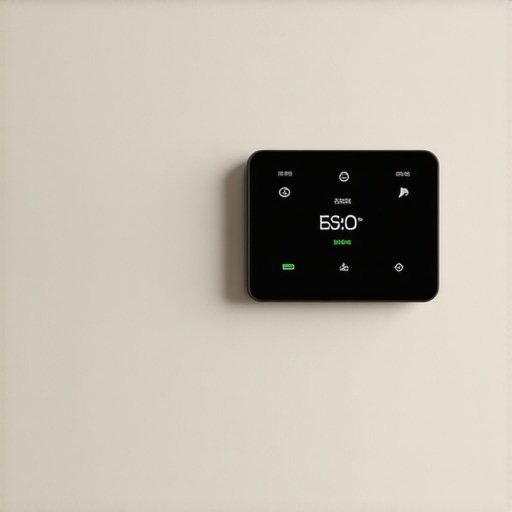
Last week, I was cozy on my couch when suddenly, my smart thermostat decided to switch to ‘Eco Mode’—not once, but three times in a single evening. Each time, I’d manually override it, only for it to revert back seconds later. Frustrating doesn’t begin to cover it. That lightbulb moment hit me: why was my thermostat playing tricks on me? It’s a small device, but its unpredictability can genuinely throw off your comfort and even spike your energy bills. If you’ve faced this issue, you’re not alone—and today, I promise to help you decode this puzzling behavior so you can regain control of your home’s climate.
Why Your Thermostat Keeps Switching to Eco Mode Even When You Don’t Want It To
Smart thermostats are designed to optimize your energy usage while keeping your home comfortable. But sometimes, unexpected shifts like switching to ‘Eco Mode’ can seem like they happen for no reason. Early in my own troubleshooting, I made a critical mistake: I ignored the manufacturer’s firmware updates. These updates often include bug fixes that address glitches like random mode changes. According to recent studies, software bugs are among the top reasons smart devices malfunction unexpectedly (source: TechInsights, 2023). This underscores the importance of keeping your device’s software current to avoid unnecessary headaches.
Could It Be a Glitch or Something More?
When I first encountered the problem, I assumed it was a glitch and simply reset the device. But the problem persisted. Sometimes, external factors like a weak Wi-Fi signal or conflicting schedules can cause your thermostat to switch modes without your input. I’ve learned that addressing these underlying issues often requires a bit of detective work, but don’t worry—I’ll walk you through practical steps you can follow to diagnose and fix the problem. Before diving into the solutions, consider whether you’ve recently changed your Wi-Fi setup or added new smart devices that might interfere with your thermostat’s operation. If you want to ensure your smart home devices are working seamlessly, check out this expert guide to appliance repair and installation.
Now, let’s shift from the why to the how — how you can troubleshoot and resolve this pesky issue once and for all. Ready to regain control of your home’s comfort?
,
Identify and Isolate the Issue
Begin by checking your thermostat’s firmware version; outdated software can cause erratic behavior. Navigate to your device’s settings and look for updates—if a new firmware version is available, update immediately to fix known bugs. I recall a time when I discovered my thermostat was stuck in a loop because I ignored an available update, leading to days of frustration until I fixed it.
Power Cycle and Reset the Device
Power off your thermostat completely—either by removing its batteries or switching off the circuit breaker—and wait for 2 minutes before turning it back on. This process clears temporary glitches. Once restarted, observe if the mode switching persists. In my case, a simple reset resolved the persistent Eco Mode activations, saving me hours of troubleshooting.
Check Wi-Fi and Interference Sources
A weak Wi-Fi signal can disrupt device communication, causing unexpected mode changes. Use a smartphone app or web interface to verify your thermostat’s connection quality. Additionally, eliminate potential interference from other wireless devices operating on similar frequencies. I once relocated a Wi-Fi extender that was causing signal conflicts, which restored my thermostat’s stability.
Review Scheduled Programs and Automation Rules
Examine your home’s programmed schedules and automation rules—sometimes, an unintended setting may override manual controls. Disable or modify these as needed. When I realized a third-party automation app was triggering Eco Mode during certain hours, disabling it immediately restored my manual control.
Inspect Environmental and External Factors
Sudden temperature shifts or drafts can cause your thermostat to auto-adjust modes. Check for leaks, open windows, or drafts near sensors. I once sealed a window that was causing false temperature readings, and my thermostat stopped switching modes unexpectedly.
Consider External Device Conflicts and System Compatibility
Multiple smart home devices can interfere with each other if not properly integrated. Review your system’s compatibility and connections. I had to reconfigure my smart hub to ensure it coordinated smoothly with my thermostat, which eliminated erratic switching issues.
Utilize Professional Support When Needed
If all else fails, consult a professional. A certified technician can perform advanced diagnostics or firmware reinstallation, ensuring your device functions correctly. When I faced persistent issues, contacting experts through [same-day appliance repair services](https://discountappliancehub.com/scheduling-your-appliance-repair-for-same-day-service-in-2025) proved invaluable, often providing quick resolutions backed by warranties.
Many homeowners assume that understanding the basics of appliance installation, warranty coverage, or same-day service is enough to navigate repairs confidently. However, the reality is more complex, and a subtle nuance often separates a smooth resolution from costly mistakes. Let’s dig deeper into what most people get wrong and how to avoid falling into common traps that can compromise your appliance’s longevity and your financial safety.
A widespread misconception is that the standard warranty covers all types of damages or repairs automatically. In truth, many warranties are riddled with exclusions, particularly around improper installation. As highlighted in an expert guide to warranty-backed services, failing to follow manufacturer-recommended installation protocols can void your coverage entirely. This is a trap many overlook, thinking their warranty automatically shields them in all circumstances.
Another frequent error involves relying solely on same-day service as a guarantee of quality work. While quick repairs are appealing, haste can lead to overlooked details—such as improper setup, incorrect parts, or neglecting necessary diagnostics. A crucial nuance is that not all service providers employ certified technicians or use genuine parts, which impacts both the warranty’s validity and the longevity of your appliance. For detailed insights, consider reviewing this comprehensive resource on same-day repairs.
Now, for advanced practitioners, a common myth is that external factors like power surges or fluctuating voltages are entirely outside the technician’s control. But understanding how these conditions interact with your appliance’s internal components can reveal vulnerabilities often missed by average repair services. According to electrical safety research from the National Electrical Safety Foundation, improper grounding or insufficient surge protection can cause damage that isn’t covered under standard warranties.
A question I often encounter from seasoned DIY enthusiasts is: How do I verify whether a technician’s approach will preserve my warranty? The answer lies in scrutinizing their adherence to manufacturer guidelines and ensuring they perform the repair with genuine parts and certified tools. For example, improper installation—like misaligning the sealing gaskets or using non-approved brackets—can create leaks or mechanical issues, leading to warranty claims being denied.
To circle back, mastering these nuanced details—careful installation, understanding warranty implications, and vetting service providers—is essential to protecting your investment. Don’t let common misconceptions cost you in the long run. If you’re unsure, consulting professional resources or reaching out directly to trusted repair experts can save you from costly pitfalls. Have you ever fallen into this trap? Let me know in the comments.
How Do I Keep My Appliances Running Smoothly Over Time?
Consistent maintenance is the cornerstone of reliable appliance performance. One of my favorite tools for ensuring longevity is a digital multimeter. I personally use the Fluke 117 because of its precise readings and durability, which help me detect electrical issues before they become costly repairs. Regularly testing circuits and connections with a quality multimeter allows me to catch potential problems early, saving time and money in the long run.
Another invaluable resource is a reliable ultrasonic cleaner. I use the Rainbow Ultrasonic Jewelry Cleaner not only for small parts but also for cleaning delicate components inside appliances like dishwashers and refrigerators. Keeping parts free of grime and mineral deposits ensures appliances operate efficiently and reduces the risk of breakdowns.
When it comes to software maintenance, I recommend using external monitoring apps such as the Tuya Smart app for compatible smart home devices. These apps help track firmware versions, schedule updates, and monitor device health remotely—giving you peace of mind that your smart appliances are functioning optimally.
Future Trends in Appliance Maintenance Tools
Looking ahead, I predict that AI-powered diagnostic tools will become standard in appliance care. Imagine a device that continuously monitors your appliance’s performance and alerts you or a technician at the first sign of trouble—potentially preventing failures before they occur. This proactive approach is already emerging with companies investing in IoT-enabled sensors integrated directly into appliances.
Discover the Secret to Longevity: Regular System Checks
One advanced tip I urge everyone to try is performing routine diagnostic scans using manufacturer-specific apps or professional diagnostic tools. For example, many modern refrigerators and HVAC systems support remote diagnostics via their proprietary apps, which can identify issues like refrigerant leaks or sensor malfunctions automatically. Regularly scheduling these checks through trusted installation and maintenance services guarantees your appliances remain in peak condition and protected under warranty—saving you money and extending their lifespan.
Maintaining your appliances isn’t just about quick fixes; it’s about investing in preventative care with the right tools and knowledge. Take a moment to assess your current maintenance routine and consider incorporating advanced diagnostic procedures. A small step like using a multimeter regularly or scheduling professional system checks can significantly boost your appliance’s durability. Why not start today by testing a critical connection with your multimeter? It’s simple, effective, and a game-changer for long-term performance.
Unspoken Lessons from a DIY Enthusiast
One of the most eye-opening lessons I learned was the importance of respecting the intricacies of installation. Rushing through setup might seem harmless, but overlooking manufacturer guidelines often leads to warranty voids or future malfunctions. Additionally, I realized that proactively understanding your warranty’s fine print can save you from unexpected expenses. A little extra research beforehand can act as a shield against common pitfalls encountered during repairs or updates. Finally, I discovered that your relationship with professional technicians isn’t just about fixes—it’s about building trust and asking the right questions to ensure long-term appliance health.
Gear Up with My Top Recommendations
To keep your appliances running smoothly, I swear by tools like the Fluke 117 multimeter—reliable and precise, it helps detect electrical issues early. For cleaning and maintenance, the Rainbow Ultrasonic Jewelry Cleaner is a game-changer for delicate parts, preventing mineral build-up that hampers performance. For monitoring firmware updates and device health remotely, the Tuya Smart app offers peace of mind, ensuring your smart devices stay optimized and protected. Lastly, resources like this expert guide provide invaluable insights that elevate your DIY game and keep you on the right side of warranty coverage.
Your Turn to Take Charge
Remember, understanding the nuances of installation, warranty coverage, and when to seek professional help can dramatically extend your appliances’ lifespan. Don’t hesitate to dig deeper, ask questions, and invest in the right tools—your home will thank you for it. Are you ready to harness these insider secrets and become more confident with your appliance management? Share your experiences and plans below, and let’s grow together.