
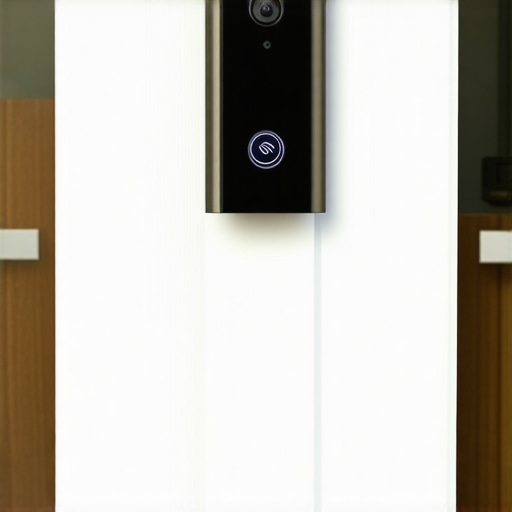
It was late evening when I noticed my smart doorbell’s live feed freeze again, just as I was expecting a package delivery. Frustration smoldered as I watched my neighbors’ cameras stay smooth, while mine kept dropping out at the worst possible moments. That lightbulb moment hit me—these glitches aren’t just annoying; they could compromise my home’s security. If you’ve experienced this too, you know how disruptive and concerning it can be. Today, I’m going to help you understand *why* your smart doorbell keeps losing that vital video connection and, more importantly, how you can fix it without calling an expensive technician.
Why Is Your Doorbell Fighting to Stay Connected?
Smart doorbells rely on a stable Wi-Fi connection to stream high-quality video. When the feed drops, it’s often because of signal issues, bandwidth bottlenecks, or firmware glitches. Early on, I made the mistake of assuming my internet was the problem and spent hours troubleshooting my router—only to realize the culprit was my doorbell’s outdated firmware. Regular updates can address bugs that cause dropouts, so keeping your device current is essential. Interestingly, a report from the Federal Communications Commission states that nearly a quarter of Wi-Fi disruptions stem from outdated software and interference—so don’t overlook these simple fixes. The good news is that resolving these issues often involves practical steps you can take yourself.
Is Your Network the Real Issue or Is It Something Else?
One common misconception is that a weak Wi-Fi signal is always the root cause. I initially thought my router coverage was fine, but a quick speed test revealed low bandwidth in the area where my doorbell was installed. If you’re unsure about your home’s network strength, consider using a Wi-Fi analyzer app—many are free online. Moving your router closer or adding a Wi-Fi extender can make a significant difference. For more detailed guidance on optimizing your setup, check out our advice on reliable appliance installation. Remember, an unreliable Wi-Fi is the biggest opponent your smart device faces.
Now that we’ve identified potential trouble spots, let’s explore actionable solutions that have turned my frustrating experience into peace of mind. Ready to get your doorbell streaming smoothly again? Let’s dive into the practical steps that will make this a thing of the past.
Check Your Firmware and Software Versions
Start by verifying if your doorbell’s firmware is up to date. Outdated software can cause connection drops. I once faced persistent issues, and updating the firmware resolved the problem overnight. To do this, access your device’s app, navigate to settings, and seek the option to update firmware. If an update is available, install it immediately. Regular updates patch bugs that cause disconnections, similar to how smartphone updates fix known issues.
Optimize Your Wi-Fi Setup
Place Your Router Strategically
In my experience, relocating the router closer to the doorbell dramatically improved its connection. Avoid placing your router behind thick walls or furniture. Use a Wi-Fi analyzer app to identify dead zones and move the router or upgrade to a Wi-Fi extender if needed. Think of your network like a garden hose: the shorter and straighter the path, the better the flow of water—here, the data.
Reduce Interference and Bandwidth Bottlenecks
Other electronic devices and neighboring networks can interfere with your Wi-Fi signal. Turning off unused devices or switching to the 5 GHz band can reduce congestion. During my troubleshooting, switching my doorbell to 5 GHz temporarily stabilized the feed. Remember, a crowded network is like a traffic jam—slowing down your data flow. For detailed enhancement techniques, visit our guide on reliable appliance setup.
Enhance Your Network Security and Stability
Use a strong, unique password for your Wi-Fi to prevent unauthorized access that could cause interference. Also, reboot your router periodically to refresh its connections. In my case, a simple restart after updating the firmware refreshed the network and cleared minor glitches, much like rebooting a sluggish computer. Consider upgrading to a modern router with better range and stability, especially if your current model is several years old. Proper network setup can be the key to uninterrupted video streaming.
Inspect and Replace Faulty Cables and Components
Damaged Ethernet cables or faulty power sources can also affect connectivity. Although most smart doorbells rely on Wi-Fi, ensuring your power wiring is intact is essential. I learned this when my doorbell’s connection issues persisted despite other fixes. Replacing frayed cables or plugging into a different outlet can restore consistent power and data flow. Think of it like replacing a clogged pipe to restore water flow in plumbing; the connection depends on a clear, functional path.
Tackle Your Device Settings Directly
Sometimes, resetting your doorbell to factory settings solves lingering glitches. Reset procedures vary by model but often involve pressing and holding a reset button for 10-15 seconds. During my last attempt, resetting literally cleared app errors that caused constant disconnections. Reconfigure your Wi-Fi credentials after resetting, ensuring you input the correct SSID and password. For step-by-step instructions tailored to your device, consult the manufacturer’s manual or contact support.
When it comes to appliance repair, many homeowners believe they understand the process thoroughly, but the reality is often quite different. One common misconception is relying solely on cheap, quick fixes instead of trusting professionals, which can lead to long-term costs. Many think that a quick same-day service is always the best option; however, rushing can sometimes result in incomplete repairs or subpar parts that undermine appliance longevity. It’s crucial to understand that not all same-day services are created equal—some may cut corners to meet tight schedules, risking further damage or warranty issues.
Are Cheap Parts Cutting Corners or Saving You Money?
Another misconception revolves around replacement parts. Many assume that generic, lower-cost components will perform just as well as OEM parts. However, using inferior parts can void warranties and lead to repeated repairs down the line. Professionals often recommend OEM parts to ensure compatibility and durability, which is why viewing warranties and service guarantees from the start is vital. Relying on unverified parts might save money initially but could cost more in repairs later, especially if it voids warranty clauses like those detailed in warranty-backed services.
Be cautious of the trap where consumers assume any repair shop can instantly fix complex issues without proper diagnosis. The repair process must involve thorough diagnostics—not just patching symptoms. Ignoring this can lead to recurrent problems and warranty disputes, as explained in what to expect from experts. Also, many underestimate the importance of professional installation, which, if improperly done, can cause ongoing malfunctions or safety hazards. Visiting a credible resource like installation guidance can prevent these pitfalls.
What Advanced Mistakes Do Consumers Often Overlook?
One advanced misstep involves misinterpreting warranty coverage, especially regarding cosmetic damage or user errors. For example, warranties often exclude damages caused by improper installation or external impact, which is why a qualified technician’s assessment is invaluable. Moreover, many people overlook the importance of maintaining records and documenting damages for warranty claims, which can make or break your case. Studies from the Consumer Reports have shown that poorly documented claims are rejected more often, emphasizing the need for careful record-keeping. Knowing how to maximize your warranty benefits during emergency repairs, such as through Warranty Maximization Tips, can save time and money.
Ultimately, the key lies in understanding that appliance issues aren’t just about fixing a part—they involve a broader grasp of warranties, proper diagnostics, and choosing reputable service providers. So, before rushing into repairs or replacement, ask: Are you equipped to make the right decisions? And if not, seeking professional, warranty-backed advice is crucial.
Invest in Quality Tools for Reliable Repairs
My go-to tools for maintaining and repairing appliances are a high-quality multimeter, a digital infrared thermometer, and a precision screwdriver set. The multimeter helps me quickly diagnose electrical issues, ensuring that power supplies and wiring are functioning correctly without guesswork. I personally prefer a True RMS multimeter from Fluke for its accuracy and durability, which I’ve used for both troubleshooting and routine checks. An infrared thermometer allows me to spot hot spots or uneven temperature distributions on appliances like ovens or refrigerators, preventing future failures by catching issues early. The precision screwdriver set is essential for safely opening and servicing devices without damaging delicate components. These tools save me from unnecessary calls to technicians and help keep my appliances in top shape.
Establish a Routine Maintenance Schedule
Regular maintenance extends the lifespan of appliances and minimizes unexpected breakdowns. I recommend scheduling quarterly inspections, including cleaning filters, checking seals, and testing electrical connections. For example, cleaning refrigerator coils with a brush or vacuum prevents overheating and improves efficiency, as outlined in professional installation guides. Document any irregularities during these checks—such as unusual noises or temperature fluctuations—and address them promptly. Investing in maintenance isn’t just about fixing problems; it’s about proactively preventing them, which ultimately saves money and time in the long run.
Leverage Diagnostic Software When Possible
Many modern appliances come with built-in diagnostic modes or companion apps that provide detailed trouble codes. I regularly use manufacturer-specific diagnostic tools to pinpoint issues rapidly. These digital diagnostics, combined with a multimeter, allow for precise troubleshooting—reducing guesswork and ensuring repairs are thorough. In the future, I predict these diagnostic features will become standard in all smart appliances, enabling more DIY repairs and reducing reliance on service technicians. To stay ahead, I recommend familiarizing yourself with your appliance’s diagnostic capabilities, which can be found in the user manual or on the manufacturer’s website.
How do I maintain my appliances over time?
Maintaining appliances over time involves consistent cleaning, timely part replacements, updating firmware when applicable, and scheduling professional inspections periodically. Using reliable tools and adhering to manufacturer guidelines ensures your appliances operate efficiently longer, and helps you catch issues before they escalate. For more advanced tips on swift, warrantied repairs, see our guide on same-day service options. Don’t hesitate to try integrating diagnostic apps or scheduling regular checkups—these proactive steps make a significant difference in appliance longevity and performance.
What the Hidden Truths About Quick Fixes Taught Me
One core lesson I learned is that chasing cheap, immediate repairs often costs more in the long run, especially when it involves ignoring warranty stipulations or using inferior parts. I’ve realized that understanding my appliances’ warranties and trusting certified technicians prevents recurring issues and preserves my peace of mind.
The Secret Tools That Elevated My Repair Game
Investing in a high-quality multimeter and reliable diagnostic apps transformed my approach. These tools help me identify problems accurately, avoiding guesswork and ensuring repairs are durable. They save time, money, and unnecessary frustration — a must-have arsenal for any DIY enthusiast.
Embracing Routine and Proactive Maintenance
Scheduling regular checkups and cleaning routines keeps appliances running smoothly. Maintaining filters, inspecting seals, and keeping records of repairs have empowered me to catch issues early—minimizing downtime and costly emergency calls. Prevention truly is the best medicine in appliance care.
Moving Beyond the Basics: The Power of Knowledge and Preparation
Deepening my understanding of warranties, diagnostics, and repair procedures has built my confidence. Visiting reputable sources like professional repair expectations and mastering safety tips ensures that I handle issues effectively and safely. Learning more about the nuances of appliance maintenance is an investment I wish I started sooner.