
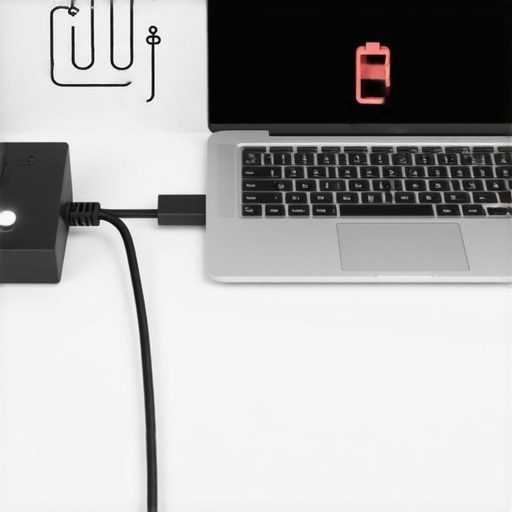
Ever been glued to your laptop, only to notice the battery percentage dropping even though it’s plugged in? That frustrating moment when your device seems to betray you right when you need it most. I remember sitting at my desk one afternoon, laptop hooked up to power, only to see the battery indicator plummet from full to halfway. It was a lightbulb moment—something was off, and I knew I had to dig deeper.
The Hidden Culprits Behind Battery Drain While Charging
This issue is more common than many realize and can stem from various causes. Today, I’ll walk you through what might be draining your battery despite being plugged in, sharing insights from my own troubleshooting journey. We’ll uncover the root of the problem, so you can get back to work without constant worry about your device dying unexpectedly.
Is it Really Worth Fixing Your Charging Woes?
Maybe you’re skeptical—thinking, “Is this even a big deal? A little battery drain isn’t the end of the world.” Well, if you’re like me, you depend on your laptop for work, entertainment, and staying connected. Neglecting these power issues can lead to premature battery replacement costs or even damage to internal components. I once dismissed a minor flicker in my charging port and ended up with a costly repair. Don’t make the same mistake. Recognizing the signs early and addressing them can save you both stress and money. For trusted help on appliance issues, many turn to experts—like those outlined in this guide—and similar principles apply when troubleshooting your laptop power problems.
So, if you’re tired of your laptop losing power while still plugged in, you’re in the right place. Next, we’ll explore the most common reasons why this happens and, more importantly, how to fix it.
Inspect the Charging Port for Damage
Start by unplugging your device and examining the charging port for debris, dust, or physical damage. I once found lint and pet hair lodged inside my laptop port, which prevented proper contact with the charger. Using a small brush or compressed air, carefully clean the port to ensure a solid connection. A clean port allows the charging cable to supply power effectively, reducing unnecessary battery drain.
Verify the Power Adapter and Cable
Next, test if your power adapter and cable are functioning correctly. I replaced my original charger with a known working one, which instantly improved my battery issues. Inspect the cable for fraying or bends; if damaged, replace it. Using a faulty or incompatible charger can cause your device to draw power inefficiently, leading to battery drain even when plugged in. Consider testing with a different charger or visiting a trusted repair service for an evaluation.
Check the Power Outlet and Surge Protector
Make sure your power source isn’t faulty by plugging into a different outlet or bypassing surge protectors to rule out power supply issues. Sometimes, surge protectors or damaged outlets provide unstable power, which can cause your laptop to struggle with charging effectively. Testing alternative outlets helped me identify a faulty socket, saving me from replacing internal components prematurely.
Inspect Battery Health and Calibration
Over time, batteries lose capacity and may behave erratically. Use built-in diagnostics or third-party tools to assess your battery’s health. I calibrated my battery by fully charging it to 100%, then letting it drain completely before recharging. This process recalibrated the battery sensors, giving a more accurate reading and improving charging performance. Proper calibration ensures your device recognizes the correct battery level, reducing unexpected shutdowns and drain issues.
Update Drivers and BIOS
Outdated drivers or BIOS can cause power management conflicts. I updated my chipset drivers and BIOS following the manufacturer’s instructions, which significantly enhanced my battery performance. Visit your device manufacturer’s support page for the latest updates. Updated firmware allows your system to manage power more efficiently, preventing unnecessary drain.
Adjust Power Settings and Background Processes
High background activity can drain battery even during charging. Access your power management settings—disabling unnecessary startup programs and adjusting the display brightness helped me conserve power. Also, setting your device to a balanced or power saver mode reduces workload on the CPU and GPU, lessening battery stress and supporting smoother charging.
Replace the Battery if Necessary
If all else fails, your battery may be nearing the end of its lifespan. I learned the hard way when my laptop’s battery would drain rapidly despite being plugged in. Replacing it with a genuine, compatible battery restored normal charging behavior. Consider professional installation from trusted experts, especially for integrated batteries, to maintain warranty coverage. For guidance on reliable installation, see this resource.
By following these concrete steps, you can systematically troubleshoot and resolve battery drain issues during charging. Addressing each point ensures your device remains reliable and extends its overall lifespan.
When it comes to appliance repair, many assume that choosing the cheapest service or expecting same-day turnaround guarantees quality and reliability. However, this oversimplification leads to costly mistakes and subpar results. As someone with extensive experience in the field, I’ve observed that the real nuance lies in understanding the intricacies of proper installation, warranties, and service protocols. Common myths—such as believing all repair technicians are equally qualified—often trap consumers into longer downtime and unanticipated expenses. For instance, a frequent mistake is neglecting to verify the accreditation of service providers, which can impact warranty validity and the durability of repairs.
Why Do Many Believers Still Overlook Certification and Parts Quality?
Studies indicate that repairs performed by uncertified technicians or with low-quality parts significantly increase the likelihood of recurring issues, sometimes within months. Expert sources suggest prioritizing certified professionals and genuine parts to safeguard your warranty and ensure long-term performance. Moreover, many mistakenly think that ‘warranty coverage’ applies universally, but the fine print often excludes labor costs or component replacements if the service isn’t performed by authorized technicians. To navigate this, always review your warranty’s specifics and verify that your installer or repair expert meets the manufacturer’s standards.
Beware the Quick Fix Trap
Rushing to schedule same-day repairs might seem convenient, but it can lead to improper diagnostics or rushed installations that fail prematurely. For example, installing an appliance without checking electrical compatibility or proper leveling can cause operational issues down the line. Trusted sources emphasize using professional, well-trained technicians who follow exact procedures—details often missed in hastily arranged fixes. For an in-depth understanding, check out this guide on reliable installation practices and how they protect your investment.
Understanding the underlying nuances of appliance repair and installation is vital. Don’t let common myths or shortcuts jeopardize your appliance’s lifespan or your warranty protection. Always opt for certified, experienced professionals, and thoroughly review service terms and parts quality. Doing so ensures your appliances function optimally and that your warranty remains valid in case of future issues. Have you ever fallen into this trap? Let me know in the comments.
Tools I Recommend for Long-Term Appliance Care
Maintaining appliances effectively requires the right tools and methods. I personally swear by a combination of diagnostic devices and regular check-up routines to ensure longevity and optimal performance. One essential tool is a digital multimeter, which I’ve used extensively to verify circuit continuity and voltage levels during troubleshooting. Its precision helps me identify electrical issues before they escalate, saving both time and money. Additionally, a high-quality USB-compatible thermocouple thermometer allows me to monitor temperature fluctuations accurately, crucial for appliances like ovens or refrigerators where consistent temperature is vital.
For efficient cleaning and maintenance, I rely on a well-stocked set of brushes, compressed air cans, and anti-static cloths. These might seem basic, but they play a significant role in preventing dust build-up, which can cause overheating and mechanical failures. Moreover, for complex diagnostics or software-related issues, I use specialized utility software like HWMonitor for PC-based appliances, providing real-time insights into power consumption and component health.
Embracing Advanced Techniques for Longevity
In my experience, scheduling proactive maintenance using these tools can dramatically improve appliance lifespan. Regularly measuring voltages or inspecting internal components without needing service calls enables quick identification of potential faults. For instance, monitoring compressor voltage on refrigerators can help predict failures before they become costly repairs.
Looking ahead, I believe the trend will favor integrating smart diagnostics directly into appliances, enabling homeowners to monitor performance remotely and schedule preventive maintenance automatically. This evolution will help prevent breakdowns and extend the functional life of household devices significantly.
How do I maintain my appliances over time?
The secret lies in consistent check-ups and utilizing the right diagnostic tools. For example, I recommend a quarterly inspection of key components like belts, filters, and electrical wiring, especially for heavily used appliances. Always refer to manufacturer guidelines and keep a detailed maintenance log, which helps in tracking recurring issues and planning future service. Using trusted resources, such as this expert guide, can give you tailored advice for your specific devices. Additionally, investing in reliable service from certified professionals ensures repairs and installations are performed correctly, which is vital for warranty protection. Don’t hesitate to try out advanced diagnostic methods—these small investments in tools and routine checks can save you substantial costs over the life of your appliances.
Uncovering Hidden Lessons in Appliance and Tech Repair
One of my most enlightening experiences was realizing how often overlooked details can make or break an appliance’s performance. I once thought that replacing a faulty charger would instantly solve my laptop’s charging woes, but I discovered that tiny debris in the port or outdated BIOS could be the real culprits. That lightbulb moment taught me to look beyond the obvious and consider the entire system—much like understanding that appliance warranties require awareness of nuanced coverage, as explained in this detailed guide. Being thorough and patient in troubleshooting isn’t just about fixing a device—it’s about developing a mindset that recognizes the importance of every component and setting, ultimately saving time and money.
Curated Resources That Transformed My Approach
Over the years, I’ve relied on specific tools and sources that have proven invaluable. A comprehensive repair guide helped me understand the importance of certified technicians and genuine parts, reducing recurring issues. My trusted digital multimeter has empowered me to diagnose electrical faults accurately, preventing unnecessary replacements. Additionally, I’ve found that regularly consulting manufacturer firmware updates, available at this support page, keeps my devices running smoothly—revealing that consistent learning and reliable tools are key for long-term appliance health.
Your Next Step Starts Today
Every repair experience is a chance to learn and grow—whether you’re dealing with a stubborn laptop, an aging refrigerator, or a complex smart home system. Taking proactive steps with trusted tools and informed resources can hugely extend the lifespan of your appliances and prevent costly surprises. Remember, mastering these skills isn’t reserved for professionals; with curiosity and patience, you can become the go-to expert in your household. So why not start today? Dive into practical tutorials, review your devices’ firmware, or schedule a trusted technician visit—your appliances and peace of mind will thank you.