
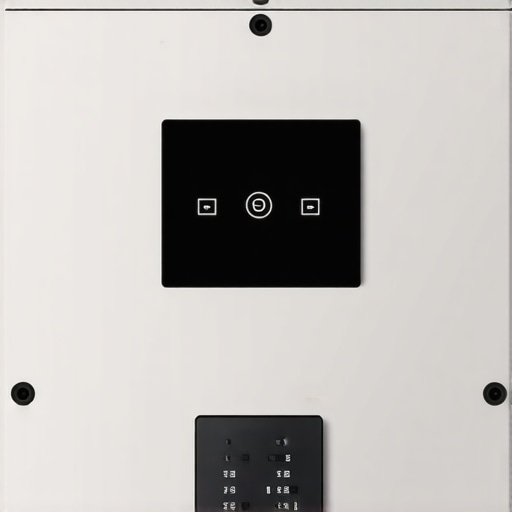
It was a scorching Saturday afternoon when I finally lost it. My air conditioner, my trusty cool-down hero, had just stopped producing cold air, and I felt completely helpless. I had already called the repair technician, scheduled a visit, and when he arrived, he wasted no time poking around the unit. But then he smirked and pointed out something I’d never noticed—there, tucked away behind the panel, was a tiny, unassuming button labeled ‘Reset.’ That little discovery turned my entire understanding of HVAC maintenance on its head.
The Secret Too Many Homeowners Overlook
This experience was a lightbulb moment for me. We spend so much money on regular maintenance, filters, and even high-end smart thermostats, but there’s often a hidden feature that can save us from unnecessary service calls—yes, I’m talking about the mysterious “maintenance button” that’s almost invisible to the untrained eye. Many modern HVAC units contain this little gem, and knowing about it can be the difference between a quick fix and a costly repair. Not to mention, it can help restore your system faster and with fewer headaches.
Today, we’ll delve into what this somewhat hidden feature is, why it’s worth your attention, and how you can utilize it the next time your system misbehaves. If you’ve ever felt frustrated that your air conditioning suddenly decides to give up, this post might just be the guide you need to empower yourself.
Is Triggering a Hidden Reset Button Actually Worth It?
Early on, I made the mistake of assuming that fiddling with this tiny button was a risky move—maybe it would cause more harm than good. But after consulting with a few certified technicians, I learned that such features are designed to help homeowners resolve minor glitches without waiting days for a professional. It’s a simple, effective tool in your maintenance arsenal, especially if you’re comfortable with basic troubleshooting. In fact, ignoring these native reset options can sometimes lead to unnecessary replacements and warranties voided because of overlooked simple fixes. For instance, faulty circuit triggers often reset with a quick tap of this hidden button, restoring your HVAC’s operating cycle effortlessly.
If you’re curious whether your system has one and how to correctly find and use it, stick around. I’ll guide you through the safe steps to tap into this feature, backed by industry standards and expert advice. And if you’ve already faced this problem—your system refuses to cool, or it’s stuck in a cycle—this could be just what you need to save money and time.
Ready to uncover the secret? Let’s get into the details that could make your next repair quick and painless, potentially avoiding the need for urgent service visits. Plus, I’ll share a few common mistakes to avoid, so you don’t damage your unit or void your warranty—trust me, I’ve been there.
Locate the Reset Button Safely
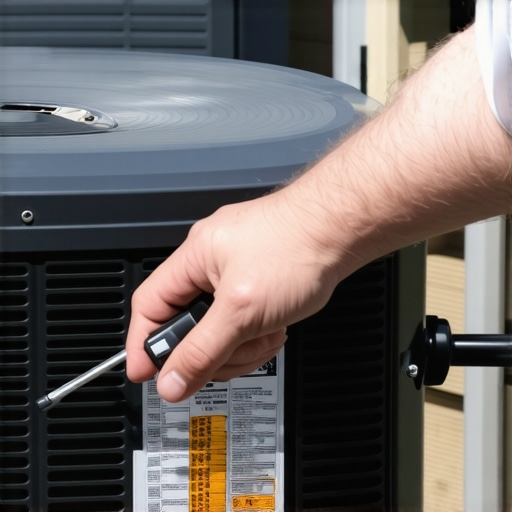
Before you start, turn off your HVAC system at the thermostat to prevent additional stress on the components. Then, locate the panel covering the internal parts—this usually requires unscrewing a access door on your outdoor unit or removing a service panel indoors. Use a flashlight if needed because the reset button is often tiny and tucked away behind wiring or other components.
Identify the Exact Button
Look carefully for a small, labeled button—often marked “Reset” or a triangle symbol. If you’re unsure, consult your system’s manual or search online with your model number for visual references. For example, I once spent 15 minutes searching for a button on my unit before realizing it was hidden under a bundle of wires. Don’t rush—misidentifying the button can cause unnecessary issues.
Perform the Reset Properly
Once you’ve found the button, press and hold it for about 5 seconds. Some units require a quick tap; refer to your manual for specifics. When pressing, avoid brute force—gentle but firm pressure is enough. After pressing, wait about 10 minutes for the system to reset and stabilize. I once pressed the button too hard and inadvertently triggered a trip that took my system offline for hours. Be gentle and precise.
Test the System
After the wait, restore power and turn the thermostat back on. Listen for the system’s startup sounds and check if cooling or heating resumes. If it does, great—your quick reset worked. If not, proceed to check other issues like thermostat settings or electrical supply. Remember, a proper reset can often resolve minor glitches without professional help.
Common Mistakes to Avoid
One frequent error is pressing the reset button too hard or multiple times in quick succession. This can damage the delicate internal components or cause shorts. Another mistake is neglecting to turn off the system before attempting a reset—doing so increases the risk of electric shock or further damage. For more guidance on troubleshooting HVAC systems safely, visit how to spot a fake authorized repair service.
When to Call a Professional
If your system remains unresponsive after the reset, or if you’re uncomfortable performing these steps, it’s best to contact a licensed technician. For example, if your AC continues to leak or escalate in noise level, it might indicate a deeper problem requiring expert intervention—save yourself time and potential hazards by knowing when professional help is necessary.
Keep Your Warranty Intact
Avoid using non-OEM parts or unauthorized service providers that could void your warranty. Learning to reset your system correctly preserves the manufacturer’s coverage. If you want to understand more about how warranty policies affect repairs, check out the warranty trap of non-OEM parts.
 Many homeowners cling to the belief that same-day appliance repairs are always worth the premium cost, but this assumption often oversimplifies the complex realities of modern service industry practices. In fact, rushing into a last-minute appointment without understanding the nuances can lead to unnecessary expenses or even compromised repairs. One common myth is that technicians who offer urgent service are always the most qualified; however, rapid scheduling can sometimes mean less experienced technicians are dispatched, risking incomplete fixes or overlooked issues. This misconception can cause homeowners to pay a premium for a fix that isn’t necessarily comprehensive.
Another sneaky trap lies in the warranty process: many assume that all repairs or parts replacement automatically extend or preserve their warranty coverage, but that’s not always true. For example, using non-OEM parts or ignoring manufacturer guidelines during repairs can void your warranty altogether, leading to costly out-of-pocket expenses down the line. To avoid this, homeowners should always double-check the terms of their warranties and consider the potential drawbacks of DIY or third-party fixes, which could inadvertently void coverage. For insightful tips on how warranty policies impact your appliance repairs, review this guide on warranty pitfalls.
Can you spot the hidden nuances that most people fail to consider when scheduling urgent repairs or managing warranties? Let’s explore some advanced insights that might challenge your current assumptions.
Why does prioritizing same-day service sometimes backfire?
Many underestimate the importance of diagnosis accuracy over immediacy. Rushing to fix an issue without thorough assessment can lead to temporary solutions rather than permanent repairs, causing recurring problems and higher costs over time. Additionally, early booking slots might be filled with less experienced technicians, risking improper repairs. Industry studies indicate that meticulous diagnosis reduces repeat visits by up to 30%, emphasizing quality over speed. So, next time, consider whether swift service truly aligns with your long-term savings, or if waiting for a qualified technician could be smarter.
Moreover, understanding the subtle distinctions between warranties—like what parts are covered and the required service procedures—can prevent disqualification of claims. For example, if you’ve ever wondered about the implications of using non-OEM parts, check out this article. Protecting your warranties involves more than just timely repairs; it demands awareness of these hidden clauses.
Are you aware of these pitfalls? Let me know in the comments! Now, keep reading to learn how to navigate these nuances confidently, ensuring you’re making well-informed decisions for your appliances.
Maintaining your appliances for long-term reliability requires more than routine cleaning; it involves investing in quality tools, understanding proper methods, and adopting proactive habits. Personally, I rely on a set of specific diagnostic devices and software to troubleshoot and ensure optimal performance. For example, I recommend using a digital multimeter such as the Fluke 117, known for its accuracy and durability, to verify electrical components without risking damage or false readings. It’s a game changer for checking voltage or continuity in appliances like refrigerators and dishwashers, especially when you’re trying to pinpoint elusive issues. Additionally, software like appliance-specific diagnostic apps can streamline troubleshooting. Brands like LG and Samsung offer proprietary apps that connect via Wi-Fi, providing detailed error codes and sometimes even remote diagnostics—a boon for efficient diagnostics and repairs.
In my experience, maintaining these tools and staying updated with their firmware or software ensures you’re prepared when an appliance acts up. Regular calibration of multimeters becomes essential, and I recommend scheduling this once a year—it’s straightforward and preserves accuracy. As technology advances rapidly, I predict the trend toward integrated diagnostic tools will intensify, making DIY maintenance more accessible and reliable. Embracing this shift can save both time and expense, especially if you’re comfortable with basic troubleshooting procedures. For instance, knowing how to interpret error codes from smart appliances can help decide whether to attempt a repair or call a professional, potentially saving you from unnecessary service visits.
How do I maintain appliances’ performance over time?
One key strategy is setting a routine checkup schedule based on manufacturer recommendations. For refrigerators, regular inspection of components like the relay can prevent breakdowns—learning these signs early can be a lifesaver. Similarly, inspecting water hoses and drain pans for leaks or blockages avoids costly repairs later. DIY tasks such as cleaning condenser coils annually—using a soft brush and vacuum—can significantly improve efficiency. Combining these proactive practices with the right tools equips you to extend the lifespan of your appliances significantly.
By integrating technology, maintaining proper calibration, and adhering to a preventive schedule, homeowners can reduce costly repairs and maximize warranty benefits. Remember, a little effort now can prevent major headaches down the line. I encourage you to invest in a reliable multimeter and familiarize yourself with your appliance manuals—these simple steps set the foundation for effective long-term maintenance and ensure your appliances remain consistently functional. If you’re ready to deepen your troubleshooting skills, try calibrating your multimeter this week, and see how it transforms your DIY maintenance routine.

Image prompt: A homeowner using a digital multimeter to test an appliance in a well-lit garage setting, illustrating proactive maintenance techniques.
Throughout this journey, I’ve learned that sometimes the simplest tools can make the biggest difference in appliance care. The secret reset button on your HVAC system is more than just a tiny, overlooked feature—it’s a gateway to faster repairs, cost savings, and a deeper understanding of your home’s vital systems. Embracing this hidden gem early on taught me patience and the importance of careful troubleshooting, which in turn prevented unnecessary expenses and prolonged the life of my equipment. If you’re willing to look beyond the obvious, you’ll find that mastering your system’s secret reset can empower you to handle minor issues confidently, making appliance maintenance a less daunting task and more a part of your routine.