
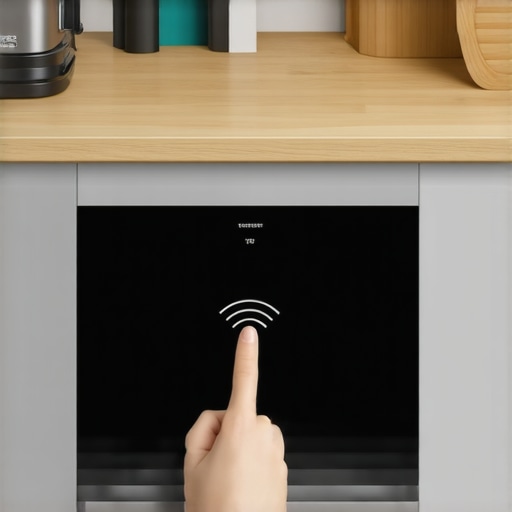
I remember the exact moment I realized my smart oven was more temperamental than my teenager. I was craving that perfect roast and eagerly preheated, only to find out it refused to connect to Wi-Fi. Frustration bubbled up—an appliance that relies so heavily on internet connectivity suddenly going dark. That lightbulb moment hit me hard: what do I do when my smart kitchen tech throws a fit after a Wi-Fi hiccup?
Why Resetting Your Smart Oven After Wi-Fi Loss Matters
In today’s connected home, appliances like smart ovens are designed to offer convenience and precision. But what happens when your Wi-Fi signal drops? Suddenly, features become disabled, controls might not respond, and frustration mounts. Trust me, I’ve been there, and a simple reset can be the game-changer. It’s not just about getting back in control; it’s about ensuring your appliance operates at its best and avoiding costly repairs or replacements. Historically, Wi-Fi glitches can stem from router issues, firmware bugs, or interference—issues that often have quick fixes if approached correctly.
Think Resetting is Overkill? Think Again.
Early on, I made the mistake of assuming a Wi-Fi problem was my router’s fault or that I needed a tech visit. Sure, sometimes that’s the case, but often, the solution is as simple as a reset—something we tend to overlook. According to experts, a proper reset clears cache and reconnects the device to your network, restoring full functionality. Have you faced this issue with your smart kitchen gadgets? If so, stick around. I’ll walk you through exactly how to reset your smart oven after Wi-Fi dropouts and get your culinary masterpiece back on track.
Next, we’ll dive into the step-by-step process, ensuring you’re equipped with the right knowledge before calling in professional help. Remember, before jumping into complex fixes, it’s always good to check the basics—like your Wi-Fi network status and firmware updates. For trusted warranty-backed fixes, don’t forget to explore [this guide](https://discountappliancehub.com/same-day-appliance-repair-quick-solutions-with-warranty-support) for more troubleshooting tips.
Let’s get your smart oven back to baking perfection—no more Wi-Fi woes holding you hostage.
Power Cycle the Oven Correctly
Start by unplugging your smart oven from the power outlet. Wait at least 30 seconds to allow residual electricity to drain and reset internal electronics. Replug the device, ensuring it’s firmly connected. This simple act often clears minor glitches. I once reset my oven this way during a busy weekend, and it immediately reconnected to Wi-Fi, saving me from a service call.
Check Network Compatibility and Connection
Verify Wi-Fi Signal Strength
Ensure your router is within range; weak signals can cause disconnects. Move the oven closer if possible. Sometimes, walls or appliances can interfere, much like when I moved my router to improve my smart devices’ connectivity — it made a huge difference.
Restart Your Router
Unplug your router, wait 60 seconds, then plug it back in. This refreshes network settings and resolves temporary hiccups. I often do this when my smart devices fail after a firmware update, preventing the need for professional interventions. For more troubleshooting tips, visit this guide.
Factory Reset Your Oven
If the above steps don’t work, perform a factory reset specific to your model. Usually, this involves pressing and holding specific buttons simultaneously—check your user manual. When I reset my oven this way, it resembled cleaning a slate, allowing a fresh connection to form. Be aware, this might delete custom settings, so note them beforehand.
Check for Firmware Updates
Access your oven’s app or control panel to see if a firmware update is available. Updating firmware often patches bugs causing Wi-Fi issues. I once faced persistent troubles, and a firmware update fixed the disconnection instantly. If necessary, consult your manufacturer’s website or technical support for detailed instructions, or consider professional assistance from qualified repair techs. Remember, choosing same-day repair services with warranty benefits can save time.
Reinforce Your Network Security
Secure your Wi-Fi with a proper password and update router firmware regularly. A stable, secure network decreases chances of disconnections caused by interference or unauthorized access. When I updated my network security, I noticed more reliable connections across all smart devices, including my oven.
 While many believe that scheduling a same-day appliance repair guarantees immediate fixes, this isn’t always the case. The reality is that providers often have strict limitations on turnaround times, especially during peak seasons or in areas with high demand. A common myth is that a warranty automatically covers all repairs without question; in truth, understanding the nuances of warranty coverage can save you both time and money. For example, some warranties exclude accidental damage or improper installation—issues that a technician might not be liable for. Moreover, many homeowners overlook the importance of verifying if the repair service is truly licensed and insured, which could lead to unforeseen costs if mistakes occur. An often-ignored nuance is that the quality of installation significantly impacts appliance longevity and performance. Poor installation can cause issues that seem like warranty problems but are actually due to improper setup, emphasizing the importance of choosing professionals who follow current standards—something you can confirm by consulting resources like this expert guide. Interestingly, a study by the Consumer Reports National Research Center shows that nearly 30% of appliance failures within the first year are linked to improper installation or handling during repairs, highlighting a critical area often misunderstood. Have you ever fallen into this trap? Let me know in the comments. Ultimately, being informed and asking the right questions upfront ensures your repairs and warranty claims are handled efficiently, avoiding costly surprises along the way.
Investing in the Right Equipment Makes All the Difference
To ensure your appliances stay in top condition and avoid unexpected breakdowns, I rely on specific tools and software designed for maintenance and diagnostics. My go-to device is a high-quality infrared thermometer. It helps me quickly identify overheating components—crucial for troubleshooting dryers, refrigerators, and ovens. I personally prefer the FLIR TG165-X because of its accuracy and ease of use. For example, when my oven’s control panel seemed sluggish, a quick check with this thermometer revealed uneven heating, prompting a professional inspection before a full breakdown.
Additionally, I utilize specialized appliance multimeters like the Klein Tools MM6000. It’s essential for me to verify electrical connections safely; I often use it to test circuit boards and power supplies. Regularly measuring voltage and current can preempt issues like motor failures or faulty relays, saving time and money. Pro tip: Always use a multimeter rated for the voltages you’re working with and follow safety instructions—this is a game-changer for DIY diagnostics.
Harnessing Software for Smarter Maintenance
Before reaching for physical tools, I check manufacturer apps and firmware updates. Many modern appliances have diagnostic features accessible through dedicated apps; for instance, LG’s ThinQ app can perform remote troubleshooting and even suggest maintenance steps. I recommend setting up a routine connection to these apps, which often send alerts for upcoming filter replacements or potential issues. This proactive approach can extend your appliance’s lifespan significantly.
Furthermore, I use network monitoring software like GlassWire to keep an eye on my Wi-Fi network’s health. Since many smart appliances depend on stable internet connectivity, detecting fluctuations early can prevent Wi-Fi-related disruptions—like those annoying disconnects with smart ovens. Regular network health checks ensure all communication remains seamless, reducing the risk of misdiagnosing issues caused by connectivity loss.
How do I stay on top of appliance health over time?
Implementing scheduled diagnostics—both manual and software-based—is vital. I advise setting monthly reminders to run quick tests with diagnostic tools and review app alerts. Combining hardware tests like infrared scans with software health reports creates a comprehensive maintenance routine. This multi-pronged method allows me to catch small problems early, avoiding more costly repairs or replacements down the line.
Looking ahead, I foresee innovations such as AI-powered diagnostic tools that analyze appliance performance data in real-time, providing even smarter maintenance advice. Staying updated with these technological advancements will help us keep appliances running efficiently longer and more reliably.
Ready to elevate your maintenance game? Start with an infrared thermometer today—it’s surprisingly affordable and incredibly effective at catching issues before they escalate. Check out reputable brands and try out the FLIR TG165-X for your next diagnostics session. Trust me, becoming proactive now will save you headaches—and dollars—in the future.
The Hidden Wisdom That Changed My Approach to Appliance Care
One of the most impactful lessons I learned was that not every glitch requires an immediate call for professional help. Sometimes, the root cause is unglamorous—like outdated firmware or simple network interference—and a straightforward reset or update can save both time and money. Additionally, I discovered that the real value lies in understanding my appliances’ software, which often offers diagnostic tools that I previously ignored. Recognizing these secrets empowered me to troubleshoot confidently, leading to fewer disruptions—and more enjoyment in my smart kitchen adventures.
Must-Have Tools That Keep Me Ahead of the Game
My go-to device for maintaining appliance health is the FLIR TG165-X infrared thermometer. It’s invaluable for detecting uneven heating, which can be an early warning for deeper issues. I also rely on a quality multimeter like the Klein Tools MM6000—a trusted companion for electrical diagnostics. Supplementing these tools, I trust professional diagnostic apps that provide remote troubleshooting insights. These resources have transformed how I approach maintaining my appliances, allowing for swift diagnostics and targeted repairs that keep everything running smoothly.
Step Into the Future of Appliance Care and Take Action Today
Practicing proactive maintenance with simple diagnostic tools can dramatically extend your appliances’ lifespan and prevent costly repairs. Embrace the power of firmware updates, network monitoring, and regular hardware checks—your smart kitchen will thank you. Remember, staying informed and prepared isn’t just smart; it’s essential in today’s connected world. So, why not start today? Equip yourself with the right tools and mindset, and keep your appliances—and your home—running at peak performance.
What’s the first appliance maintenance step you plan to tackle? Share your thoughts below—I’d love to hear your plans or experiences in troubleshooting smart kitchen tech!
,