
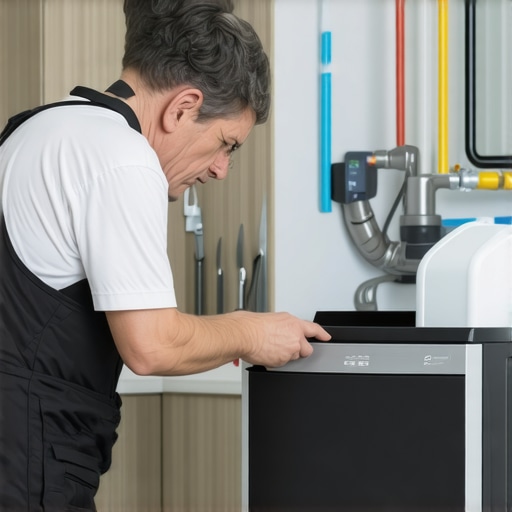
Last summer, I was looking forward to refreshing drinks and those perfect ice cubes during a heatwave. But when a sudden power outage swept through my neighborhood, everything changed—especially my trusty ice maker. The frustrating part? After the power came back, my ice maker refused to cooperate. Suddenly, all those cold drinks felt out of reach, and I was caught wondering: did the storm somehow break my appliance? That moment of helplessness was a lightbulb for me—these appliances can be tricky after power interruptions, and understanding why is key to fixing the problem fast.
How a Power Outage Can Sabotage Your Ice Maker
Power outages might seem straightforward—power goes out, power comes back, and life resumes—but for your appliances, especially your ice maker, the story can be more complicated. When the electricity is restored, certain components like sensors, switches, or control boards may not reset properly, leading to malfunctions or complete shutdowns. From my experience, the first thing I did wrong was assuming everything would resume normally—spoiler: it doesn’t always. Instead, small glitches can cause your ice maker to be stubborn or entirely unresponsive. This isn’t just a fluke; it’s a common issue many homeowners face, often due to overlooked reset procedures or sensor issues. To prevent permanent damage or voiding warranties, it’s critical to understand what steps to take right after a power disruption.
Is Your Ice Maker Wasting Your Time and Money?
Here’s a tough truth I learned early on: rushing to call a technician without trying simple resets or checks can cost a lot and waste your valuable time. I’ve seen folks jump straight into replacements when a quick reset or cleaning could have solved the issue. Want to avoid that mistake? Keep this resource bookmarked—it’s packed with tips that can save you from unnecessary expenses and downtime. Remember, a properly maintained and correctly reset ice maker can last many years, especially when you follow manufacturer guidelines. Curious if your situation is common? Check out how some homeowners have successfully fixed their devices by simply following the right steps, which we’ll cover next.
Let’s Get Your Ice Maker Chilling Again
Are you ready to troubleshoot your ice maker and get those cubes flowing effortlessly once more? In the following sections, I’ll walk you through practical, easy-to-follow steps based on real-world experience. From checking the power connection to resetting internal components, these tips are designed to save you time, money, and frustration. Don’t forget, sometimes the fix is as simple as pressing a reset button or cleaning a sensor—nothing fancy, just what works. And if you’re still unsure, I’ll also share critical mistakes to avoid that could damage your appliance permanently, like skipping manufacturer reset instructions or ignoring error indicators. Ready to take control of your ice-making woes? Let’s dive into the practical solutions, so your next cold drink is just a few steps away.
Start with the Basics: Check the Power Connection
Begin by ensuring your ice maker is properly plugged in and that the outlet has power. I once overlooked this step and spent hours troubleshooting when all I needed was to reset the circuit breaker. Use a multimeter or plug in another device to test the outlet; if it’s dead, restore power before proceeding. Confirm that the control switch or button is turned on, and look for any visible damage to the power cord.
Reset the Ice Maker to Clear Glitches
Most modern ice makers have a reset button located near the control panel or inside the ice bin. Press and hold this button for about 10 seconds. For older models, unplug the appliance for 5 minutes to allow internal electronics to reset. In my experience, performing these resets resolved minor control board issues that prevented ice production. Remember, never force reset buttons or machinery—gentle pressure is key.
Inspect and Clean Sensors and Components
Power surges can cause sensors to misread or misalign. Remove the ice bin and check for ice buildup or debris around the sensors. Use a soft cloth and mild cleaner to wipe sensor surfaces—dirt can cause false signals, halting ice production. I found a sticky sensor that was dirty, and cleaning it fixed my problem instantly. Be cautious not to damage delicate components; refer to the manufacturer’s manual for specific cleaning instructions. For more tips on sensor troubleshooting, see this guide on dishwasher sensor fixes.
Verify the Water Supply Is Functioning
Without water, your ice maker can’t produce ice. Check the water inlet valve for clogs or kinks in the supply line. Turn the water on and listen for clicking sounds indicating the valve is opening. I once had a frozen supply line that prevented water flow; thawing it restored function. Ensure the water filters are clean and replace them if they are clogged. Inspect the water inlet screens for debris and clean gently if necessary. If water isn’t reaching the unit, refer to this article on fridge water system fixes.
Look for Error Indicators and Alerts
Many models display error codes or flashing lights signaling specific issues. Consult your user manual or the manufacturer’s website to interpret these signals. Sometimes, a simple reset clears the error; other times, parts need replacement. I once ignored a blinking light and ended up with a completely dead ice maker—paying the price for ignoring visual cues. Be proactive and document any error codes to help with future troubleshooting.
Consider Replacing or Repairing Faulty Components
If after cleaning and resetting, the ice maker still refuses to produce ice, faulty components like the control board, motor, or compressor may be the cause. For complex repairs, it’s wise to contact a professional to avoid risking further damage. While DIY fixes can save money, some parts require specialized tools or knowledge. For common component issues, check out this resource on appliance repair mistakes to avoid accidental damage. Always ensure your appliance is unplugged before attempting any repairs to prevent electrical shock and voiding warranties.Many homeowners assume that scheduling same-day appliance repair or installation guarantees a quick fix or that warranties will cover any mishaps during setup. However, in my years of experience, I’ve seen numerous experts and consumers alike fall prey to certain myths that can lead to costly mistakes. One prevalent misconception is believing that all service providers are equally reliable when offering same-day solutions. The reality is, some technicians may prioritize quick visits over thorough diagnostics, which can result in incomplete repairs or future breakdowns. Additionally, a common trap is assuming that warranties automatically cover all issues caused during installation or repair—that’s not always true. Warranties often have fine print, excluding damages resulting from improper setup or neglecting to follow specific manufacturer guidelines. An advanced nuance many overlook involves the importance of detailed documentation and proper verification after service, especially when claiming warranty coverage. According to a study by the Consumer Reports, nearly 30% of appliance failures post-repair relate to overlooked procedural steps or miscommunication between consumers and service providers. This underscores the critical need for understanding what your warranty precisely covers and maintaining comprehensive service records.
Have you ever fallen into this trap? Let me know in the comments.
Why does rushing same-day service sometimes backfire, and how can you protect yourself?
Understanding the fine print of your warranty and the qualifications of your repair technician is essential. Many assume that requesting urgent service exempts them from verifying technician credentials or following post-service instructions, but neglecting these steps can void warranties. For example, some warranties require the use of authorized parts or adherence to specific installation procedures; failing to comply might nullify your coverage. Moreover, opting for the cheapest or quickest repairs without checking the provider’s reputation can lead to subpar work, which is often more costly in the long run. It’s wise to review the service provider’s certifications, read customer reviews, and insist on detailed invoices that outline work performed. Also, don’t forget to test your appliance post-service and keep records—these are your protections if warranty disputes arise.
To prevent avoidable issues, always ensure that your service provider follows manufacturer guidelines. For instance, improper drain hookup or electrical connection can compromise the appliance’s safety and functionality, possibly voiding your warranty—more on this in the linked article about drain hose errors that kill your warranty.
In conclusion, being informed and proactive about your appliance’s service and warranty claims can save you time, money, and frustration. Remember, not all service is created equal, and understanding the hidden nuances can make a significant difference in preserving your appliances’ longevity. Ready to dive deeper? Check out the common drain mistakes that may void your appliance warranty or explore smart setup tips to keep your warranty intact.
Keeping Your Appliances Running Smoothly: My Favorite Tools and Methods
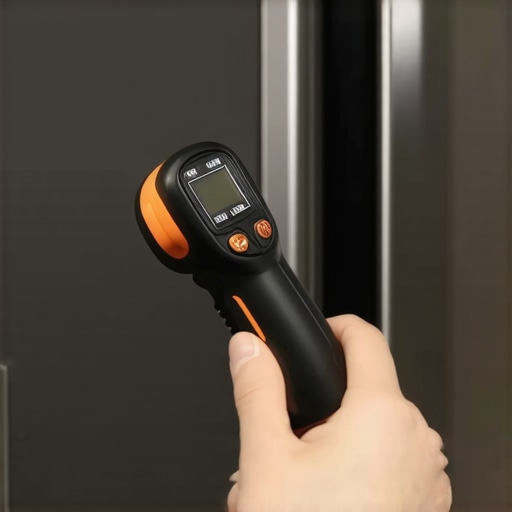
Maintaining appliances over time requires precision, the right tools, and a bit of expertise. Personally, I rely heavily on a digital multimeter, which I use daily to check voltage, continuity, and component functionality. This device helps me quickly identify electrical faults, saving time and preventing unnecessary replacements. For example, when troubleshooting a microwave’s faulty magnetron, testing the power supply continuity with my multimeter uncovers issues immediately. Additionally, I swear by infrared thermometers for identifying overheating components in HVAC systems or refrigerators. Spotting temperature irregularities early allows me to address problems before they escalate.
Beyond hardware, I use diagnostic software tailored to specific appliances. For modern smart devices, platforms like Samsung’s SmartThings or LG’s ThinQ app provide real-time diagnostics, fault codes, and firmware updates. These tools enable me to monitor appliance health remotely and schedule preventive maintenance. For instance, regularly checking smart washing machines’ sensors through their dedicated apps helps preempt breakdowns. Staying ahead of potential issues reduces long-term repair costs and extends appliance lifespan.
To prevent recurring problems, I perform routine cleaning and calibration. For water-using appliances, I keep water filters clean and check for leaks periodically. When it comes to calibration, I follow manufacturer guidelines closely, often using professional-grade calibration tools. For example, calibrating fridge temperature sensors with a digital thermometer ensures consistent cooling without overworking the compressor. This proactive approach minimizes wear and tear, preserving warranty validity and operational efficiency.
Future Trends in Appliance Maintenance
The trend toward smart home integration and AI-driven diagnostics is set to revolutionize appliance care. I predict a future where appliances will self-diagnose issues and even schedule repairs autonomously, reducing downtime significantly. As these technologies become more accessible, homeowners like myself will benefit from predictive maintenance that catches problems well before traditional indicators appear.
How do I keep appliances in top shape over the years?
The key lies in combining regular physical inspections with digital monitoring tools. Routine checks of water lines, seals, and filters paired with software alerts create a comprehensive maintenance system. Remember, following manufacturer repair and maintenance guidelines is critical—not just for safety but also for warranty protection. For instance, ensuring drain hoses aren’t kinked or clogged helps avoid water damage and costly repairs. Check out our article on common drain mistakes that void warranties for specific tips on maintaining plumbing components.
Implementing these tools and practices now will keep your appliances efficient and extend their lifespan. Start by investing in a good multimeter and explore diagnostic apps applicable to your devices. Don’t hesitate to schedule regular inspections and cleanings—sometimes, simple preventative steps save a lot of future trouble. And always keep detailed records of maintenance activities; they can be invaluable if warranty issues arise.
Ready to upgrade your maintenance routine? Try using an infrared thermometer to monitor critical components periodically. It’s a simple yet powerful way to catch early signs of trouble. Being proactive today means fewer surprises tomorrow, so equip yourself with these tried-and-true methods and enjoy long-term appliance performance.
The Hardest Lesson I Learned About same-day service,warranty,installation,appliance repair
One major takeaway from my experience is never to underestimate the power of a simple reset. After my neighborhood’s outage, I thought my ice maker was beyond saving, only to realize that a basic reset following manufacturer instructions could revive it. Another lesson? Always check the water supply—clogged lines or frozen inlet valves can mimic more complex issues, wasting time and money. Deep cleaning sensors and verifying connections isn’t just maintenance—it’s troubleshooting gold. Finally, understanding your appliance’s error indicators can give you a clear path to fix problems yourself, saving on costly repairs.
My Go-To Tools for Appliance Troubleshooting and Why They Matter
I rely heavily on a digital multimeter and a smartphone diagnostic app tailored to my appliances. These tools provide real-time data, helping me identify electrical faults and sensor failures quickly. Having detailed manuals and online resources bookmarked has made resolving issues more straightforward. These trusted tools empower homeowners to take control, avoiding unnecessary service calls and extending appliance life. They’re especially handy during power-related glitches, where quick diagnostics are crucial.
You Can Fix It Too: Step Into the Driver’s Seat of Appliance Care
Taking charge of appliance troubleshooting isn’t just for experts. Start by ensuring your ice maker is plugged in and the outlet is live; follow up with resetting the device and inspecting sensors. Small steps like cleaning components or verifying water lines can make all the difference. Remember, knowledge is power, and the right tools make the journey smoother. Embrace these practical tips, and you’ll be surprised how often a minor adjustment can restore your appliance’s performance and save you money. Your trusty ice maker is more resilient than you think, especially when armed with the right insights and approach.