
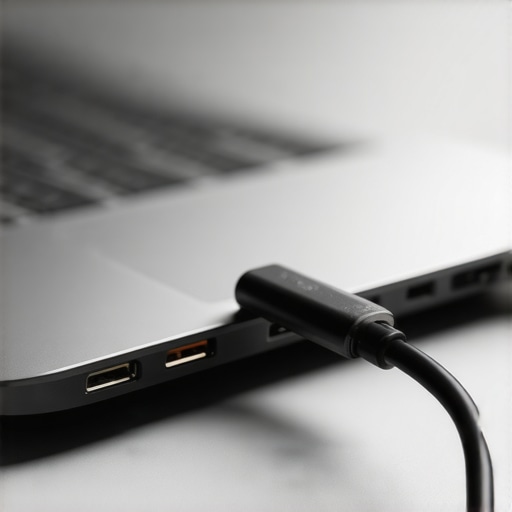
I remember sitting at my kitchen table, deadline looming, when I realized my laptop was sitting at 4% battery despite being firmly ‘plugged in.’ I did what we all do: I wiggled the cord. A tiny green light flickered on the side of the chassis, then died. To keep the juice flowing, I had to prop the cable up with a thick coaster and a stack of mail at a very specific 45-degree angle. It felt ridiculous for a machine I had owned for less than a year. If you are currently doing the ‘charger dance’ every time you sit down to work, I want you to know you aren’t alone, and it probably isn’t just bad luck. Today, I am going to walk you through exactly why these ports fail so quickly and how you can stop the cycle of buying new chargers every few months.
The Hidden Mechanics of Why Your Port is Quitting
Look, I made a massive mistake early on. I used to think that as long as the plug was in the hole, I was doing fine. I would sit on the couch with the laptop pressed against my stomach, the charging cable bent at a sharp 90-degree angle against the cushion. That constant, subtle pressure is a silent killer. Most laptop charging ports are only held onto the motherboard by a few tiny spots of solder. Just like the control board solder joint that kills your range, these connections in your laptop are incredibly brittle. Every time you trip over the cord or yank it out sideways, you are microscopic cracks into that bond. A study published in Reliability Engineering & System Safety suggests that mechanical fatigue in micro-solder joints is a leading cause of failure in portable electronics subjected to daily physical stress. It isn’t just that the hole is getting bigger; it is that the electrical bridge to the rest of your computer is literally snapping.
Is this really just a cheap manufacturing trick?
It is easy to feel like companies make these ports weak on purpose so you will buy a new machine. While ‘planned obsolescence’ is a popular theory, the reality is often more about our demand for thinner, lighter devices. As laptops get slimmer, the internal bracing for the DC jack gets smaller and less robust. I have learned the hard way that if you do not have your one maintenance record that saves your appliance warranty claim or tech receipts in order, many manufacturers will point to a loose port and call it ‘customer-induced damage.’ They claim it is wear and tear, similar to the wear and tear clauses that might void your warranty on a dishwasher or fridge. But before you give up and buy a new motherboard, have you ever actually looked inside the port with a flashlight to see if it is just packed with lint? Tell me, have you ever had to resort to tape or heavy objects just to keep your laptop charging?
Start with the Most Likely Culprit
Before you assume your motherboard is toast and start looking for fast trustworthy appliance installation near you for a replacement machine, grab a wooden toothpick and a bright flashlight. I once sat in a repair shop waiting room for two hours, convinced my expensive workstation was a paperweight, only to have the technician pull out a compressed air can and blow out a tiny clump of wool from my laptop bag. I felt like an idiot, but it saved me a $300 diagnostic fee. Compressed air and a non-conductive pick can remove the debris that prevents the charging pins from making a full electrical connection. It is exactly like the secret screen filter in your washer water inlet valve—if it is blocked, the system just won’t work, no matter how much power you give it. 
Identify if the Power Brick is the Real Failure
You need to isolate the problem before you start tearing hardware apart. Borrow a compatible charger from a friend or use a multimeter to check the output of your current brick. If the power fluctuates when you move the cable near the ‘brick’ end, the internal copper wiring has frayed. This is a common safety hazard. If you find yourself in this situation, check your one maintenance record that saves your appliance warranty claim to see if the peripheral is still covered. Manufacturers often replace chargers even if the laptop warranty has expired, provided you can prove it wasn’t chewed by a pet.
Adopt the Magnetic Solution to Save Your Solder
If your port is still functional but feels a little ‘crunchy’ or loose, you need to stop the physical degradation immediately. The best way to do this is by using a magnetic USB-C or DC adapter. These work just like the old MagSafe connectors on MacBooks; a small tip stays inside your laptop port permanently, and the cable attaches via magnets. This effectively turns your internal port into a ‘static’ connection that never sees another insertion cycle. By removing the friction of daily plugging and unplugging, you prevent the mechanical fatigue that leads to the control board solder joint that kills your range and your laptop alike.
The DIY Solder Reality Check
If the port is physically wobbling and the laptop only charges when you hold the cable at a specific angle, the solder joints have snapped. If you are handy with a fine-tip soldering iron, you can often reflow these joints yourself, but be warned: modern motherboards are multi-layered and dissipate heat quickly, making DIY repair difficult for beginners. For many, it is safer to look for warranty-backed appliance services you can rely on or a dedicated micro-soldering specialist. Much like an expert guide to appliance repair and installation today emphasizes precision, a laptop motherboard requires a steady hand and the right flux to ensure the connection doesn’t just break again the next time you sit on the sofa.
Don’t let speed ruin a precision repair
We live in an age of instant gratification where scheduling your appliance repair for same-day service in 2025 is seen as the pinnacle of professionalism. However, I am going to challenge that: for precision electronics, same-day service is often a trap. In my years of troubleshooting, I’ve found that the rush to finish a job within a tiny window is exactly how motherboards get ruined. When dealing with a delicate power rail or the control board solder joint that kills your range, the technician needs time for the board to reach the correct ambient temperature before and after soldering. According to a study in the Journal of Quality in Maintenance Engineering, hurried repairs on multi-layer circuit boards have a significantly higher failure rate due to latent thermal stress. If you are looking for an expert guide to appliance repair and installation today, you have to recognize that some things cannot be rushed without consequence. #IMAGE_PLACE_HOLDER_C#
Why your warranty provider wants to blame you
There is a specific ‘oops’ factor I see constantly: the assumption that a failing port is always covered under a standard manufacturer agreement. Most people assume that if the device is under a year old, they are safe. But companies have become experts at identifying ‘user-induced stress.’ They look for the same ‘accidental’ signs that the wear and tear clauses that might void your warranty specify for large appliances. If they see a single microscopic scratch around the port, they will claim you were ‘rough’ with the insertion and deny the claim. This is why I always tell people to keep the warranty document you must save before discarding the box. It often contains the specific ‘Acceptable Wear’ definitions that can help you when you need to how to challenge a warranty claim rejection for your fridge or your high-end workstation.
How do you prove the failure wasn’t your fault?
This is the advanced question that separates the amateurs from the pros. To win a dispute, you need a paper trail that starts the moment you open the box. If you noticed the port was even slightly wobbly on day one, you must how to document a dead-on-arrival appliance for a full refund immediately rather than ‘living with it.’ I’ve seen users get stuck with a massive repair bill because they waited until month eleven to report a problem that existed on day one. Always take a high-resolution photo of the port the day you buy the device. It sounds paranoid, but in the world of warranty-backed appliance services you can rely on, your own photos are your best defense against claims of physical abuse. Have you ever fallen into this trap where a ‘simple’ repair turned into a warranty nightmare? Let me know in the comments.If you’ve ever been in that spot, you know that documentation is your only shield. But once you have your records in order, you need to transition from defense to proactive maintenance. I stopped relying on the ‘it feels okay’ method years ago. Now, I never start a diagnostic without my MakerHawk USB-C Power Meter. It is a tiny, inexpensive device that sits between your charger and the laptop, giving you a real-time readout of the handshake between your power brick and the motherboard. If the screen shows 5V but 0 amps, the negotiation failed—usually a sign of a dirty port or a bad cable. If it shows a solid 20V but the amperage fluctuates wildly as you move the laptop, you’ve confirmed a loose internal connection. This level of technical clarity is exactly what you should expect from an expert guide to appliance repair and installation today. It turns a guessing game into a data-driven repair. 
Stop the guessing game with better tools
When you are searching for affordable same-day appliance fixes with warranty benefits, you are actually paying for the technician’s ability to isolate a fault in minutes rather than hours. You can do the same at home. Beyond the meter, my ‘secret weapon’ is DeoxIT D5 contact cleaner. Unlike standard rubbing alcohol, it actually leaves a microscopic protective layer that prevents future oxidation. I use it on laptop ports and even on the control board solder joint that kills your range when a connection starts acting flaky. Use a specialized lint-free foam swab to apply it; never use a cotton swab, because the tiny fibers will snag on the pins and create a fire hazard later.
How do I maintain my power ports over the long haul?
The key to long-term reliability is strain relief. I treat my desk setup like a professional server rack. I use adhesive cable clips to secure the charging cord to the edge of the table, ensuring that the weight of the cable isn’t pulling down on the laptop’s internal DC jack. This physical ‘buffer’ is a simple form of how to ensure reliable appliance installation in 2025 for your mobile office. If you can show that your workstation is set up to prevent mechanical stress, you can how to prove periodic maintenance to keep your warranty valid if you ever need to file a claim. Just as you’d verify the correct wire gauge for your new electric dryer to prevent heat buildup, managing the physical tension on your laptop charger prevents the thermal and mechanical fatigue that leads to hardware death.
Why the future of power is magnetic and wireless
Looking ahead, the physical DC jack as we know it is likely on its way out. We are seeing a massive shift toward higher power delivery over standardized connectors. According to the USB Power Delivery (USB-PD) Specification Revision 3.1, which now supports the Extended Power Range (EPR) up to 240W, we have the headroom to run high-performance gaming rigs through a single tiny port. However, more power means more heat and a higher risk of arcing if the connection is loose. I predict that ‘smart ports’ with built-in thermal sensors will become standard, effectively shutting down the power rail before a loose solder joint can melt the plastic housing. Until that tech becomes universal, you have to be your own tech support. My challenge to you this week is to grab a USB-C power meter and test every charger in your house. You’ll be shocked to see how many ‘fast chargers’ are actually under-delivering, slowly starving your batteries and stressing your ports.
Lessons I Learned the Hard Way About Fast Fixes
After years of fixing my own gear, I realized that a loose port is never just a ‘minor annoyance’—it is a ticking clock. I used to think I could wait until the weekend to address a flickering light, but that heat buildup eventually scorched a path right through my motherboard. One major lesson is that not all technicians are equal; some will try to use hot glue to stabilize a port instead of proper soldering, which is a disaster waiting to happen. It is much like the control board solder joint that kills your range; the quality of the bond is everything. I also learned that scheduling your appliance repair for same-day service in 2025 is a great convenience, but you must ensure the tech has the specialized micro-soldering tools required for modern, ultra-thin laptops. Finally, never underestimate the power of a simple port cleaning—90% of ‘dead’ ports are just dirty.
Tools I Use to Keep My Tech Alive
If you want to move beyond guesswork, I recommend building a small diagnostic kit. I personally trust the MakerHawk USB-C Power Meter because it removes the mystery of power delivery immediately. For cleaning, DeoxIT D5 is my gold standard; it is far superior to standard alcohol for preventing future oxidation. I also suggest keeping a digital folder with the warranty document you must save before discarding the box, as this makes it much easier to how to challenge a warranty claim rejection for your fridge or laptop if a manufacturer tries to blame you for normal wear. For anyone wanting to dive deeper into repair standards, an expert guide to appliance repair and installation today provides the foundational knowledge needed to spot a bad repair before you pay for it.
Give Your Gear the Respect It Needs
Taking care of your charging port isn’t just a technical chore; it is a way to ensure your most important tools stay reliable when you need them most. Whether you are performing a DIY fix or seeking same-day appliance repair quick solutions with warranty support, the goal is always longevity and safety. Don’t let a small physical stress point turn into a costly replacement. By adopting magnetic adapters and practicing better strain relief, you can easily add years to your laptop’s lifespan and avoid the ‘charger dance’ forever. Have you ever had to prop your charger up with a book or a coaster just to get a charge? Let me know your funniest ‘life hack’ for a broken port in the comments below!