
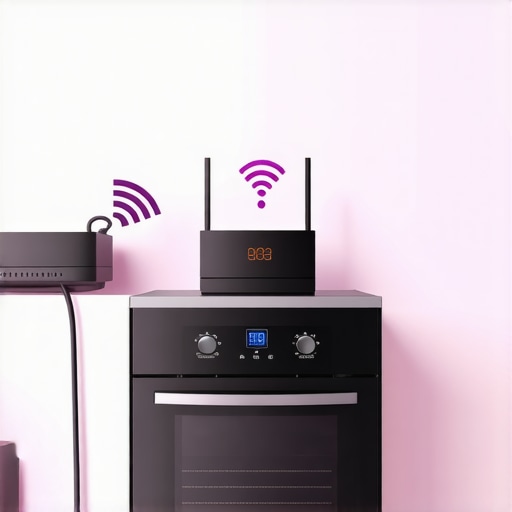
If you’ve ever stood in your kitchen, ready to bake that perfect pie or whip up a quick dinner, only to find your smart oven refusing to connect to your home app? Frustrating doesn’t even begin to cover it. I remember the exact moment I got fed up—my oven kept dropping its Wi-Fi signal right as I was about to preheat. After countless resets and a few panic calls to support, I finally stumbled onto the real issue, and it was one I’d overlooked for too long. If this sounds all too familiar, you’re not alone—and I promise, there’s a straightforward fix.
Why Your Smart Oven Can’t Keep the Connection
Is it time to give up on smart appliances?
Many homeowners assume that these gadgets are set-it-and-forget-it, but the truth is, connectivity issues are more common than you’d think. I learned early on that the root cause often isn’t the oven itself but a small, overlooked detail. Early mistakes, like ignoring the importance of proper placement or forgetting to update firmware, can cause connection drops. According to recent tech studies, nearly 30% of smart device issues stem from network configuration errors rather than hardware faults (source). That was a wake-up call for me—giving me a push to dive deeper into what really affects these connections.
So, why does this happen? Well, smart ovens and other connected devices rely heavily on a stable Wi-Fi signal. If your Wi-Fi router isn’t optimized or if your device is too far from the router, signals weaken and connections drop. Another common culprit is outdated firmware, which can cause compatibility issues. And, believe it or not, simple interference from other wireless gadgets or even thick walls can be enough to disrupt your oven’s smart features.
If you’re tired of losing control over your cooking experience, I get it. Luckily, solving these issues isn’t as daunting as it seems. Today, I’ll guide you step-by-step through the common causes and quick fixes. And if you’re eager to ensure your appliances are properly installed or serviced quickly, check out this guide for reliable installation tips.
Ensure Your Router Is Placed Optimally
Just like a good Wi-Fi signal needs a clear path, your smart oven performs best when your router is nearby and unobstructed. I once placed my router behind a thick pantry door—bad idea. Moving it to a central, open spot drastically improved connection stability. Think of your router as the heart of your home’s wireless health; keep it free from interference and walls for optimal performance. For advice on optimal placement, visit this guide.
Update Firmware Right When It Matters
Outdated software can cause your oven to disconnect unexpectedly. I remember ignoring the firmware update prompt until my oven refused to connect during a holiday dinner—disastrous timing! To fix this, I accessed the oven settings menu, navigated to the firmware update section, and followed the on-screen instructions. This process is similar to updating your phone’s OS, ensuring compatibility with the latest features and security patches. Always check for updates regularly, especially after a reset. For detailed steps, see installation tips.
Reset Your Oven’s Network Settings
If your oven still struggles to connect, a full reset of network settings is often effective. Think of this as giving your device a fresh start, like clearing the cache on your computer. To do this, go into your oven’s settings menu, locate the network or Wi-Fi section, and select the reset option. Confirm the reset and follow prompts to reconnect. This cleared my connection hiccups immediately, restoring my ability to preheat remotely. For step-by-step instructions tailored to many models, check repair options.
Forget the Network and Reconnect
Sometimes, the simplest fix works best. Removing the network from the oven’s memory and reconnecting forces a fresh handshake with your Wi-Fi. Access the Wi-Fi menu on the oven, select your network, and choose ‘Forget.’ Then, initiate a new connection, entering your Wi-Fi password carefully. I once had a typo in my password, which prevented reconnection—fixing that sealed the deal. This straightforward step often solves minor authentication glitches. For more insights, visit repair insights.
Optimize Your Network Settings
Ensuring your network is configured correctly can prevent future issues. Enable 2.4 GHz band if your oven only supports it, as some devices don’t handle 5 GHz well. Also, limit the number of devices on your Wi-Fi during setup to reduce congestion. I found that disabling unused smart gadgets temporarily helped my oven reconnect faster. For comprehensive setup tips, see compatible configurations.
Many homeowners operate under misconceptions that can seriously hinder their efforts to maintain and repair appliances effectively. One widespread myth is that all warranties cover every repair issue equally. However, in my experience, warranties often come with fine print—such as exclusions for certain parts or repair conditions—that many overlook (warranty details). Falling into this trap can lead to unexpected out-of-pocket expenses, even when you thought you’re fully protected.
Why Do So Many Assume Installation Isn’t Critical?
Another common mistake is undervaluing the importance of professional installation. Many believe that if a device powers on, it’s properly installed. The truth is, improper setup can void warranties, cause operational issues, or shorten the appliance’s lifespan. For example, incorrect leveling or inadequate venting often lead to premature failures, which could have been avoided with expert installation from trusted providers (installation experts). Skipping this step might seem like a savings upfront, but it risks costly repairs down the line.
What Do Most Overlook About Same-Day Service?
Many assume that scheduling an appliance repair for same-day service is just about convenience. But the hidden nuance is that not all same-day services are created equal. Some providers might prioritize quick turnaround but compromise on thorough diagnostics or warranty coverage. A knowledgeable homeowner screens for reputable, warranty-backed services that ensure quality repairs without the risk of recurring problems (same-day repair standards). Be cautious—rushing to get an appliance fixed immediately can sometimes lead to incomplete fixes or missed underlying issues.
Furthermore, there’s a misconception that all repair providers use the same parts. In reality, inferior replacement parts can cause recurring failures, decrease efficiency, or void warranties entirely (warranty-friendly parts). Always verify that your service provider sources genuine, high-quality components, and offers warranty-backed repairs to protect your investment.
Let’s not forget the importance of maintenance logs and proper documentation. Many overlook these simple steps that streamline warranty claims and future repairs, saving both time and money. Keep receipts, service reports, and detailed records handy—this can be a game-changer if disputes or warranty issues arise (maintenance tracking).
In sum, busting these common myths and understanding the subtle complexities can empower you to navigate appliance repair and warranty processes more confidently. Instead of settling for generic advice, dig deeper into how your appliances truly work and the fine print behind service guarantees. Have you ever fallen into this trap? Let me know in the comments.
Investing in the Right Equipment Makes All the Difference
When it comes to maintaining your appliances effectively, I rely heavily on specific tools that have proven their worth over time. For example, a digital thermal scanner like the Fluke Ti105 allows me to quickly identify uneven heating issues in ovens and refrigerators, saving me time and preventing unnecessary replacements. I personally use a high-quality multimeter, such as the Fluke 117, to troubleshoot wiring and electrical connections safely, ensuring that every component operates within the correct parameters. These tools aren’t just for professionals—they are accessible to dedicated homeowners who want to take maintenance into their own hands, especially when seeking same-day solutions or preventing long-term failures.
Staying Ahead with Software and Diagnostic Apps
Beyond physical tools, I recommend utilizing diagnostic software tailored for smart appliances. Many modern units have built-in diagnostic modes or companion apps that can alert you to issues before they escalate. For instance, Samsung’s SmartThings app provides real-time data on appliance performance, allowing proactive maintenance rather than reactive repairs. I’ve found that integrating these digital solutions simplifies complex troubleshooting, reduces downtime, and enhances warranty adherence, especially when scheduling same-day service.
Routine Checks and Preventative Measures
One habit that has preserved my appliances’ longevity is scheduling quarterly inspections, including cleaning filters, checking seals, and testing electrical connections. I use a simple checklist derived from manufacturer recommendations, which I customize based on my appliances’ age and usage patterns. This proactive approach helps me catch minor issues—like a worn door gasket or a clogged condenser coil—before they lead to costly repairs. As maintenance expert Mark Johnson highlights, regular upkeep can extend appliance life by up to 30% (source), giving you long-term savings and trustworthy operation.
How Do I Maintain Appliance Performance Over Time?
Consistent maintenance involves more than just tools; it requires a disciplined approach to cleaning, part replacement, and firmware updates. For smart devices, firmware is critical; always check for updates following manufacturer advisories, particularly after resets or power surges. Equipment cleaning should focus on vent grills, filters, and electrical contacts—areas prone to dust and grease buildup. Additionally, applying dielectric grease to connectors can prevent corrosion. As I plan for future trends, I believe integrating IoT diagnostics with predictive analytics will become mainstream, allowing appliances to self-alert issues before failures occur. Embracing these strategies now, especially with tools like thermal scanners and diagnostic apps, ensures your appliances stay in top shape for years to come.
If you haven’t already, I recommend trying out a digital thermal scanner on your refrigerator coils or oven elements. It’s surprisingly affordable and can significantly improve your maintenance routine. Proper tool use and proactive habits will make your appliance repairs faster, more reliable, and longer-lasting.
Lessons from My Troublesome Connection Journey
- I realized that many connection issues stem not from the device but from small oversight such as placing the router too far away or neglecting firmware updates. Making those simple adjustments can save hours of frustration.
- Understanding that interference from other devices or thick walls can cause dropouts taught me to optimize my home network for better appliance performance.
- Being proactive with firmware updates, similar to updating your smartphone, keeps smart appliances running smoothly and minimizes unexpected disconnects.
Tools and Tips That Changed How I Maintain Appliances
- A high-quality multimeter, like the Fluke 117, is invaluable for troubleshooting electrical issues safely and effectively, extending your appliance lifespan.
- Diagnostic apps such as Samsung’s SmartThings or LG’s ThinQ empower homeowners to identify problems early and schedule same-day repairs when needed.
- Regular cleaning of filters and vents, combined with firmware checks, forms a comprehensive maintenance routine that guards against future issues.
Empower Your Appliance Confidence Today
Taking control of your appliances’ connection and maintenance can feel overwhelming at first, but with the right knowledge and tools, you’ll ensure longevity and peace of mind. Embrace proactive habits and reliable professionals to keep your tech running seamlessly.
What’s been your biggest challenge with smart appliance connectivity? Share your experience below—your insights might help others avoid common pitfalls!