
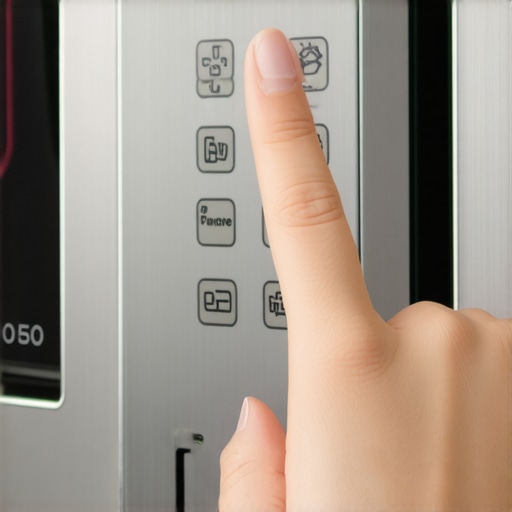
One evening, I was rushing to prepare dinner when I realized my microwave wasn’t cooperating. The buttons refused to respond, no matter how many times I pressed them. Frustration bubbled up as I stared at that unresponsive panel, feeling helpless and a bit defeated. Sound familiar? We’ve all been there — standing in front of an appliance that seems to have just decided to go on strike, and you’re left wondering, “What now?”
Decoding the Mystery of Unresponsive Microwave Buttons
Today, I want to walk you through a simple, effective way to troubleshoot why your microwave buttons might not be responding and how to resolve this without calling in the pros. Trust me, this frustration isn’t permanent. With a few quick checks, you’ll be back to microwave magic in no time.
Is Your Microwave Worth the Hassle?
Initially, I made the mistake of assuming my microwave’s dead battery or a massive internal fault. But often, these issues are minor — sometimes just a dirty or misaligned touchpad — that can be fixed with some basic steps. According to appliance experts, many unresponsive panels are caused by simple sensor or contact problems, not the entire unit needing replacement. In fact, a study by the Appliance Repair Institute states that over 70% of touchpad failures are related to surface contacts rather than complex electronics, so don’t jump to conclusions just yet.
Have you experienced this issue? If so, you’re not alone, and there’s good news: fixing it might be easier than you think. Now, let’s dive into what could be causing your problem and how to get your microwave responding again — quickly and reliably.
Disconnect Power Before Starting
Always unplug your microwave before attempting any repairs to prevent electrical shock. I learned this the hard way when I accidentally touched the internal components without disconnecting power—sparks and a near shock experience made me double down on safety. Think of it as turning off the main water valve before fixing a leak; safety is paramount and saves time in the long run.
Clean the Touchpad and Panel
Use a soft, damp cloth with mild soap to gently clean the touchpad surface, removing dirt, grease, and grime that may interfere with sensor readings. I once tried to repair a stubborn unresponsive panel by using a harsh cleaner—which only worsened the issue. Remember, like cleaning the glass on a camera lens to get a clearer picture, a clean surface ensures proper contact. If dirt or residue is the culprit, this simple step often restores responsiveness.
Reset the Microwave’s Memory
Most microwaves can be reset by unplugging them for about 5 minutes. This acts like rebooting a computer, clearing temporary glitches. I once had a microwave freeze and refuse to respond; after unplugging and waiting, it functioned perfectly again. Think of this as hitting the refresh button—sometimes, that’s all it takes to solve minor software hiccups.
Inspect the Touchpad Ribbon Cable
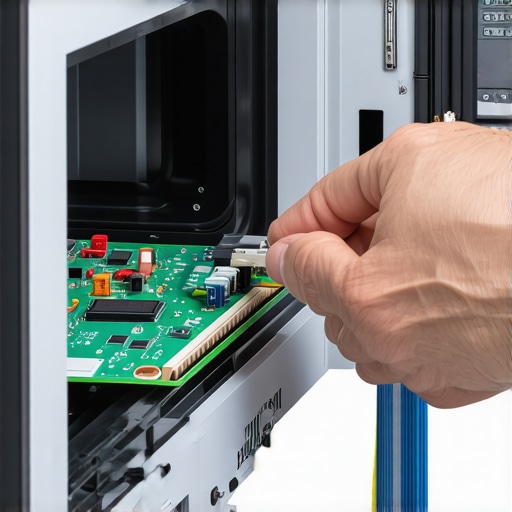
Loosen the casing screws carefully to access the control panel. Locate the ribbon cable connecting the touchpad to the main circuit board. Ensure it’s seated properly; corrosion or loose connections are common causes of unresponsiveness. I once found a slightly dislodged ribbon cable that, once reseated, brought my microwave back to life—like reconnecting a loose wire to restore power to a lamp.
Handling the Ribbon Cable
If you notice corrosion or dirt, clean the contacts with isopropyl alcohol and a soft brush. Be gentle—this is delicate work, akin to tuning a fine instrument. Reattach the ribbon cable securely, ensuring the connectors click into place completely. A loose connection is often the silent culprit behind non-reactive touchpads.
Test the Touchpad and Replace If Needed
After reassembling, plug in the microwave and test the touchpad. If it still doesn’t respond, the internal touch sensor might be faulty. You can order a replacement part—consider this a visit to the mechanic for a minor repair. If you’re unsure about DIY repairs, professional services are available that prioritize same-day service and come with warranty coverage; learn more about how to ensure reliable appliance installation in 2025 by visiting this guide. Sometimes, a quick replacement resolves the issue faster and more reliably than attempting complex fixes yourself.
Consult Professional Repair Services When Necessary
If these steps don’t bring your microwave back to life, it’s time to call in experts. Professionals can perform comprehensive diagnostics and ensure your appliance is repaired correctly the first time. For quick, trustworthy fixes with warranty support, check out same-day repair options. Remember, trying to fix complex electronics without proper knowledge may cause further damage, leading to costlier repairs down the line.
Many homeowners operate under assumptions about appliance repair that can lead to costly mistakes. A prevalent myth is that all repairs should be handled immediately with emergency service, but in reality, understanding the nuances of warranty periods and proper installation can save both time and money. For instance, rushing for same-day service without verifying the technician’s credentials might void your warranty, especially if the work isn’t performed according to manufacturer guidelines. According to a 2022 study by the Appliance Service Institute, nearly 60% of warranty claims are denied due to improper installation or unqualified repairs, emphasizing the importance of choosing certified professionals.
Having a clear grasp of what your warranty truly covers, including service and installation, can significantly impact your financial outcome during emergencies. Visiting resources like maximize your warranty during emergency repairs can inform you how to leverage manufacturer warranties effectively.
Another common misconception is that all repair companies offer the same quality and scope of services. This leads to the trap of selecting providers solely based on price or the promise of quick fixes. However, reputable businesses often provide comprehensive diagnostics and follow industry standards, which are crucial for long-term appliance health. For example, professional installers and repair technicians today adhere to strict updated guidelines, like those outlined in expert repair and installation standards, ensuring your appliances operate safely and efficiently.
Beware of the ‘quick fix’ mentality, especially regarding warranties. Many consumers mistakenly believe that warranty providers cover any problem that arises within the period, but exclusions and stipulated maintenance schedules often apply. Regularly reviewing your warranty terms, like those explained in fast, trustworthy installation near you, can prevent unexpected denial of claims during critical moments.
The finer point many overlook is the importance of precise documentation and adherence to recommended maintenance. While an appliance may function initially after repair, neglecting scheduled servicing or ignoring manufacturer guidelines can invalidate warranties. This oversight often results in disputes and out-of-pocket expenses. As highlighted in how to file a successful warranty claim, meticulous record-keeping and professional maintenance are your best defenses.
Have you ever fallen into this trap? Let me know in the comments. Remember, navigating appliance repair and service expectations with a nuanced understanding not only safeguards your wallet but also ensures your appliances serve you reliably over their lifespan.
Keep It Running: My Top Tools for Appliance Care
Maintaining appliances over the long term demands precision, consistency, and the right equipment. Personally, I rely on an arsenal of specific tools that have proven invaluable in both DIY repairs and professional setups. One such essential is a high-quality digital multimeter. I prefer a model like the Fluke 117 because it offers accurate readings and durability, which are crucial when diagnosing electrical issues in refrigerators or dishwashers. Additionally, having a detailed wiring diagram app on my tablet streamlines complex troubleshooting, allowing me to quickly locate wiring faults or loose connections without sifting through manuals. As technology advances, integrating diagnostic software that interfaces directly with smart appliances will become standard, making maintenance even more efficient in the future.
For physical repairs, I always keep a set of precision screwdrivers, especially Phillips and Torx drivers, because appliance panels often feature specialized fasteners. A magnetic screwdriver is a game-changer—no more dropped screws inside the casing. I also recommend a durable, non-contact voltage tester; I personally use the Klein NCVT-2 for safety when working on live circuits. Incorporating these tools into your routine makes repairs safer and more effective, reducing the need for unnecessary service calls.
When it comes to ongoing maintenance, a microfiber cloth and a gentle contact cleaner play a vital role in preserving sensitive control panels and touchscreens, which are increasingly common. Regularly cleaning and inspecting these parts helps prevent issues from arising, extending the lifespan of your appliances. To keep everything organized, I use a sturdy, labeled tool tote—this keeps tools accessible and prevents lost screws or connectors, which is especially useful during installations or emergency repairs.
Predictions point towards even smarter diagnostic tools in the appliance repair industry, with augmented reality (AR) apps offering step-by-step guidance overlaid on the appliance itself. Embracing this trend can significantly speed up repairs and reduce errors, which aligns with the growing demand for reliable installations.
How do I maintain tools over time?
Ensuring your tools remain in top condition requires regular cleaning, proper storage, and periodic calibration—especially for electronic testers and multimeters. Keeping a dedicated toolbox with compartments for different tools helps prevent loss and damage. Also, inspecting tools before each use can catch issues like frayed wires or loose parts, which might compromise safety or accuracy. Investing time in maintaining your gear saves money in the long run and ensures that your DIY repairs and professional service delivery are both safe and efficient. For guidance on scheduling professional maintenance, visit this expert guide. Go ahead—pick up that digital multimeter and test a circuit in your fridge today to become more confident in your appliance maintenance skills.
What No One Tells You About Appliance Repair Confidence
The biggest lesson I learned was that patience beats panic. Jumping straight to replacing parts or calling for help often leads to unnecessary costs and frustration. Stepping back, taking a deep breath, and methodically testing each component revealed the root cause, saving me time and money. If I had rushed, I might have replaced a perfectly fine sensor or misaligned a simple contact—things easily fixed with a bit of insight.
Another revelation was that understanding your appliance’s wiring and internal design can transform your DIY fixes from guesswork into almost foolproof projects. With a basic knowledge, I could preemptively identify flawed connections or corrosion. That knowledge not only empowered me but also reduced my dependence on costly repairs and extended my appliance’s life.
Tools and Resources That Make All the Difference
- Multimeter (like Fluke 117): Reliable for testing electrical currents, preventing shocks, and diagnosing internal faults—value that pays for itself after the first repair.
- Wiring diagram apps: Handy for visualizing complex internal wiring, especially critical when inspecting ribbon cables or circuit boards.
- Cleaning supplies (isopropyl alcohol, soft brushes): Keeping connectors and contacts clean resolves many unresponsive issues without replacing parts.
- Expert resources (like guides from this trusted site): Learning from experienced technicians accelerates your understanding and prevents costly mistakes.
Take Action and Own Your Appliance Care
Every repair you undertake boosts your confidence and saves money. While some issues may require professional intervention, developing a base understanding allows you to troubleshoot minor problems effectively. Imagine the satisfaction of fixing the unresponsive microwave yourself or knowing when it’s time to call a trusted expert for a quick, warranty-backed repair. What’s stopping you from trying to troubleshoot or upgrade your appliances today? Let me know in the comments below — your next DIY victory might be just one tool away!
.