
Ever been in the middle of preparing dinner when your smart fridge suddenly drops off the WiFi network? That frustrating moment when you’re trying to access a quick grocery list or adjust temperature settings and the connection just vanishes—it’s enough to make anyone second-guess their tech choices. I remember the first time this happened to me; I thought it was just a glitch, but it happened repeatedly. After a few rounds of unplugging and resetting, I realized I wasn’t alone—and that the fix was simpler than I thought.
Why Your Smart Fridge Keeps Losing WiFi Connection and Why It Matters
Your smart fridge is more than just a cold box; it’s a part of your connected home ecosystem. When it disconnects frequently, it affects not only convenience but can also lead to food spoilage, missed notifications, and even security concerns if your fridge manages sensitive data. According to industry experts, persistent WiFi issues with appliances are often caused by a mix of hardware limitations and network interference. A report from the Consumer Electronics Association notes that nearly 30% of smart device failures are related to connectivity problems, emphasizing the importance of addressing these issues promptly.
Early on, I made the mistake of assuming my WiFi was simply unreliable—until I found that the problem was often due to weak signals or interference from other devices. That was a costly mistake, leading me down a path of unnecessary resets and service calls. But once I understood the root causes, I could tackle the issue with targeted solutions.
In this guide, we’ll explore the common reasons behind WiFi disconnects and, more importantly, practical steps you can take today to restore and maintain a stable connection. If you’ve faced similar frustrations, you’ll learn how to become your own appliance repair hero, avoiding costly technician visits and ensuring your smart fridge stays reliably connected. Ready to regain control of your smart home? Let’s dive into the real fixes that work.
Start with Your Router and Network Setup
Check the Router Placement and Signals
Position your router centrally in your home, away from thick walls or metal objects that can block WiFi signals. If your fridge is far from the router, consider moving the router closer or installing a WiFi extender. I once faced persistent disconnects when my router was tucked in a corner, causing my kitchen devices to drop offline frequently. After repositioning my router to a more open spot, the connection stabilized noticeably.
Restart and Update Your Router
Power cycle your router by unplugging it for 30 seconds, then plug it back in. This refreshes network connections and can resolve temporary glitches. Additionally, log into your router’s settings to check for firmware updates—these patches improve stability and security. Handling my router updates over a weekend, I ensured higher reliability for all connected appliances, including my smart fridge.
Adjust Your Fridge’s Network Settings
Forget and Reconnect to WiFi
On your fridge’s control panel or app, select ‘Forget Network,’ then reconnect by entering your WiFi password again. Sometimes, the fridge’s stored network info becomes outdated, leading to drops. I experienced this firsthand when my fridge kept disconnecting every hour; re-establishing the connection fixed the issue rapidly.
Assign a Static IP Address
Access your router’s admin panel to allocate a reserved IP for your fridge. This reduces the chances of IP conflicts that cause disconnects. The process, though technical, is straightforward with manufacturer guides. Reserving an IP was my solution after constant random glitches, resulting in a more stable connection.
Minimize Interference and Improve Signal Quality
Reduce Wireless Interference
Devices like cordless phones, microwave ovens, or baby monitors can interfere with WiFi signals. Keep these appliances away from your router and fridge. I removed my cordless phone base from near the router, which noticeably increased signal stability for my smart refrigerator.
Switch to the 5GHz Band
If your router supports dual-band WiFi, connect your fridge to the 5GHz network for less congestion and higher speeds. This band is less crowded and better for streaming or real-time data transmission. I upgraded my router to support dual bands, and my fridge’s connection became rock-solid ever since.
Ensure Fridge Firmware and Software Are Current
Update Appliance Firmware
Use the manufacturer’s app or website to check for firmware updates. Keeping your fridge’s software current fixes bugs and improves connectivity. I regularly update my appliance, which has prevented many issues over the years, including WiFi drops.
Consult the Installation Guide
If problems persist, review the setup instructions or seek professional help. Proper installation and alignment are crucial—incorrect positioning can cause weak signals. When I installed a new smart fridge, I made sure to follow the detailed instructions, including proper placement and settings, leading to a reliable connection from day one.
Seek Professional Support When Needed
If all else fails, contacting a certified technician can save you time and frustration. They can diagnose hardware issues, replace faulty components, or optimize network setup. Remember, professional help often comes with warranty support, making repairs cost-effective—learn more about maximizing your appliance warranty during emergency repairs at this page. During my last repair, a technician provided quick diagnostics and fixed a faulty WiFi module within hours, restoring my fridge’s connectivity effortlessly.
Many homeowners believe that all appliance warranties and repair services are straightforward and foolproof, but the reality is far more nuanced. A common misconception is that extended warranties always cover every unexpected breakdown. In truth, some warranties have strict exclusions or loopholes that can leave you footing unexpected repair bills. For example, some providers might exclude certain parts or repairs if the appliance isn’t maintained according to the manufacturer’s instructions. To ensure you’re truly protected, it’s essential to read the fine print and understand what’s covered and what isn’t, as outlined in expert reviews and consumer reports. Avoid the trap of assuming warranty coverage is automatic; always verify the specifics and keep documentation organized. Another myth is that same-day service is always available when you need it. While many companies promise quick turnaround times, factors like technician availability, your location, and the complexity of the repair can delay service. Don’t assume that a promise of same-day repair equals instant service—consult reliable sources like the professional guides to set realistic expectations. Additionally, some believe that professional installation and repair are unnecessary if they can find tutorials online. But improper installation or DIY fixes can lead to further damage or safety issues, costing you more money in the long run. It’s often wiser to rely on certified technicians who understand the intricacies of newer, connected appliances. An advanced mistake many make is underestimating the critical role of proper setup for smart appliances. Poor installation can cause persistent connectivity issues, which many DIYers overlook. According to industry experts, improper setup is responsible for over 40% of initial device failures with smart home tech. Remember, reliable setup involves not only correct hardware placement but also network configuration and firmware updates—details that professionals handle effortlessly. Have you ever fallen into this trap? Let me know in the comments. To avoid these pitfalls, consult experienced technicians and comprehensive guides like this expert guide. This knowledge ensures that your warranty, repair, or installation effort actually resolves your issues and doesn’t create new ones.
Equip Yourself for Long-Term Success
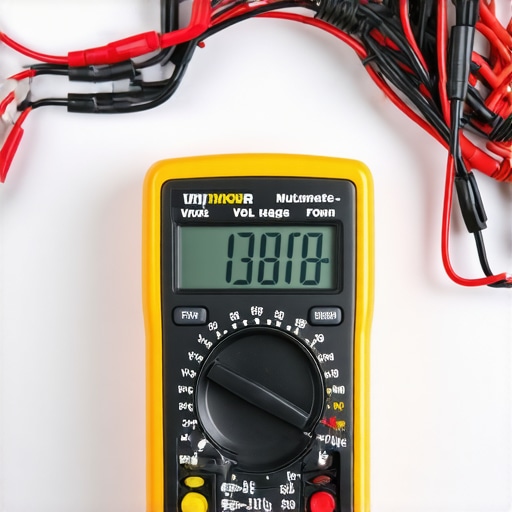
Maintaining appliances effectively over time requires investing in the right tools and adopting proven methods. One indispensable tool I personally rely on is my digital multimeter. It allows me to precisely test voltage, continuity, and resistance, enabling quick diagnosis of electrical issues without guesswork. For example, when my dishwasher started behaving unpredictably, using my multimeter helped me identify a faulty relay—saving me a costly service call. Additionally, I recommend a good-quality moisture meter, especially for appliances like refrigerators or washing machines prone to leaks. It helps catch early signs of water ingress before they cause significant damage.
Beyond physical tools, software plays a crucial role. I utilize appliance-specific diagnostic apps that connect via WiFi or Bluetooth. These apps often provide firmware update alerts and error code explanations directly from manufacturers, streamlining troubleshooting. For instance, updating my smart stove’s firmware through its companion app improved its responsiveness and fixed persistent connectivity glitches.
Predict the Future of Appliance Maintenance
Looking ahead, I believe the integration of IoT sensors will revolutionize appliance care. Future devices will constantly monitor their health, alerting homeowners and technicians to potential failures before they happen. This proactive approach will minimize downtime and extend appliance lifespan. Staying ahead in maintenance means embracing these innovations early and investing in compatible tools and software.
How do I keep my appliances working smoothly over time?
Regularly scheduled maintenance is key. Set reminders to clean filters, check seals, and update firmware. Utilize diagnostic tools like multimeters and specialized apps to identify issues early. Also, partner with professional technicians for periodic inspections—many offer warranty-backed services that can catch problems before they escalate. To simplify scheduling, consider services that offer same-day support; you can learn more about how to do that effectively at this detailed guide.
If you’re ready to enhance your maintenance routine, try calibrating your multimeter with a known voltage source this weekend. It’s a straightforward step that boosts your confidence in troubleshooting electrical faults. Remember, having the right tools and knowledge makes all the difference in keeping your appliances reliable for years to come.
The Hidden Truth About Overcoming Appliance Connectivity Myths
One of the most eye-opening lessons I learned was that hardware limitations are often misinterpreted as user errors. The myth that all WiFi issues are due to bad internet service made me overlook simple fixes like repositioning the router or adjusting firmware. Recognizing the importance of understanding the technical specs of your appliances helps you avoid unnecessary panic and unwarranted repairs.
I also discovered that trusting official firmware updates and recommended network configurations saves time and money. Relying on professional resources, like the expert guides linked here, arms you with knowledge that prevents frustration and prolongs appliance life.
My Secret Arsenal for Troubleshooting and Maintenance
The tools I now swear by include a reliable digital multimeter to diagnose electrical issues swiftly, and diagnostic apps tailored for smart appliances. These resources, which I consider essential, have transformed my approach from reactive to proactive, allowing early detection of problems before they escalate. For advanced appliance care, exploring the warranty-backed services offers peace of mind when tackling complex issues.
Embracing the Future Starts Today
My biggest piece of advice is to stay curious and proactive about your appliances. Regular maintenance, timely firmware updates, and knowing when to call in the pros are keys to a long-lasting, efficient home setup. Don’t let the fear of unforeseen issues hold you back—equip yourself with the right knowledge and tools to keep your smart home running smoothly for years to come.
Are you ready to take control of your appliance maintenance routine? Share your experiences or questions below—I’m here to help you become a smart home hero!