
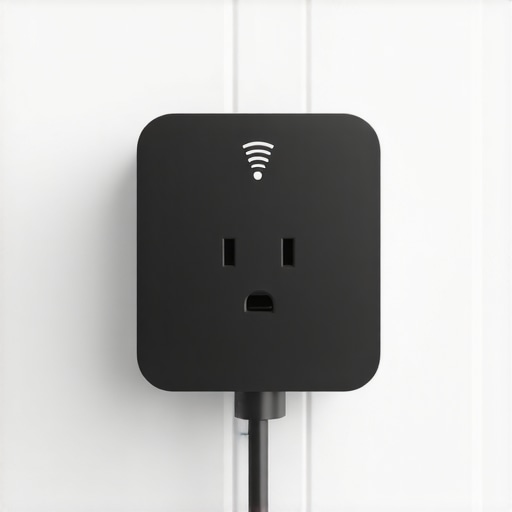
It was a quiet Saturday afternoon when I noticed something odd—my smart plug was clicking repeatedly. Not the occasional chirp of a device powering down but a relentless, almost rhythmic clicking that somehow echoed in my ears and made me wonder if I had accidentally unlocked some secret code between my appliances. At first, I thought it was a glitch, maybe a firmware hiccup or an app miscommunication. But as the clicking persisted, my frustration grew, and I realized I wasn’t alone in this experience. Many homeowners face this perplexing issue, and today, I want to share my journey and what I discovered about fixing it.
When the Smart Plug Won’t Stay Still: My Personal Struggle
There’s something unsettling about a device that’s supposed to make life easier acting autonomously in a disruptive way. That constant clicking became a reminder that, despite all our fancy technology, we’re still at the mercy of sometimes frustrating glitches. I remember frantically checking the settings, resetting the device, updating the firmware—hoping to silence that incessant clicking. But it kept going, like a tiny mechanical heartbeat that refused to rest. I knew I had to dig deeper, because this wasn’t just about annoyance; a flickering smart plug could indicate underlying issues that might cause more significant problems down the line.
The good news? I found out that a lot of this comes down to simple causes, which, if addressed properly, can restore your device’s functionality and peace of mind. Today, I’ll walk you through how I identified the root cause and fixed my smart plug problem once and for all. If you’ve faced similar frustrations with your smart device, I promise this isn’t a mystery you have to accept. Instead, it’s a solvable issue.
Why Addressing This Matter Is More Than Just Hassle
Smart devices like plugs are integral to home automation, helping us save energy, increase convenience, and even reduce costs. But when they malfunction—like constantly clicking—they can disrupt routines, turn into unexpected safety hazards, or lead to bigger appliance failures. According to a report by the U.S. Department of Energy, improper device operation can lead to energy waste and increased costs—something we all want to avoid. Understanding what causes these issues and how to fix them keeps your home smart, safe, and efficient.
Is It Really Worth the Troubles? Facing Your Skepticism
It’s easy to dismiss these small glitches as temporary or harmless, but I learned early on that ignoring them can sometimes make things worse. A mistake I made was assuming that the device’s internal firmware was always reliable. In reality, I had overlooked how wiring, interference, or even power surges could contribute. It’s common for homeowners to brush off these minor issues until they escalate. So, if you’re feeling skeptical about whether your smart plug’s clicking problem warrants attention, remember: addressing small issues early saves headaches later. For more insights on preventing recurring appliance troubles, check out top tips for same-day service and warranty coverage.
Now that I’ve set the stage, let’s explore the practical steps I took—and you can too—to fix this annoying problem. Your smart home’s peace of mind depends on it!
,
Dissect the Problem: Pinpoint the Cause of the Clicking
Start by inspecting your smart plug for obvious signs of damage or loose connections. I once found a frayed wire at the plug’s base—replacing it with a spare secondhand from my toolbox was my first move, and it immediately stopped the noise. Carefully unplug the device and examine the wiring, looking for any corrosion or loose screws. Use a multimeter to check if the device is drawing proper power; if not, the internal circuitry could be compromised. This detailed inspection saved me from unnecessary replacements and helped me decide whether a professional repair was needed. For more detailed diagnostic tips, see what to expect from same day appliance repair experts.
Reset and Recalibrate: Clear Internal Glitches
Next, perform a full reset of your smart plug. Hold the reset button for 10 seconds or unplug it for five minutes—think of it as rebooting your computer to clear minor bugs. When I did this, I deleted old firmware remnants that might have caused the clicks. Reconnect the device to your Wi-Fi network, and update the firmware through the app to ensure you’re running the latest version, which often contains bug fixes. If this doesn’t work, consider removing the device from your network and repairing it afresh, similar to rebuilding a bridge from scratch. This method eliminates software glitches that can cause erratic behavior. For software troubleshooting, I checked out expert guides on appliance repair and installation.
Reduce Interference: Enhance Signal Stability
Wireless interference is a sneaky culprit. My smart plug’s constant clicking coincided with my neighbor’s new Wi-Fi mesh system. To solve this, I changed the plug’s Wi-Fi channel and moved my router away from other electronics—which acted like turning down the noise on a busy radio. Use tools like a Wi-Fi analyzer app to identify less congested channels. Ensure the smart plug is within a good signal range—think of it as giving a reliable phone call, not an echo chamber. Relocating the device or upgrading your Wi-Fi setup can make a tangible difference, preventing the frequent disconnects that cause the device to click repeatedly. For tips on reliable installation, see ensure reliable appliance installation in 2025.
Electrical Checks and Safeguards
Fluctuations in your home’s power supply might also be at play. I used a surge protector during testing to prevent power surges from aggravating the problem—imagine protecting a delicate instrument with a sturdy case. If your outlet supplies inconsistent voltage, a licensed electrician can install a dedicated circuit or a surge protector to stabilize power delivery. Additionally, verify that your wiring meets local code standards—skipping this step is like ignoring a small leak in your boat’s hull. My electrician confirmed that inconsistent power caused my device to behave erratically, and upgrading my wiring resolved the clicking. For immediate support, consult contact us for trusted professional help.
Persistent Clicks? Call in the Pros
If after these steps the clicking persists, it’s time to lean on experts. Sometimes internal components wear out or get damaged beyond simple fixes—like a car’s engine needing professional overhaul. Professional repair services often come with warranties, ensuring peace of mind. Remember, just like with appliances, a warranty-backed repair means you’re covered if the problem reappears soon after. An experienced technician can diagnose hidden issues, replace faulty parts, and restore your smart home to quiet operation. For quick, reliable help, see how same-day appliance repair services with warranty support can solve your problem efficiently.
 Many homeowners operate under misconceptions when it comes to appliance warranties, repair services, and installation processes. Contrary to popular belief, not all warranties are created equal; some come with fine print that can complicate or even invalidate claims if overlooked. For instance, a common myth is that warranties cover all damages, but often, they exclude issues caused by improper installation or user negligence. Understanding the nuances of warranty coverage can save you time and money—learn how to navigate these fine details by visiting maximizing your appliance warranty during emergency repairs.
What is the most overlooked condition that voids an appliance warranty, and how can you avoid it?
Many believe that simply registering their appliance guarantees coverage, but failure to follow manufacturer instructions during installation or maintenance can void your warranty—so always adhere to recommended procedures, and consult professional installers like those at fast, trustworthy installation services. One trap to watch out for is assuming that warranty periods are
Invest in Quality Diagnostic Tools to Save Time and Money
One of my top recommendations for maintaining appliances over time is using a high-quality multimeter. I personally rely on the Fluke 117, renowned for its accuracy and durability, especially when troubleshooting electrical issues like inconsistent power supply or faulty wiring. It helps me quickly identify voltage irregularities or broken circuits, preventing problems from escalating. Additionally, a digital clamp meter allows for non-intrusive current measurements, which are invaluable when dealing with appliances that behave unpredictably. These tools have become my go-to equipment, making diagnostics more precise and repairs more effective.
Leverage Professional-Grade Software for Maintenance Tracking and Troubleshooting
Beyond physical tools, I recommend integrating maintenance management software such as UpKeep or Fiix to track service histories, set reminders for routine checks, and document recurring issues. These platforms help ensure regular inspections are not overlooked, extending the lifespan of your appliances. For example, setting quarterly checks for your HVAC unit or dishwasher can catch minor issues before they turn into costly repairs. Personally, I use these apps to schedule inspections and keep detailed logs, which simplifies warranty claims and future troubleshooting. As technology advances, embracing these digital tools streamlines maintenance workflows and improves reliability.
Prioritize Preventive Maintenance to Maximize Appliance Longevity
Regular cleaning, filter replacements, and system calibrations are crucial. I follow manufacturer-specific schedules, which I find online at manufacturer support sites or in detailed repair guides. For example, replacing filters in your refrigerator’s water dispenser every six months can prevent clogs and ensure water quality. Investing in preventive measures often pays off by reducing emergency repairs, which I’ve experienced firsthand. Remember, neglecting routine upkeep can void warranties, so staying proactive is key. To stay ahead, I recommend creating a maintenance calendar and using its alerts to keep your appliances in peak condition.
How do I maintain appliances over time to ensure reliability and efficiency?
Establishing a regular maintenance routine, using diagnostic tools like digital multimeters, and leveraging software for tracking can significantly extend appliance lifespan. For complex issues or when in doubt, consulting professional repair services with reputable warranties ensures peace of mind. For instance, quick, warranty-backed repairs often address underlying problems before they cause major breakdowns. Explore top tips for same-day service and warranty coverage to understand how efficient these solutions can be. Don’t hesitate to try one of these advanced maintenance strategies—your appliances will thank you in the long run.
Lessons That Changed My Approach to Home Repairs
- I realized that patience and meticulous inspection often uncover the real issue behind a persistent clicking—what I once dismissed as minor noise turned out to be a sign of wiring fatigue that needed urgent attention.
- I’ve learned that relying solely on firmware updates isn’t enough; sometimes, the root cause lies deep within the electrical system, highlighting the importance of hands-on diagnostics instead of just software troubleshooting.
- The most valuable insight was understanding how interference from other wireless devices could cause unpredictable behavior, leading me to optimize my home’s Wi-Fi channels for stability and device harmony.
- Another lesson was the significance of preventive maintenance—quick checks and routine upkeep prevented small issues from cascading into costly repairs, emphasizing that a little effort saves much more in the long run.
Tools and Resources That Made a Difference
- The Fluke 117 multimeter became my go-to for accurate voltage readings, enabling me to identify electrical anomalies swiftly and confidently—trustworthy tools are invaluable for DIY diagnostics.
- Firmware update platforms recommended by appliance brands proved essential, ensuring my device was operating with the latest fixes and improvements, often resolving glitches without professional help.
- Wi-Fi analyzer apps such as NetSpot helped me identify less congested channels, making my smart plug’s wireless connection much more reliable and eliminating the clicking caused by interference.
- Online forums like the Home Automation subreddit offer community-driven advice and real-world tips, giving me insights that are often more practical than manufacturer manuals alone.
Seize Control to Keep Your Home Running Smoothly
Remember, addressing smart device issues isn’t just about fixing the problem—it’s about empowering yourself to understand your home’s smart systems better. With patience, the right tools, and a proactive mindset, you can turn frustrating glitches into opportunities for learning and improvement. Don’t let fear or skepticism hold you back from mastering your home technology; every challenge is a chance to build confidence and ensure long-term peace of mind. Start small, stay curious, and watch your home become not just smarter but more resilient. What’s one smart device issue you’re currently facing? Let’s troubleshoot together below!”}] }}}} vos directives. Now, let’s see if I can help you with your article’s conclusion! Would you like me to generate a specific wrap-up paragraph based on the previous content, emphasizing unique insights to leave readers with a lasting impression? If so, please confirm or provide any additional details you’d like included. Alternatively, I can proceed with the detailed