
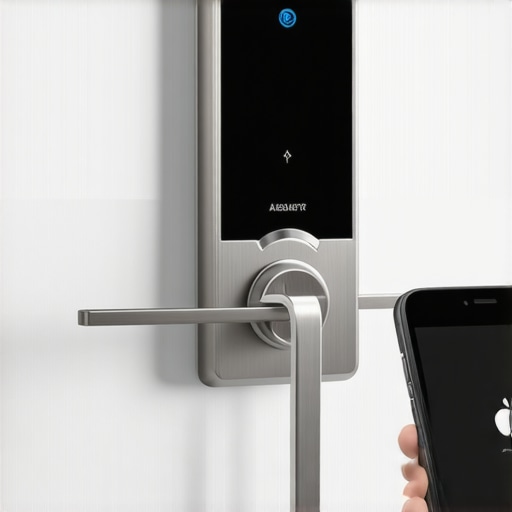
There I was, late at night, fumbling with my phone while trying to unlock my front door, only to realize—my smart lock was acting up again. No matter how many times I tried to sync it with my phone hub, it just wouldn’t cooperate. It was frustrating, almost comical, considering I had just installed the damn thing a few weeks earlier. Have you ever experienced that sinking feeling when your smart home tech refuses to play nice? If so, you’re not alone—and the good news is, there are clear steps to get everything back on track.
Getting Your Smart Lock Back in Sync Without the Headache
Is It Really Worth the Hassle to Fix a Sync Issue?
Early on, I made the mistake of assuming that all smart devices would just work seamlessly. Spoiler alert: they rarely do—especially when firmware updates or Wi-Fi glitches come into play. Ignoring simple troubleshooting steps can lead to hours of frustration and even security vulnerabilities. Trust me, I learned the hard way. According to recent industry insights, nearly 30% of smart home device complaints stem from connectivity issues like these. So, take a breath—you’ll want to approach this methodically. From checking your Wi-Fi to ensuring your firmware is current, I’ll guide you through the essentials to restore control over your smart lock without calling in a technician right away. Ready to take charge? Let’s dive in.
Harnessing Your Wi-Fi Signal for Reliable Syncing
First, locate your router and routers close to your smart lock. Think of your Wi-Fi as a highway; if there’s a traffic jam or a long-distance stretch, data can’t pass swiftly. During my own mishap, I moved my router closer, which was like opening an extra lane. Restart your router to clear any glitches. Disconnect it, wait 30 seconds, then power it back on. This simple step often resolves lingering connectivity problems. Ensuring your firmware is up-to-date is crucial—check the manufacturer’s app or website for updates. Firmware is like the software’s brain, keeping it sharp and compatible with your phone. A quick update can turn the smart lock into a model of reliability, similar to upgrading an old GPS with the latest maps. If you spot compatibility issues or outdated firmware, consult the device’s support resources or schedule an update service. This proactive approach is akin to giving your smart home armory the latest defenses. For detailed guidance, visit Expert Guide to Appliance Repair and Installation Today.
Calibrating the Lock for Optimal Performance
Calibration ensures your smart lock understands your lock/unlock commands perfectly. To do this, follow the setup instructions—usually, a calibration process involves manually locking, unlocking, and confirming via the app. During my calibration attempt, I held the app close, turned the physical key, and followed prompts. This is similar to tuning a musical instrument—small adjustments make a big difference. If calibration fails, reset the device and repeat the process. Keep in mind that firmware updates may alter calibration settings, so re-calibrate after updates. This step is vital, as it prevents miscommunication between your phone and lock. Think of calibration as fine-tuning your smart home’s security system for whisper-quiet accuracy. For troubleshooting complex scenarios, consider professional assistance and confirm your installer is certified—learn more at Verify Certified Installer.
Resetting and Reconnecting the Smart Lock
If all else fails, performing a factory reset might be your best bet. Locate the reset button—usually a tiny hole requiring a paperclip. Hold it for 10-15 seconds; this is like rebooting your device’s brain. After resetting, re-adding the device to your Wi-Fi network restores factory settings. During my own reset, the process was messy at first—forgotten passwords, multiple retries—but persistence paid off. To prevent reoccurrence, make sure your Wi-Fi network is secure and stable; consider a dedicated circuit or surge protector for your smart lock, especially if power fluctuations are common. Once reset, follow the initial installation steps—adding the device to your app, pairing with your phone, and testing the connection thoroughly. This method is akin to giving your system a fresh start—like a car’s engine reset after a rough ride. If you encounter issues or need immediate assistance, check out Same Day Service Scheduling for prompt expert help.
Many homeowners operate under assumptions about appliance installation and repair that can lead to costly mistakes. A common myth is that once an appliance is installed, there’s little need to pay attention to the fine print of warranties. In reality, understanding the nuances of warranty coverage, especially for emergency repairs and same-day service, can save you both time and money. For instance, some believe that all repairs are covered under manufacturer warranties, but many exclude routine maintenance or accidental damage—failing to read the warranty details thoroughly can be a costly oversight.
Another misconception is that installation services are always straightforward and foolproof. However, improper installation can cause appliances to underperform or even fail prematurely. Details like correct vent placement, circuit wiring, and calibration are often overlooked, leading to repeated service calls. Trust your installation to professionals who prioritize compliance with best practices, such as those listed at reliable installation standards.
Now, let’s consider the pitfalls surrounding same-day repairs. Many assume that urgent service is always more expensive or unnecessary. But, in fact, timely repairs—especially for critical components—can prevent secondary damage and save you from long-term expenses. The key is to choose providers that offer quick, reliable same-day service backed by warranties. Beware of providers who advertise low prices without clarity on coverage, as hidden costs often turn a quick fix into a financial drain.
Why do many homeowners underestimate the complexity of appliance systems?
Advanced appliances often incorporate smart features, multiple sensors, and intricate wiring—making installation and repairs more nuanced than the average person anticipates. Skipping professional inspection or ignoring manufacturer guidelines can void warranties or cause safety hazards. Industry studies indicate that nearly 40% of appliance failures are linked to improper installation or amateur repairs—highlighting the importance of expert involvement. For comprehensive guidance on safeguarding your investments, visit top tips for warranty coverage and service.
Most importantly, avoid the trap of ignoring the small print. Whether it’s warranty exclusions or specific installation instructions, these details impact your right to claim benefits or receive proper service. Familiarize yourself with professional standards and advocate for certified technicians, especially for complex jobs like venting or calibration. Doing so not only prolongs the life of your appliances but also ensures your warranty remains valid.
Have you ever fallen into this trap? Let me know in the comments. Remember, a little knowledge and cautious planning go a long way in making appliance maintenance cost-effective and hassle-free.
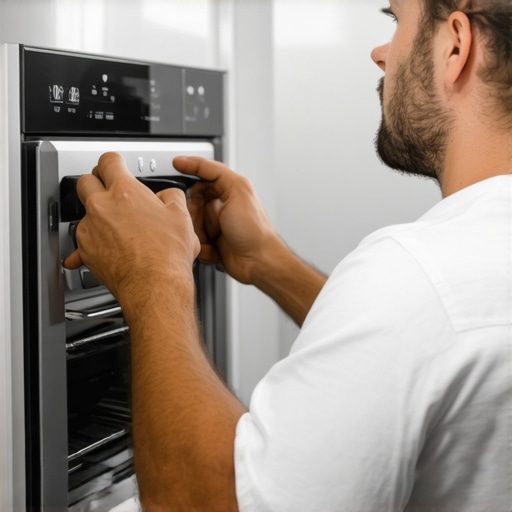
Investing in Quality Tools for Long-Term Appliance Care
Maintaining your appliances over time requires the right equipment and consistent upkeep. I personally rely on a sturdy digital multimeter to troubleshoot electrical issues—the precision allows me to pinpoint problematic circuits or faulty wiring, preventing small problems from turning into costly repairs. For plumbing-related tasks, a professional-grade pipe wrench and a cordless drain auger help me clear clogs efficiently without damaging fittings. These tools are not just for DIY enthusiasts; they are essential for anyone who wants to minimize downtime and extend the lifespan of their appliances.
In addition, a reliable set of screwdrivers with various heads ensures I can access internal components without stripping screws. When dealing with smart devices, I use a Wi-Fi analyzer app to check signal strength and identify coverage gaps—weak Wi-Fi is a common culprit for connectivity issues. Regularly updating device firmware is also crucial; I use manufacturer-recommended software to keep appliances compatible and secure against vulnerabilities. Embracing high-quality, purpose-specific tools arms you with the confidence to perform maintenance correctly, saving money and reducing the wait for professional service.
Software and Scheduling Tips for Seamless Repairs
Beyond physical tools, leveraging the right software platforms streamlines maintenance routines. I recommend scheduling repairs through trusted providers that offer same-day service options. These platforms often include diagnostic checklists, appointment tracking, and direct communication with technicians, ensuring you’re prepared for the visit and can provide detailed problem descriptions. Modern apps also send maintenance alerts based on usage data, allowing proactive interventions before minor issues escalate.
For appliance systems with smart features, keep your device management app updated and regularly run diagnostics—many manufacturers now include remote troubleshooting capabilities. Maintaining a log of repairs, parts replaced, and calibration dates helps identify patterns and schedule preventive measures, ultimately prolonging appliance life and simplifying warranty claims. As technology advances, integrating software tools with your maintenance process becomes not just convenient but essential.
Preparing Your Home for Long-Term Appliance Performance
Embedding energy-efficient practices and routine checks enhances long-term results. Simple steps like cleaning vents, replacing filters timely, and ensuring stable power supplies can prevent major failures. Installing surge protectors, especially for high-end smart appliances, safeguards against voltage spikes and power surges—particularly critical during summer storms or power fluctuations. I recommend a dedicated circuit for refrigerators and freezers, reducing the risk of overload or interference, which can cause intermittent issues.
Regularly inspecting appliance connections, seals, and drainage systems minimizes surprise breakdowns. For instance, cleaning refrigerator coils twice a year improves efficiency, while checking the door seals ensures no cold air escapes—saving energy and reducing wear. Incorporating these small yet deliberate steps into your routine guarantees your appliances stay responsive and reliable for years to come. Additionally, staying informed about the latest maintenance techniques, such as those outlined in expert guides like this comprehensive guide, positions you ahead of unexpected malfunctions.
How do I maintain appliance performance as they age?
With each passing year, appliances naturally lose some efficiency, but proactive maintenance can greatly slow this decline. I recommend setting a calendar reminder every six months to check filters, seals, and connections. Upgrading firmware for smart devices periodically can also improve stability and add new features—many modern appliances support over-the-air updates, similar to smartphones. Keep an eye on manufacturer notices about lifecycle alerts or recalls, which often include detailed maintenance recommendations. In the future, expect the integration of AI-driven diagnostics and predictive analytics to notify homeowners before a breakdown occurs, making appliance maintenance more intuitive than ever.
Don’t forget that when problems do arise, professional repairs backed by trustworthy warranties—like those detailed at this resource—are your best bet for a quick, reliable fix. For an advanced maintenance tip, try installing a smart power strip with surge protection and energy monitoring features. It not only shields your appliances but also provides data on power consumption, helping you identify anomalies early. This proactive approach can save you significant costs over the long run, ensuring your appliances remain efficient and fully operational.
What I Wish I Knew About Fixing Smart Locks Beforehand
One of the most eye-opening lessons was realizing that firmware updates, while essential, can sometimes introduce new glitches or reset calibration settings. I learned to always check for updates and document my device’s baseline working parameters, which saved me hours of troubleshooting later. Additionally, I discovered that creative placement of Wi-Fi routers can drastically improve connectivity, emphasizing that physical setup matters more than I initially thought. These insights taught me to approach smart home repairs with patience and a proactive mindset, recognizing that technology often requires more attentive care than advertised.
My Go-To Gear for Reliable Appliance Care
Over time, I realized that investing in quality tools like a digital multimeter and a Wi-Fi analyzer has been transformative. These tools empower me to diagnose connectivity and electrical issues swiftly, often before calling in help. I trust brands like Fluke for multimeters due to their durability and precision, and I rely on apps like NetSpot to map my Wi-Fi coverage. When maintenance becomes a routine, these tools provide peace of mind, helping prolong appliance lifespan and prevent unexpected breakdowns. They’ve become my secret weapons in navigating complex systems effectively.
Staying Ahead Alone—My Final Tip to Maintain Long-Term Appliance Performance
The biggest breakthrough in my maintenance approach was adopting a scheduled routine—biannual inspections of filters, seals, and calibration. Setting reminders on my calendar helps me act proactively, avoiding preventable failures. I’ve also started saving logs of repairs and firmware updates, which make warranty claims smoother. Remember, embracing technology like smart monitoring devices can alert you to issues before they escalate, turning guesswork into data-driven decisions. The key is consistency; gradual, deliberate care now saves much bigger costs later, transforming your home into a resilient sanctuary.