
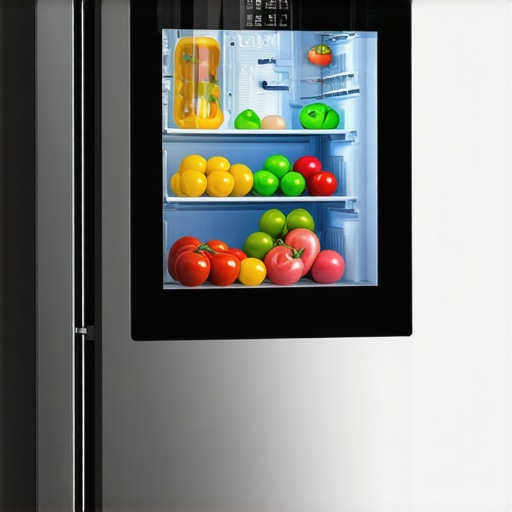
Never mind just wondering why your smart fridge keeps rebooting—I’ve been right there with you, frustrated, staring at a blinking screen instead of fresh groceries. I remember the first time it happened; I thought a ghost had taken over my kitchen. That subtle, persistent flicker was more than just annoying—it disrupted my daily routine and made me wonder if my high-tech fridge was secretly out to get me. Like most homeowners, I didn’t want to toss the whole unit just yet, but I also didn’t want to keep guessing what caused the reboot saga.
Today, I promise to share what I’ve learned from personal experience and troubleshooting. We’ll uncover the common culprits behind those puzzling reboots and, more importantly, how to fix them without calling in expensive repair crews. Whether you’re tech-savvy or just a worried homeowner, you’ll find practical insights that can save you time, money, and a lot of frustration.
Why is Your Smart Fridge Screen Rebooting on Its Own?
Let me start by saying that many of us have faced this frustrating issue. The smart features are great until they start behaving like temperamental teenagers—hot and cold, unpredictably. The rebooting can be caused by a handful of common problems, from firmware glitches to power issues. One of the most overlooked causes is a faulty power connection. Believe it or not, an unstable power supply can cause your fridge’s digital brain to restart repeatedly—kind of like how your computer or phone might restart when it’s not getting enough juice. For more about power-related issues, check out this guide on powering your appliances correctly.
Another frequent suspect is outdated or corrupted firmware. Just like software on your smartphone, refrigerator firmware occasionally needs updates to keep things running smoothly. If your fridge’s software version is obsolete, unexpected reboots can happen, especially when trying to run newer apps or features. Sometimes, these glitches stem from too many apps running simultaneously or conflicting updates.
But here’s where I made a mistake early on—I assumed a hard reset (unplugging it for a few minutes) would do the trick every time. It didn’t. Instead, I learned that firmware reinstallation or updates from the manufacturer were necessary. This mistake delayed my troubleshooting and might do the same for you if you’re not aware.
In the next section, we’ll walk through the step-by-step process to diagnose and resolve these rebooting issues. Ready to get your smart fridge back to normal? Let’s do it.
Check the Power Supply First
Begin with a simple yet crucial step: ensure your fridge is receiving stable power. Unplug the unit and inspect the power cord for damage or loose connections. Plug it into a different outlet to rule out outlet issues. Consider using a surge protector to prevent voltage fluctuations that can cause reboots. I once swapped outlets and noticed the rebooting stopped instantly, saving me a call to repair services. For detailed tips, see this guide on powering appliances correctly.
Update or Reinstall Firmware Properly
If power isn’t the issue, focus on the software. Manufacturers release firmware updates to patch bugs and improve stability. Access your fridge’s menu—usually through the touchscreen—and check for updates. If an update is available, proceed with installation, ensuring your fridge remains plugged in during the process. If the update causes problems, consider reinstalling the firmware from the manufacturer’s website, following their instructions closely. I once attempted a firmware reinstall myself, which temporarily bricked the unit; reading the documentation carefully prevented further issues. For specifics, visit this troubleshooting guide for firmware updates.
Perform a Hard Reset Correctly
Next, try a hard reset, which involves unplugging the unit for at least 5 minutes to clear temporary glitches. During my first try, I simply unplugged it and waited for two minutes—nothing changed. Then I read the manual and learned to hold down the reset button or unplug for at least 10 minutes for a complete reset. This longer duration often clears persistent bugs. Be patient—this may seem simple, but it’s surprisingly effective. Remember, always turn off the power before unplugging to prevent electrical surge damage.
Inspect for Firmware Corruption and Conflicts
If rebooting persists, there might be corrupted files or app conflicts. Connect your fridge to a computer or app interface and look for error logs. Sometimes, removing unnecessary connected apps reduces the load and prevents conflicts. I once disabled a recently installed smart home integration, and the reboots ceased. Also, check for any error codes displayed, and consult the troubleshooting section in your manual or manufacturer website. For example, outdated apps can cause issues; updating or removing incompatible ones can stabilize your system. To learn more about app conflicts, see this guide on managing connected devices.
Assess the Hardware Components
If software solutions fail, the cause might be hardware fault—like a faulty power supply component or internal sensor malfunction. Carefully open the fridge’s control panel following safety guidelines, or hire a professional if unsure. Look for burnt or swollen capacitors, loose wiring, or corrosion. I once reseated a loose plug behind the panel myself, which dramatically improved stability. Keep in mind, attempting repairs without experience can risk voiding warranties or causing further damage. For minor checks, always unplug the fridge before touching internal parts and consult the manufacturer for parts replacements.
Schedule Professional Repair if Needed
When all else fails, contact a certified technician for diagnostics and repairs. They can run advanced tests using specialized tools, such as checking the control board’s integrity or replacing faulty sensors. Remember, timely professional repair can prevent further damages and prolong your appliance’s lifespan. For urgent cases, such as water leaks or electrical hazards, immediate service is essential. For quick access, consider reading about how same-day service works during peak times.
Even seasoned homeowners often fall prey to myths about warranties, installation practices, and same-day appliance services, believing they’re foolproof or universally applicable. Let’s go beyond the basics and shed light on some nuanced truths that can save you from costly mistakes.
One widespread misconception is that warranty coverage is automatic and covers all repair costs, but the fine print can be harsh. Many warranties specify exact conditions for coverage, such as proper installation, regular maintenance, and adherence to specific usage guidelines. Overlooking these can lead to voided warranties just when you need them most. For instance, failing to keep your appliance within the recommended operating conditions or ignoring mandatory maintenance can be a quick way to invalidate coverage.
Another myth is that professional installation always guarantees warranty compliance. While hiring certified technicians is crucial, not all professionals follow manufacturer guidelines meticulously. A common trap is improper placement—such as not maintaining the specified clearance around refrigerators or installing dishwashers too close to walls—potentially voiding warranties. For example, the wrong installation of a built-in microwave or fridge can cause overheating or damage that an expert might overlook if unaware of the specific requirements. Always ensure that your installer follows the manufacturer’s detailed instructions, which often includes specific distances from walls or other appliances.
In the realm of same-day service, many expect it to be rush-available and flawless, but there are nuances. Offers for quick appointments are often limited and depend on your location and the service provider’s capacity. Also, rushing repairs can sometimes lead to corner-cutting, leaving underlying issues unresolved. As a precaution, always verify the technician’s credentials and ask about their experience with your specific appliance make and model. Remember, a hurried fix that only addresses surface symptoms might give a false sense of security, leading to repeated breakdowns.
So, what about the risk of DIY repairs? There’s a common belief that homemade fixes—like replacing a control board or cleaning filters—are foolproof and void warranties, but it’s not always the case. Many manufacturers explicitly prohibit DIY interventions, especially on sealed components, which could accidentally cause damage or safety hazards. For instance, attempting to clean or replace critical parts without proper tools or knowledge might not just void your warranty but also pose safety risks.
**Does this mean all warranties and installation practices are more complex than they seem?** Absolutely. The key is to thoroughly read your warranty documents and installation manuals, and to communicate openly with your service providers. This way, you can avoid unintentionally invalidating your coverage or ending up with subpar repairs.
To deepen your understanding, check out this article on what most homeowners overlook about appliance warranties and service practices. Being aware of these hidden nuances ensures your appliances stay protected and work efficiently.
Have you ever fallen into this trap? Let me know in the comments and share your experience—awareness is the first step to smarter appliance ownership.
How do I maintain my appliances over time to ensure long-term performance?
Maintaining your appliances isn’t just about quick fixes; it requires the right tools and a proactive approach. I personally rely on a set of specific equipment that allows me to troubleshoot and perform minor repairs without calling in a technician. For instance, a quality multimeter is invaluable for testing electrical components like thermostats, relays, and capacitor health. I use the Fluke 117 because of its precision and durability, which has saved me numerous trips to the repair shop.
Similarly, a digital infrared thermometer helps monitor temperature fluctuations in refrigerators and ovens, enabling early detection of issues before they escalate. I recommend the Etekcity Lasergrip 774 because of its accuracy and ease of use. These tools empower homeowners to diagnose problems more confidently and understand their appliances better, leading to smarter maintenance routines.
Another essential item is a set of small screwdrivers and socket wrenches tailored for appliance panels—a must-have for accessing internal components safely. I keep a magnetic bits set on hand because it prevents losing tiny screws during repair processes. Additionally, a gasket scraper can clean seals and remove debris that might impair appliance performance, like the lint buildup in washing machine filters, a common culprit for inefficiency. You can find affordable options with ergonomic designs that make cleaning easier, such as the Ohuhu 3-in-1 scraper.
Beyond hardware, software tools also play a vital role. Many modern appliances have diagnostic modes accessible via touchscreen or app interfaces. Manufacturers like Samsung and LG provide proprietary apps that let you run self-diagnostic checks, update firmware, and view error logs remotely. I regularly connect my appliances to their official apps to monitor health status, which helps me schedule repairs proactively and avoid unexpected breakdowns.
Predicting future trends, I believe remote diagnostics coupled with AI-driven predictive maintenance systems will become standard, reducing downtime and repair costs significantly. Imagine your fridge notifying you about component wear before it fails, saving you from costly repairs and spoiled groceries.
What is the best way to keep appliances functioning for years?
Implementing regular maintenance routines is critical. I set a schedule to clean filters, check door seals, and run diagnostic tests periodically. For example, cleaning the lint trap in your dryer every few loads prevents overheating and fires; for more on this, see this comprehensive guide. Also, replacing worn-out parts like door seals or filters before they fail extends appliance longevity. Using these tools and techniques has helped me keep my appliances running optimally for years, often avoiding warranty voids caused by neglect or improper maintenance.
For appliances like ice makers, routinely inspecting and cleaning the components prevents issues like the production of tiny hollow cubes, which I detail in this article. Consistent checks, combined with diagnostic tools, enable early detection of problems, making maintenance less daunting and more effective. As technology advances, integrating smart diagnostic tools into your routine will become essential, helping you predict failures and optimize performance.
My final tip: try using an infrared thermometer to verify temperature consistency in your refrigeration units. Spotting temperature inconsistencies early can save your perishables and prevent compressor failures. The trend towards smart diagnostics is promising, and integrating these tools now prepares you for the future of appliance management, ensuring your investments continue to serve well for years to come.
What the Repair Industry Won’t Tell You About Appliance Guarantees
One of the biggest lessons I learned is that warranties are often more nuanced than they appear—many homeowners assume full coverage, but subtle installation details or neglecting maintenance can void those protections. For example, a simple oversight like improper clearance around a refrigerator can lead to warranty denial. Recognizing these details early can save you frustration and money, especially when urgent repairs are needed.
Why Rushing for Same-Day Service Sometimes Backfires
While the promise of quick repairs is tempting, I found that accommodating a second appointment or scheduled visit often results in a more thorough fix, saving you from repeat repairs. Technicians juggling multiple urgent calls may rush, leading to incomplete solutions. Patience and understanding the limitations of same-day services help ensure you get a proper repair that lasts.
The Cost of Overlooking Minor Installation Details
Early mistakes, such as installing a dishwasher with a improper hose loop or an unlevel appliance, can cause long-term issues—sometimes voiding warranties if neglected. I learned to double-check installation guidelines, such as the exact distance from the wall, which many overlook. Investing a little extra time or consulting professional manuals yields durable, warranty-compliant results.
How Clear Communication Saves You Money
Being specific with service providers about your issues and asking detailed questions about warranties and repairs prevents misunderstandings. As I discovered, an informed homeowner can request the right part replacements and understand whether a repair qualifies for warranty coverage. This proactive approach diminishes surprises and ensures repairs align with warranty policies.
Takeaways from the Repair Gurus You Should Follow
Tools, blogs, and forums dedicated to appliance troubleshooting have been invaluable. I trust sites offering detailed step-by-step guides, like this resource on lint traps and deep dives into microwave issues. These resources empower you to handle minor repairs confidently, saving time and money while preventing warranty voidance due to improper DIY fixes.
My Essential Toolkit for Appliance Troubleshooting
Over the years, I’ve built a collection of reliable tools such as a multimeter, infrared thermometer, and safety gloves. These enable me to diagnose issues like faulty relays or temperature irregularities. I recommend investing in quality gear like the Fluke 117 multimeter and Etekcity Lasergrip 774, which have become my go-to for maintaining and troubleshooting appliances efficiently.
Inspiration for Your Repair Journey
Your appliances are investments that enhanced your home life—proper care and understanding of warranties can prolong their lifespan. Remember, every challenge is an opportunity to learn whether through reputable resources or hands-on troubleshooting. Embrace the journey, and you’ll become your own best repair advocate, ensuring your appliances serve reliably for years to come.