
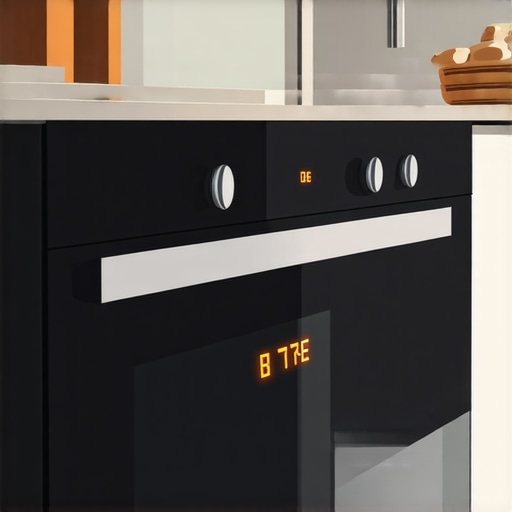
I remember the sinking feeling in my stomach when I opened my kitchen in the middle of dinner prep and saw my oven display flickering like a malfunctioning lighthouse. Running to the manual or trying a quick reset seemed like the logical move, right? But alas, that flickering persisted. It was a moment of frustration that made me realize: sometimes, the obvious solutions aren’t enough.
In this post, I’ll share why a simple hard reset often doesn’t resolve display flickers on ovens, and more importantly, what steps actually do the trick. If you’ve been battling a flickering oven display and feel like you’re throwing in the towel, you’re not alone. I’ve been there, and with a little patience and the right info, you can get your oven back to working perfectly—and avoid wasting time on ineffective fixes.
Why Your Oven’s Flickering Display Is More Than Just a Glitch
Many homeowners assume that pressing the reset button or unplugging the oven is enough to solve display issues. I used to think the same, until I learned that flickering screens often indicate deeper problems—ranging from loose connections to failing internal components. Relying solely on a hard reset might temporarily hide the problem, but it won’t fix the root cause.
A common mistake I made early on was overlooking the importance of disconnecting the oven properly before troubleshooting. Not doing so can cause further damage or even void the warranty. For a comprehensive understanding of appliance warranties and the importance of correct procedures, check out [this article](https://discountappliancehub.com/7-signs-you-need-an-immediate-hvac-filter-replacement).
In my experience, the key is diagnosing whether the flickering stems from electrical issues, such as faulty control boards, or mechanical wear-and-tear. Often, things like loose wiring or damaged connectors are at fault—problems that won’t go away with just a reset. Understanding what’s really going on is half the battle.
In the upcoming sections, I’ll walk you through the signs that your oven needs more than a quick reset, and how to safely and effectively address common causes of display flickering. Trust me, once you get past the initial hurdle, the repair process becomes much clearer—and much less stressful. Let’s dive into what you should check first before pressing that reset button again.
Check the Power Supply and Connections
Begin by ensuring your oven is properly plugged in and that the outlet has power. Use a multimeter or a lamp to verify the socket’s functionality. Remember, a loose or faulty power cord can mimic internal issues. I once discovered a loose plug behind the oven after it repeatedly flickered during use; a simple fix, but critical for proper operation.
Reset the Oven Correctly
Unplug the oven from the power source, wait for at least 5 minutes, then plug it back in. This method clears temporary glitches without risking internal damage. During my first attempt, I simply pressed the reset button, but that didn’t resolve the flickering—proper unplugging was the key. Make sure to disconnect power properly to avoid risking the control board or voiding warranty.
Inspect Internal Wiring and Connectors
Remove the oven’s back or recognize access panels per your model’s manual to examine wiring. Look for loose, burned, or disconnected wires, especially around the control board and display. In my experience, a tiny disconnection caused persistent flickering. Tighten or replace damaged connectors; if you’re unsure, consulting a professional prevents further damage.
Understanding the Control Board
The control board manages the display’s operation. Visual signs of damage include burn marks, bulging capacitors, or corrosion. If you spot these, replacing the control board might be necessary. Know that handling internal electronics carries risk—if you’re inexperienced, consider calling a technician. For detailed info on control board failures, see this guide.
Assess External Factors
External voltage fluctuations can cause flickering. Use a voltage tester or a surge protector to monitor power stability. If fluctuations are evident, installing a dedicated circuit or surge protector is advisable. I installed a whole-home surge protector after experiencing flickering during storms, which stabilized my oven’s display.
Test and Replace Faulty Components
Once you’ve identified suspect parts—wires, connectors, or the control board—proceed with replacement. Use OEM parts for durability. Remember, incorrectly installed components can worsen issues. I recommend following manufacturer instructions carefully or hiring a qualified technician. This ensures the repair is safe and effective.
Consult Professional Repair Services
If the above steps don’t resolve the flickering, it’s time to contact a professional. Recognize symptoms that require urgent attention, like persistent flickering after all troubleshooting, or if you notice burning smells or sparks. Quick, expert diagnosis can save you time and prevent costly damage, similar to how a same-day service works for urgent appliance issues. For more on when to call professionals, visit this resource.
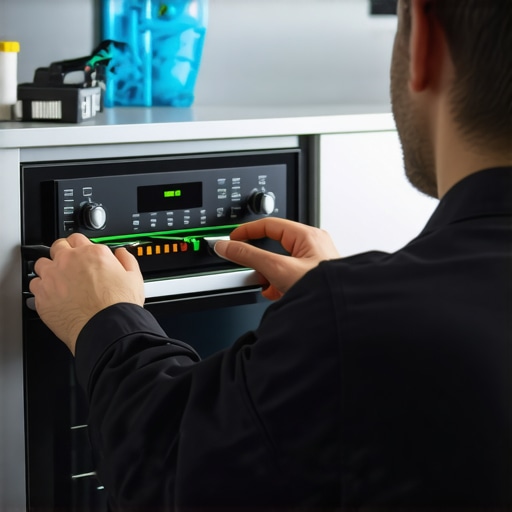 When it comes to appliance warranties and repairs, popular beliefs often lead homeowners astray. Many assume that if they follow the basic procedures—like registering their product correctly or scheduling a same-day repair—they’re fully protected. But the reality is more nuanced. For instance, a common myth is that the warranty covers any repair needed within the period, regardless of installation mistakes or improper use. This isn’t always true. Manufacturers frequently specify that improper installation can void the warranty, yet many overlook this detail until it’s too late.
A critical mistake many make is neglecting to understand the fine print regarding warranty conditions. For example, ensuring your appliance is installed at the correct distance from walls or proper electrical connections can make or break your warranty eligibility. An overlooked detail like this cost me a substantial warranty claim on my dryer—it was invalidated because I didn’t follow the recommended installation clearance, even though the appliance was brand new.
Let’s answer a question often posed by advanced homeowners: How does improper installation influence warranty claims? The truth is, warranties are conditional agreements. According to industry experts, non-compliance with installation guidelines such as specific clearances or venting requirements can void the warranty entirely. For example, a faulty vent installation may cause overheating, leading to damage not covered by warranty, which I learned the hard way. To avoid this pitfall, always double-check your product’s installation manual or consult a professional. More on this can be found in articles detailing proper installation practices.
Another misconception revolves around emergency repair services. Many believe that scheduling a same-day repair guarantees quick resolution, but timing alone doesn’t ensure quality. A rushed technician might overlook underlying issues, leading to recurrence. It’s crucial to verify that the service provider is certified and follows manufacturer guidelines. For instance, bypassing certain diagnostic steps during a repair can result in incomplete fixes, ultimately costing more in the long run.
Beyond installation and repair, understanding the nuances of warranty transfer during home sales is vital. A common mistake is assuming warranties transfer automatically. However, many warranties require formal transfer processes, and failure to do so can eliminate the warranty altogether. This detail is often missed, causing surprise when a covered repair becomes an out-of-pocket expense.
Let’s not forget the importance of documenting all repair and service activities. Keeping detailed records can be the difference between a successful warranty claim and a denied one. For advanced homeowners aiming to maximize their appliance’s lifespan and coverage, this is a simple yet powerful step. Regular maintenance, combined with thorough understanding of warranty stipulations, ensures you’re not caught off guard.
In summary, advancing your knowledge about warranties and repair nuances goes beyond following surface-level recommendations. It requires attention to installation details, choosing qualified service providers, and understanding the contractual fine print. Have you ever fallen into this trap? Let me know in the comments.Maintaining your appliances over time requires the right tools and methods to ensure longevity and optimal performance. One of my top recommendations is a high-quality multimeter. I personally use the Fluke 117 because its accuracy and ease of use help me quickly diagnose electrical issues, from checking outlet voltage to testing control boards. Investing in a reliable multimeter can save you time and prevent unnecessary repairs, especially when troubleshooting flickering displays or inconsistent heating. Additionally, a digital thermometer is invaluable for verifying temperature settings on ovens and refrigerators, ensuring they operate within manufacturer specifications.
For mechanical parts, I swear by a set of precision screwdrivers. Many appliance repairs involve removing panels or securing wiring connectors, and using the correct screwdriver prevents stripped screws or accidental damage. When accessing internal components, I carefully use a plastic pry tool to avoid damaging delicate plastic clips—this extra step preserves the integrity of your appliance and keeps it under warranty.
Software tools have also become game-changers. I rely on diagnostic apps that are compatible with smart appliances. These apps connect via Wi-Fi and provide real-time error codes and troubleshooting tips, saving me a trip to the service call. As smart home integration continues to grow, understanding how to leverage these platforms is essential for proactive maintenance.
Looking ahead, the trend is moving towards more integrated diagnostic systems that automatically alert homeowners to potential issues before they escalate. Future appliances may even come with built-in self-diagnostic capabilities, reducing the need for manual troubleshooting. To prepare, mastering current tools like multimeters and diagnostic apps puts you ahead of the curve.
**How do I keep my appliances in top shape over time?** Regularly scheduled maintenance, such as cleaning filters and vents, combined with periodic checks using these tools, dramatically extends their lifespan. For example, a simple 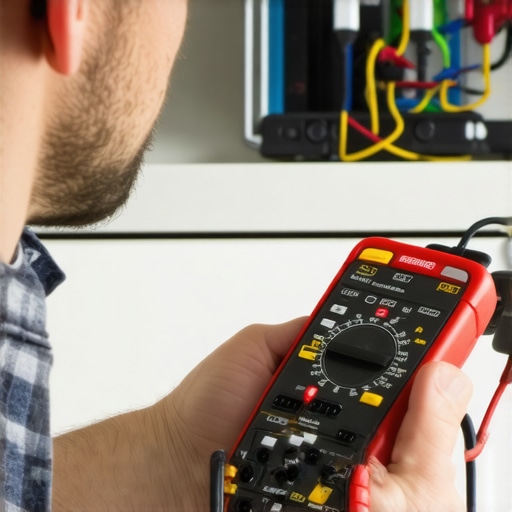 of a clean dryer vent and tools demonstrating their use can illustrate this well.
If you want to master appliance maintenance, start by investing in a quality multimeter and a set of precision screwdrivers. These are the foundation of effective troubleshooting. Remember, proper diagnosis is the first step toward avoiding costly repairs or early replacements. And for more detailed guidance on specific components—like understanding control board failures—check out comprehensive guides linked in this post.
Taking a proactive approach with the right tools is the best way to keep your appliances running smoothly and avoid unexpected breakdowns. Ready to get started? Try testing your oven’s control board with your multimeter today and see how simple diagnosing problems can be.
What I Wish I Knew About Warranty Myths and Hidden Details
One of the most eye-opening lessons I learned is that warranty coverage isn’t as straightforward as it seems. For example, many homeowners believe that registering their appliance automatically transfers warranty benefits during a home sale, but that’s often not the case. I overlooked this detail when I sold my house, and it cost me a critical repair window. The key insight? Always check the specific transfer procedures and keep thorough records of all service activities, so you’re protected when it matters most.
Another quiet trap is assuming that a quick, same-day service guarantees a long-lasting fix. I learned the hard way that rushing repairs without proper diagnostics can lead to recurring issues. It’s better to spend a little extra time ensuring the technician follows manufacturer protocols than to face repeated breakdowns. This small shift in approach saved me quite a bit on repairs down the line.
Finally, beware of the installation mistakes that void warranties—like improper venting for dryers or incorrect clearances for refrigerators. These issues can seem minor but have serious consequences, including losing warranty coverage. Taking the time to understand and adhere to the installation guidelines is an investment in your appliance’s longevity. For more on proper setup, check out the detailed advice on avoiding warranty pitfalls here.
Gear Up With Tools That Make All the Difference
My go-to tool for troubleshooting appliances is a reliable multimeter—I personally trust the Fluke 117 for its precision. It’s saved me countless trips to the repair shop by helping me identify electrical issues early. A good multimeter isn’t just a gadget; it’s your first line of defense in diagnosing flickering displays or inconsistent heating.
Alongside it, a set of high-quality, precision screwdrivers has been invaluable. They allow me to open panels safely without damaging delicate components, ensuring I don’t inadvertently void warranties. For more advanced diagnostics, I’ve recently started exploring diagnostic apps that connect directly to smart appliances, giving me real-time error codes and maintenance tips—more relevant than ever with the rise of connected tech.
Staying on top of regular maintenance with these tools can prevent many problems before they start, saving time and money. Remember, smart troubleshooting isn’t just about fixing things; it’s about understanding your appliances deeply enough to keep them running smoothly for years.
Taking Charge: Your Next Step Toward Appliance Confidence
Armed with this knowledge and your trusty toolkit, you’re positioned to tackle appliance challenges head-on. Whether it’s preventing warranty issues through proper installation or diagnosing a flickering oven display with a multimeter, every step you take builds your confidence and control over home maintenance. Don’t be discouraged by setbacks—each problem solved is a step closer to mastery. Ready to dive deeper? Start with testing your oven’s control board today and share your experience below. How confident do you feel handling your appliance repairs now?