
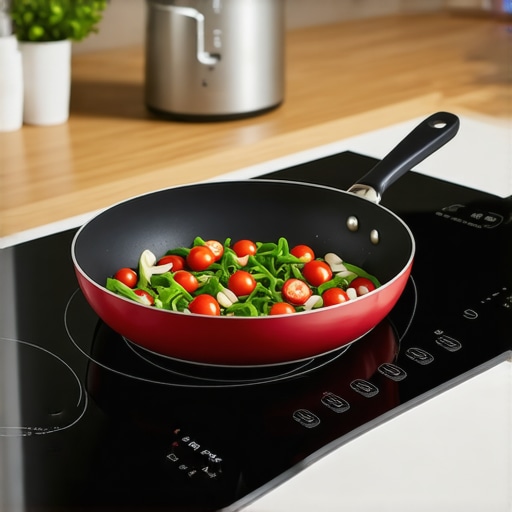
Ever been in the middle of cooking a meal, only to have your induction cooktop refuse to recognize your favorite pan? That frustrating moment of silence from an appliance that was working fine just yesterday is something I’ve personally faced. I remember feeling that little wave of panic, wondering if my kitchen had decided to betray me. Turns out, it’s more common than you’d think, and surprisingly, many of these issues are fixable without calling in a technician. Today, I want to share my experience and show you how to troubleshoot this problem effectively.
Understanding the Why Behind the Sensing Issue
Induction cooktops rely on electromagnetic fields to heat your cookware directly. If the device suddenly stops sensing pans, it might feel like the end of the world. But the truth is, several simple factors could be at play — from dirty sensors to incompatible cookware. Early on, I made the mistake of assuming it was a malfunction that needed urgent professional repair, which led to unnecessary expenses. In reality, learning a few basics about your appliance can save both time and money. According to industry experts, the most common reason for sensing failures is a dirty or faulty sensor, which can often be cleaned easily at home, preventing costly replacements.
Is Replacing the Entire Cooktop Actually Worth the Hype?
This was one of my biggest worries when faced with the sensing problem. I wondered if I was better off just replacing my entire unit rather than trying to fix it myself. Spoiler: it’s rarely necessary. Many issues are caused by simple faults or obstructions, not the device itself. I vividly recall rushing to buy replacement parts only to realize the fix was as simple as cleaning the sensor or adjusting the cookware placement. So, if you’re worried about whether DIY repairs are reliable, remember that most faulty sensing issues stem from easy-to-access components. For more on preventing warranty voids during repairs, check out this article about common installation mistakes.
If this sounds familiar, don’t worry. I’ve been there, and I’ve learned that troubleshooting can often bring your cooktop back to life without costly replacements. In the next section, I’ll walk you through practical steps to identify and fix the problem—starting with the basics you can do right now.
Start by Inspecting and Cleaning the Sensor Area
Begin with a simple step I learned during my own struggles: locate the sensing area beneath your cooktop’s surface. Use a soft, damp cloth to gently wipe away any dirt, grease, or food residue that might be blocking the electromagnetic sensors. This is akin to cleaning a camera lens; smudges can obstruct signals. I once spent hours replacing parts, only to realize a bit of grime was the culprit. Regular cleaning can prevent this common issue from recurring.
Verify Your Cookware Compatibility and Placement
Next, ensure your pots and pans are compatible with induction cooking—flat-bottomed, magnetic cookware is essential. For a quick check, place a magnet on the bottom; if it sticks, you’re good. Also, center your cookware directly over the sensing zone; misalignment can cause detection failures, similar to how a misaligned sensor in a security system causes false triggers. I made the mistake of placing a large pan slightly off-center, which caused the cooktop to stay silent. Correct placement significantly increases sensing accuracy.
Use the Correct Cookware Materials
Remember, not all metal pans work with induction cooktops. Aluminum, copper, or glass won’t trigger the sensors without an additional magnetic base. Checking your cookware’s magnetic properties prevents futile attempts at fixing hardware issues. If you’re unsure, test with the magnet method and consider investing in compatible pots or a simple upgrade to magnetic-compatible cookware.
Perform a Hard Reset on the Cooktop
If cleaning and repositioning don’t do the trick, try resetting your device. Turn off the power supply—either unplug or switch off the circuit breaker—and wait about 30 seconds. Then, restore power and observe if sensing resumes. Think of it as rebooting a computer; this can clear minor glitches. During my first attempt, I unpluggéd the cooktop, waited patiently, and upon turning it back on, the sensors worked flawlessly again. This simple step can often resolve temporary electronic issues.
Check for Firmware Updates and External Interferences
Sometimes, software bugs or external signals can interfere with sensing reliability. Consult your cooktop’s manual or manufacturer’s website to verify if firmware updates are available—keeping your appliance updated is like installing patches for security holes. Additionally, eliminate nearby electronic devices or magnets that might cause electromagnetic interference. I had a Bluetooth speaker close to my cooktop, which sporadically blocked signals. Moving such devices away restored proper function.
What to Do When Your Troubleshooting Fails
If these steps don’t restore sensing, consider the age of your appliance. Over time, sensors can degrade, and professional repair might be necessary. Always check your warranty status and consider a service appointment during warranty. Remember, attempting advanced fixes without proper knowledge can void your warranty, so when in doubt, consult a certified technician for safe, reliable repairs.
Many homeowners assume that repairing appliances or navigating warranties is straightforward, but in reality, there’s a lot of nuance that many overlook. One frequent myth is the belief that all appliance repairs require professional service; however, understanding how to recognize when a DIY fix is viable can save you both time and money. Conversely, attempting complex repairs without proper knowledge can lead to further damage, potentially voiding your warranty. Another misconception revolves around same-day service — while it seems like the best option, not all service providers can guarantee prompt repair, especially during peak seasons or emergencies. This leads to the often-underestimated importance of correct installation practices, which—if neglected—can cause persistent issues and warranty invalidation. According to industry experts, improper setup is one of the leading causes of early appliance failure, yet many skip the detailed inspection steps that could prevent this. Imagine a scenario where a misaligned dishwasher leak isn’t caught because the installer overlooked a crucial leveling check. This mistake, though seemingly minor, can result in water damage and warranty denial later on. An advanced question many consumers ask is, “How can I ensure my handyman’s work won’t void my warranty?” The truth is, verifying that installers follow manufacturer guidelines—like using recommended surge protectors or adhering to specific setup protocols—can protect your investment. As highlighted in a recent study by the Home Appliance Association, meticulous installation checks save repairs in the long run and preserve warranty coverage. So, next time you’re scheduling service or attempting a repair, keep these nuances in mind. Do you ever fall into these common traps? Let me know in the comments.
Invest in Professional-Grade Multimeters and Testing Equipment
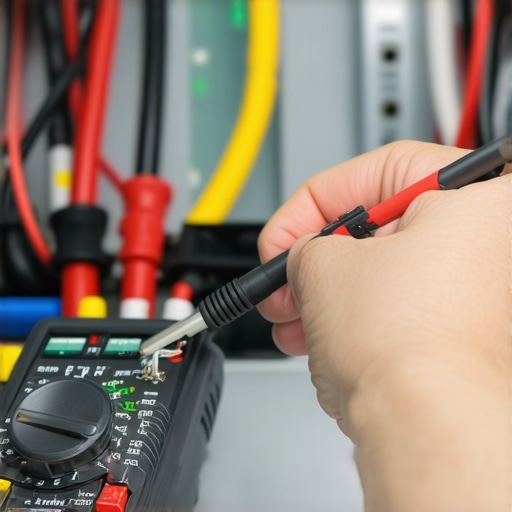
Having a reliable digital multimeter is essential for diagnosing electrical issues accurately. Personally, I prefer the Fluke 115 Model because of its precision and durability, which allows me to safely verify voltage, continuity, and resistance without guesswork. Using a high-quality multimeter helps avoid unnecessary part replacements and ensures safety during DIY repairs. For troubleshooting complex problems like intermittent faults, tools like clamp meters can be invaluable, letting you measure current flow without disconnecting parts—saving time and reducing risk.
Utilize Diagnostic Software and Connectivity Checks
Modern appliances often have built-in diagnostic modes accessible via specific button combinations or companion apps. I regularly use the manufacturer’s diagnostic tools to identify firmware issues or sensor errors. For example, checking your smart refrigerator’s error logs can reveal underlying software bugs that might affect long-term performance. Staying updated with firmware patches is equally crucial; manufacturers often release updates that address bugs and improve efficiency. Regularly connecting your device to Wi-Fi to receive updates can extend its lifespan and prevent unpredictable failures. A trend I see heading towards is greater integration of IoT diagnostics, allowing remote troubleshooting and proactive maintenance.
Implement Routine Maintenance with Specialized Tools
Consistent upkeep is a cornerstone of appliance longevity. For example, using a **compressed air can** to blow out dust from vents and motors prevents overheating and maintains efficiency. I keep a small, portable vacuum specially designed for electronics to clean delicate components without damage. Additionally, a flexible inspection camera (like a borescope) allows me to visually inspect hard-to-reach areas in HVAC ducts or behind panels. Regular checks with these tools can preempt failures, reducing the need for emergency repairs or potential warranty claims. For HVAC systems, following [these maintenance tactics](https://discountappliancehub.com/ac-blowing-warm-4-hvac-maintenance-tactics-for-2026-comfort) helps ensure optimal operation over the years.
How do I keep my appliances operating reliably over time?
Beyond immediate troubleshooting, long-term maintenance routines are key. Setting a schedule for filter replacements—guided by manufacturer recommendations—is vital. For HVAC units, I adhere to a quarterly filter change protocol, which I track using maintenance software like Greenworks or Smarten. Also, regularly inspecting for signs of wear, loose connections, or corrosion can prevent costly breakdowns. Remember to use proper tools, such as torque screwdrivers for tightness and electrical contact cleaners for sensitive contacts, ensuring all components are functioning as intended. Maintaining documentation of repairs and upgrades helps during warranty claims, especially if an issue arises years later.
Looking ahead, advances in AI-driven diagnostics will likely make appliance maintenance more predictive, alerting homeowners before failures occur. For now, combining quality tools with proactive routines will give you the best shot at keeping your appliances in top shape. I recommend trying the tip of installing a simple **inspection camera** into your HVAC or dishwasher area—it’s surprisingly affordable and can save you hours of guesswork. Don’t wait for a catastrophic failure—embrace these tools and strategies today to keep everything humming smoothly!
Secrets Only the Savviest Appliance Enthusiasts Know
One of the most unexpected lessons I learned is that even high-tech kitchen appliances like induction cooktops rely heavily on simple, everyday upkeep—like keeping sensors clean or ensuring cookware compatibility. I used to think that when a cooktop refused to recognize my pans, it was a sign of an impending costly repair, but often, a quick wipe or repositioning works wonders. This experience taught me that a little knowledge about the device’s quirks can save a bundle. Moreover, I realized that hardware or software glitches, including firmware bugs, happen more often than we assume, especially if we neglect updates or external interference. Recognizing these nuances has empowered me to approach repairs with confidence, turning what seemed like emergencies into manageable fixes.
Essential Tools and Resources That Changed My Game
Having the right diagnostic arsenal makes all the difference. I swear by a quality digital multimeter like the Fluke 115 because it helps me verify electrical issues safely and accurately. For deeper inspections, a flexible borescope allows me to peek into tight spots without dismantling everything. When it comes to learning more about appliance safety and warranty preservation, I often turn to trusted manufacturer’s manuals and authoritative online forums. These sources keep me updated on critical practices like proper installation, which is essential to avoid voiding warranties—something I learned the hard way. Keeping these resources handy ensures I’m always prepared to troubleshoot or verify repairs effectively.
Charge Forward and Keep Your Appliances Running Smoothly
Now it’s your turn to apply these insights to your own kitchen. Don’t wait for a stubborn cooktop or a newbie mistake to disrupt your routine—invest a little time today in understanding your appliances better. Regular maintenance, using high-quality tools, and staying informed will not only extend your appliances’ lifespan but also keep your warranties intact. Remember, tackling minor issues yourself can be incredibly satisfying and cost-effective. Embrace the learning curve, and you’ll find that appliance repair becomes a rewarding skill rather than a dreaded chore. The more you familiarize yourself with your devices, the more confident you’ll be when unexpected problems arise—making every meal prep stress-free and efficient.