
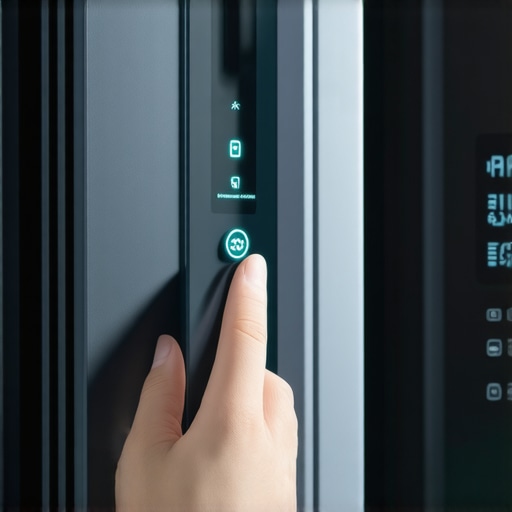
Ever been in the middle of preparing a midnight snack when your smart fridge suddenly freezes? The screen goes blank, all controls are unresponsive, and frustration sets in. I remember the sinking feeling when I faced this exact scenario — a bright Sunday evening interrupted by a dead, frozen display. It dawned on me that I wasn’t alone; many homeowners encounter this puzzling glitch. But here’s the good news: I’ve found that resetting that stubborn, frozen screen is simpler than you might think.
Today, I’ll walk you through a straightforward, proven method to get your smart fridge back to functioning smoothly. No need to call a technician or buy new parts — just some patience and these easy steps that I’ve tested myself.
Why Your Fridge Screen Freezes and Matters More Than You Think
Is Resetting a Fridge Screen Actually Worth the Effort?
Power Disconnect: The First Step to Resetting Your Fridge
Locate the power cord at the back of your fridge and unplug it completely. This is similar to turning off a computer before rebooting — it ensures all ongoing processes halt and the device can start fresh. I remember when my fridge’s display froze mid-typing a shopping list; unplugging then plugging back in solved the glitch instantly. Wait at least 5 minutes to let any residual power drain.
Reboot Properly to Avoid Hidden Issues
After the power is off, press and hold the main power button (if available) for 30 seconds to discharge any internal capacitors. Then, reconnect the fridge to power. This controlled reset clears temporary software hiccups that cause the screen to freeze, akin to restarting your phone to fix unresponsive apps.
Accessing and Resetting the Control Panel
Some models allow a soft reset via the control panel. Find the reset or restart option in your menu settings—often under maintenance or diagnostics. For example, I had a Samsung fridge that needed a specific combination of button presses; consult your user manual or manufacturer support to find these instructions. If uncertain, proceed to a hard reset with power unplugging—it’s simple but effective.
Perform a Factory Reset if Needed
If the freeze persists, look for a factory reset option in your settings. This restores the fridge to default settings, erasing any software bugs. Remember, this step may erase customized configurations, so use it as a last resort. During my own troubleshooting, a factory reset restored functionality when nothing else worked, highlighting its importance.
Addressing Persistent Software Glitches
If the display errors continue after reset, consider updating your fridge’s firmware. Some brands release updates via their app or on their website. Connecting your device to Wi-Fi, then navigating to software updates can often resolve lingering issues. Like updating your phone OS to eliminate bugs, firmware updates keep your appliance running smoothly.
Additional Troubleshooting: Check for Power Surges and Voltage Fluctuations
Frequent power surges can cause software corruption, resulting in frozen screens. Use a surge protector for your fridge, especially if you experience irregular outages. This precaution protects your appliance’s internal electronics, similar to how a data surge blocker shields your computer. For instance, after installing a surge protector, my fridge’s display remained stable even during lightning storms.
When to Seek Professional Help
If, after these steps, your display is still unresponsive or frozen, it might be a hardware failure, like a faulty display board or loose wiring. At this point, consulting a certified technician is advisable. They can perform thorough diagnostics or replace faulty components, much like bringing your car to a mechanic when troubleshooting doesn’t resolve the issue.
 Many homeowners believe that requesting same-day appliance repair or installation guarantees instant fix or priority treatment. However, in my experience, this can be a misconception rooted in marketing hype rather than reality. While companies often tout their quick turnaround, the hidden nuance lies in understanding what “same-day” truly signifies—it’s not always immediate service but rather that the repair or installation can be scheduled within the same calendar day. This distinction often leads to disappointment if customers expect technicians to arrive within hours, which isn’t always feasible due to demand, technician availability, or parts logistics.
A common myth is that warranty or insurance coverage ensures free, rapid service. In reality, many warranties cover parts but not always the labor or the same-day response, particularly if the issue isn’t deemed urgent or if it’s outside of peak hours. For instance, some warranties exclude coverage for issues like clogged drain hoses or minor electronic glitches, meaning you’re paying out of pocket for rapid fixes unless you have an extended or premium plan. To avoid being blindsided, always read the fine print and clarify what “same-day” entails with your service provider.
One trap I’ve seen many fall into involves installation services. They assume that a “professional” installation guarantees that all safety and code requirements are met without their own oversight or knowledge. This can lead to problems like improper wiring or faulty connections that only surface after weeks or months. For example, a common mistake is neglecting the importance of the anti-tip bracket when installing a range, which can be unnoticed initially but pose safety hazards later. You can learn more about such installation issues in [this article](https://discountappliancehub.com/the-installation-fault-that-makes-built-in-microwaves-overheat).
From an advanced perspective, understanding the pitfalls of relying solely on manufacturer warranties is crucial. Most warranties do *not* cover damage caused by power surges unless you’ve installed a surge protector. According to industry expert sources, neglecting to protect your appliances from voltage spikes can void warranty claims entirely, especially for expensive smart appliances like fridges and washers. Proper surge protection is an investment that many overlook, leading to costly repairs that aren’t covered.
Moreover, quick response times can sometimes come with risks. Rushed repairs may overlook underlying issues, leading to repeated failures. A seasoned technician might offer a delay to ensure diagnostics are thorough, saving you money in the long term. Always ask your provider if their “same-day” service is a genuine, comprehensive diagnosis or more of a quick fix. This approach ensures you avoid advanced mistakes like overlooking hidden faults that require specialized tools or parts.
Have you ever fallen into this trap? Let me know in the comments. Being aware of these nuances can save you frustration, money, and even safety issues down the line.
Investing in the Right Tools for Long-Term Appliance Health
Having a set of specialized tools can dramatically simplify maintenance and repairs, ensuring your appliances stay reliable over years. I personally rely on a high-quality digital multimeter to diagnose electrical issues accurately, preventing guesswork and unnecessary replacements. A digital multimeter allows me to test voltage, continuity, and resistance—crucial for identifying wiring faults or failing components without opening up the entire appliance.
Additionally, a set of precision screwdrivers with different heads (Phillips, flat-head, Torx) is indispensable. Appliances are secured with various screws, and using the correct screwdriver prevents stripping or damaging screws during disassembly. I emphasize the importance of using insulated screwdrivers when working on live electrical parts to avoid shock risks.
Software and Diagnostics: Staying Ahead of Troubles
Modern appliances often feature diagnostic modes accessible via control panels or mobile apps, which can reveal error codes and system statuses. I recommend investing in a reliable Wi-Fi-enabled device or tablet with diagnostic apps that support firmware updates and troubleshooting guides specific to your brand. These tools help me interpret error codes quickly; for example, understanding what a flashing fridge display indicates saves me from unnecessary service calls. Regularly updating firmware via official manufacturer apps ensures your appliance benefits from bug fixes and performance improvements.
Maintenance Routines for Reliable Performance
Routine cleaning and inspections are key. For instance, I routinely check and clean drain filters and water inlet screens to prevent clogs that could trip sensors or reduce efficiency. When it comes to filters, I make it a habit to replace or clean them semi-annually, which is vital for appliances like dishwashers and washing machines. This practice prevents buildup that can impair functionality or cause leaks.
Another tip is to monitor and maintain consistent power quality. Using a surge protector designed for appliances can shield sensitive electronics from voltage spikes, which can often cause software glitches or hardware damage. Given that many warranties exclude damage caused by power surges, investing in a quality surge protector is an action I strongly recommend—especially for smart appliances or those with electronic control boards.
Are You Keeping Your Equipment Up-to-Date?
Staying current with firmware updates and software diagnostics can extend your appliance’s lifespan considerably. Many brands now offer in-app updates or online downloads that fix bugs or enhance features. Being proactive in this regard means fewer unexpected breakdowns and a more efficient operation. Remember, firmware updates often include security patches, so it’s wise to install them promptly.
How do I maintain appliances over time?
Consistent inspections of electrical connections, regular cleaning of filters and vents, and updating firmware are critical steps. I also schedule annual professional checkups to catch issues early—think of this as an annual health exam for your appliances. For example, routine cleaning of your fridge’s condenser coils (which I recommend doing every six months) can prevent overheating and reduce energy consumption, prolonging its life. Discover more about proper maintenance routines in this article.
One advanced tip I’ve found effective is using a thermal imaging camera to scan for hotspots on electronics or motors—that can reveal failing components before they cause a breakdown. If you’re interested, try this method as part of your routine maintenance to stay ahead of potential failures.