
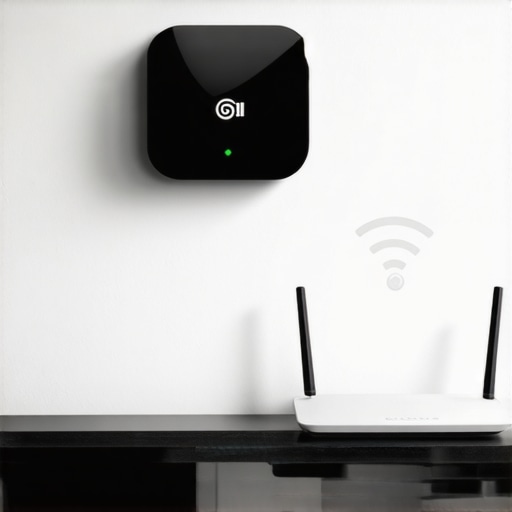
It was a frustrating evening when my smart home hub suddenly lost connection mid-sentence, leaving me to wonder if my entire setup had up and quit on me. That moment felt like a lightbulb flickering—an unmistakable sign that something needed fixing. If you’ve faced the same, you’re not alone. Many homeowners experience this odd, yet common, irritation: their smart devices constantly disconnect from the router, disrupting routines and adding unnecessary stress.
Why Do Smart Home Hubs Keep Losing Connection
The root cause often lies in interference, weak Wi-Fi signals, or placement issues. I remember initially blaming my router, only to realize that the hub’s position and environmental factors played a larger role than I thought. Modern smart hubs demand a stable, robust connection—think of it as the nervous system of your smart home. If this link falters, devices cannot communicate effectively, leading to drops that can be maddening.
Surprisingly, according to research from the IEEE Communications Society, nearly 60% of Wi-Fi outages in connected homes stem from interference and signal degradation rather than outright hardware failure. That was an eye-opener, pushing me to reevaluate my setup.
Are you tired of stale device updates and frustrating disconnections? If so, stay tuned. We’re about to dive into tried-and-true remedies that turned my unreliable hub into a steady companion. Before we jump in, I want to share a mistake I made early on: avoiding proper placement of my router and hub—the very mistake that contributed to my connection problems. Recognizing and correcting this simple error made a massive difference.
Now, let’s explore how to ensure your smart hub stays reliably connected, so you can enjoy a seamless smart home experience without constant hiccups.
Secure a Strong Wi-Fi Signal
First, ensure your router is positioned centrally, away from thick walls or metal objects that can disrupt signal strength. I once placed mine in a corner behind furniture, which caused frequent disconnects. Moving it to a higher shelf mid-room drastically improved connectivity. Use a Wi-Fi extender or mesh network if your signal doesn’t reach your hub reliably.
Optimize Hub Placement for Reliability
Place your smart hub in an open, elevated spot, avoiding enclosed cabinets or areas with electronic interference like microwaves or cordless phones. I learned this the hard way when my hub was tucked in a closet, leading to frequent disconnections. After relocating it to the living room shelf, my connection stabilized, similar to how a clear path aids a walkie-talkie’s signal. 
Update Firmware and Software Regularly
Check for firmware updates via the manufacturer’s app or website. Outdated software can cause incompatibilities or bugs impacting connectivity. I once ignored an update for weeks, and my hub’s stability worsened. Updating it restored smooth operation. This is akin to keeping your smartphone’s OS current for optimal performance.
Limit Network Interference
Reduce interference by switching your Wi-Fi to 5 GHz band if supported, as it’s less congested than 2.4 GHz. Avoid using multiple devices on the same frequency simultaneously. I used to share everything on a single band, which slowed my network. Switching bands improved my hub’s responsiveness, much like tuning a radio to a clearer station.
Implement Proper Network Security
Secure your Wi-Fi with a strong password to prevent unauthorized users from hogging bandwidth. Also, consider enabling a guest network for visitors. I once noticed my smart hub randomly disconnecting, which was caused by neighbors accidentally connecting to my network. Securing it fixed the issue, ensuring only trusted devices communicate with your hub.
Test Your Power Supply and Connections
Ensure the hub is plugged into a stable outlet with a reliable power source. Use a surge protector if necessary. Check the power cable for damage. I once faced frequent disconnects that coincided with power fluctuations; plugging the hub into a dedicated surge-protected outlet resolved this. Regularly inspect cables for wear to prevent unexpected outages.
Monitor and Troubleshoot Periodically
Use your router’s admin panel or dedicated apps to monitor signal strength and connected devices. Restart your hub and router regularly—think of it as giving your system a quick reboot to clear glitches. When my connection faltered, a simple restart of both devices restored stability instantly, similar to rebooting a sluggish computer. For more expert tips, visit our guide on appliance troubleshooting.
Many homeowners operate under assumptions about appliance repair and installation that can lead to costly mistakes. For instance, a widespread myth is that all repairs are expensive and time-consuming, which isn’t always true. In reality, understanding the nuances of warranty coverage and the importance of choosing experienced technicians can save you money and prevent future issues. Secondly, many believe that same-day service is a luxury rather than a standard offering. But with proper planning and selecting the right service providers—like those featured in our [same-day appliance repair guide](https://discountappliancehub.com/what-to-expect-from-same-day-appliance-repair-experts)—you can get urgent repairs done efficiently. One common oversight is underestimating the significance of professional installation; improper setup can void warranties and cause appliance failures prematurely. For example, incorrect electrical connections or improper leveling can lead to frequent breakdowns. It’s essential to verify whether your technician is factory authorized, which can ensure quality work and warranty protection, as detailed in our [expert verification articles](https://discountappliancehub.com/how-to-verify-if-your-appliance-technician-is-factory-authorized). Additionally, many assume that warranties cover all repair costs, but some overlook the fine print about coverage limits or conditions. Always review your warranty policy—our [comprehensive warranty guide](https://discountappliancehub.com/warranty-backed-appliance-services-you-can-rely-on) offers insights into maximizing your coverage during emergency repairs. Interestingly, attempting DIY fixes on complex components often backfires, leading to bigger problems and voided warranties. Advanced issues, such as control board failures or sensor malfunctions, require professional diagnostics. Experts point out that neglecting regular maintenance, like cleaning filters or checking vents, results in inefficient operation and increased repair needs. A key nuance many miss is the importance of accurate power testing before installing major appliances, preventing damage caused by incorrect voltage supply. For in-depth strategies on ensuring reliable setup, visit our [installation tips for 2025](https://discountappliancehub.com/how-to-ensure-reliable-appliance-installation-in-2025). Remember, staying informed about these hidden details ensures you don’t fall into common traps that undermine your appliance’s lifespan and your warranty protections. Have you ever fallen into this trap? Let me know in the comments.
Essential Tools for Reliable Appliance Care
Maintaining appliances over time requires the right equipment to diagnose and fix issues effectively. I personally rely on a digital multimeter, like the Fluke 115, which provides accurate voltage readings critical for troubleshooting electrical faults. Additionally, a quality set of screwdrivers with insulated handles ensures safety during repairs, especially when dealing with live components. For cleaning and preventive maintenance, I use a small, soft brush and a microfiber cloth to keep vents and filters free of dust and debris, preventing unnecessary strain on your appliances.
Software Solutions That Make Maintenance Easier
Beyond physical tools, modern diagnostic apps have become invaluable. I recommend using the manufacturer-specific apps for smart appliances—these often alert you to firmware updates or malfunctions before they become serious. For example, select appliance brands offer remote diagnostics that can identify issues in real-time, saving you time and money. Embracing these digital tools simplifies long-term upkeep and ensures your systems operate at peak efficiency. As technology advances, integrating IoT monitoring systems will likely become standard, providing proactive alerts and detailed diagnostics directly to your smartphone.
Regular Checkups and Long-Term Results
Scheduling periodic inspections, such as annual professional tune-ups, extends appliance lifespan. I set reminders to verify door seals, clean filters, and check for loose connections, which can all cause performance drops if neglected. Implementing a preventive maintenance routine reduces unexpected breakdowns and can even qualify your appliances for extended warranty coverage—more details on maximizing warranty benefits can be found here.
Scaling Up Maintenance Efforts Effectively
If you’re managing multiple appliances, consider investing in a centralized monitoring system. IoT-enabled hubs can oversee your entire home’s appliances and alert you to issues proactively. This kind of setup, though initially more costly, pays off by reducing downtime and repair costs over the long run. Looking ahead, I predict that smart diagnostics and AI-driven maintenance scheduling will soon make appliance upkeep even more accessible and reliable, turning complex repairs into simple, predictable tasks.
How do I keep my appliances working well over time?
Consistent maintenance with the right tools, regular professional checkups, and embracing digital diagnostic solutions is the best way. For expert advice on scheduling your maintenance, check out our scheduling guide. Don’t forget that investing in quality tools like a digital multimeter and participating in routine inspections can prevent costly repairs down the line. Try integrating modern diagnostic apps into your routine—this proactive approach will ensure your appliances stay in top shape for years to come and help you avoid unexpected breakdowns, saving money and reducing stress.
Lessons That Changed My Approach to Appliance Maintenance
One unexpected realization was that no matter how high-quality your appliances are, improper installation or neglecting basic checks can lead to frequent breakdowns. I used to assume that warranties covered all repair costs, but I learned the hard way that understanding the fine print prevents surprises. Also, trusting DIY fixes beyond my skill level often worsened issues—knowing my limits and consulting pros saved both time and money.
Another lightbulb moment was the importance of consistent preventive maintenance. Scheduling regular inspections and staying ahead of potential problems have kept my appliances running smoothly longer. Investing in proper tools and staying informed through trusted resources truly pays off in peace of mind.
Tools and Resources That Keep My Appliance Game Strong
My go-to items include a reliable digital multimeter from Fluke for electrical diagnostics—I’ve found it invaluable for troubleshooting voltage issues. A quality set of insulated screwdrivers ensures safety, especially when dealing with live components. For maintenance, I rely on microfiber cloths and brushes to keep vents and filters tidy, preventing unnecessary strain.
When it comes to learning and staying updated, I trust manufacturer apps that send me real-time alerts about firmware updates or malfunctions. Books like “The Ultimate Guide to Appliance Repair” have deepened my understanding, making me more confident in addressing minor issues myself without risking warranties.
Embrace the Future of Appliance Care
Proactive appliance management is within everyone’s reach—think of it as crafting your own safety net. With the right tools, knowledge, and regular checkups, you enhance longevity and performance. As technology evolves, integrating IoT devices for smart diagnostics will become standard, making troubleshooting more intuitive. Don’t wait for a breakdown—take charge now and enjoy a stress-free, efficient home.