
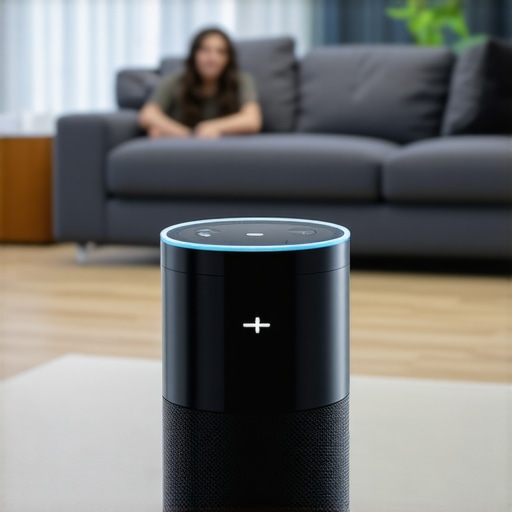
It was a quiet Sunday morning when I finally lost patience with my smart home hub. I kept saying, “Turn on the living room lights,” but nothing happened. Frustration flickered. I knew I’d set everything up correctly, or so I thought. After a moment of dead silence from my device, it dawned on me—this isn’t just about a lazy voice command; it’s a symptom of a deeper problem that many smart homeowners face.
When Your Voice Assistant Doesn’t Listen: The Hidden Frustration
You’ve spoken clearly, the room is quiet, yet your smart home hub remains unresponsive. It’s maddening, right? This issue can make you question whether your device is just a shiny paperweight or if you’re missing something vital in the setup. I’ve been there, and I know how disruptive it can be to rely on voice commands for convenience and security. But here’s the good news—I’ve uncovered some practical ways to troubleshoot and restore your hub’s responsiveness.
Is Voice Ignorance Just a Glitch or Something More Serious?
Early in my experience, I made the mistake of assuming the problem was a temporary glitch. Turns out, overlooking simple misconfigurations is a common mistake. For instance, I didn’t check if my device’s microphone was disabled or if there was interference from other gadgets. According to experts, the most common reason voice assistants ignore commands is due to network issues or misconfigured settings—something easily overlooked but crucial to fix for reliable performance. Want to avoid wasting hours figuring out what’s wrong? Let’s get into the core reasons your smart hub might be ignoring you—and how to fix them.
Check Network Connectivity First
My first move was to verify my Wi-Fi connection, just like ensuring your phone is connected before troubleshooting apps. I unplugged my router, waited 30 seconds, and plugged it back in. This simple restart cleared potential communication issues. If your smart hub still ignores commands, ensure it’s within range of your Wi-Fi signal. Think of it as a walkie-talkie; if the signal’s weak, messages get lost. For persistent issues, verify your Wi-Fi is functioning properly by connecting other devices or running a speed test. Remember, a stable network is the backbone of reliable smart home performance. For deep insights into network setups, visit https://discountappliancehub.com/how-to-ensure-reliable-appliance-installation-in-2025.
Inspect Microphone and Voice Recognition Settings
Ensure Microphone Isn’t Disabled
I once overlooked this detail, assuming my device’s mic was always on. But I found a setting in the app that muted the microphone for privacy reasons. Navigate to your device’s settings, then to voice or microphone options, and confirm they’re enabled. In my case, re-enabling the microphone restored command recognition, saving me hours of frustration. Competition between apps can sometimes cause conflicts, so check for any app updates or permissions. Think of the microphone like a door; if it’s closed, no messages get through. For comprehensive guidance, see https://discountappliancehub.com/expert-guide-to-appliance-repair-and-installation-today.
Eliminate Interference and Obstructions
Wireless signals can be disrupted by other devices or physical barriers. I moved my smart hub away from thick walls and metal objects, which acted like noise-canceling headphones blocking my voice. Also, turn off or move other wireless gadgets that might interfere. For example, microwaves and baby monitors operate on similar frequencies, causing disruptions. This step boosted my device’s responsiveness significantly. Consider placing the hub in an open, central location with minimal obstructions. For a detailed approach to optimal placement, check https://discountappliancehub.com/fast-trustworthy-appliance-installation-near-you. Proper positioning acts like a clear path for your voice commands, ensuring they’re heard loud and clear.
Update Firmware and Reset the Device
Outdated firmware can cause compatibility issues. I navigated to the device’s settings and checked for updates, which I installed promptly. After updating, I performed a soft reset by unplugging the device for 10 seconds. A full factory reset is a last resort if nothing else works—think of it as wiping a foggy mirror to see clearly again. Remember, backing up settings beforehand is wise. Firmware updates often contain fixes and improvements that directly enhance voice recognition capabilities. For more on keeping your devices up-to-date, visit https://discountappliancehub.com/why-your-ac-is-freezing-up-despite-it-being-90-degrees-outside. Keeping your device current ensures you’re not fighting against bugs or outdated software.Many homeowners operate under misconceptions when it comes to appliance repair, installation, and warranty services. While quick fixes and same-day solutions are appealing, there’s a complex layer of nuances that often go unnoticed, leading to costly mistakes. One prevalent myth is that all repairs are equally straightforward and that DIY fixes are always safe and effective. In reality, improper repairs can void your warranty, cause further damage, or pose safety hazards. According to industry experts, trusting professional diagnostics and services ensures longevity and safety for your appliances.
Why Do Many Overlook the Fine Print in Appliance Warranties?
Many believe warranties cover all repair costs, but the devil is in the details. Warranties often exclude certain parts, neglect labor costs after a specified period, or require specific maintenance procedures to remain valid. Failing to understand these nuances can result in unexpected expenses during emergencies. For example, some consumers assume that extending warranties guarantees coverage for all repairs, but certain exclusions may apply, especially for accidental damage or misuse. To maximize your protection, it’s crucial to familiarize yourself with warranty policies and how to document damages properly. Check out https://discountappliancehub.com/maximize-your-appliance-warranty-during-emergency-repairs for expert tips on making the most of your warranty.
Addressing the Trap of Same-Day Service Assumptions
Many homeowners opt for same-day service expecting instant results, unaware of hidden pitfalls. While it’s great for urgent repairs, scheduling without understanding technician availability or parts procurement can lead to delays or subpar workmanship. Rushing into repair appointments might also result in overlooking critical issues that require more meticulous diagnosis. Reliable service providers emphasize transparent communication about timelines and expectations—something you can find in https://discountappliancehub.com/same-day-appliance-repair-quick-solutions-with-warranty-support. Remember, rushing the process might save hours but could cost you more in the long run if the problem recurs due to incomplete fixes.
Are Cheap Repairs Always the Best Choice?
Cost-cutting is tempting, but beware of cheaper repair options that cut corners. Using low-quality parts or inexperienced technicians might seem economical initially, but they often cause more harm than good. In contrast, choosing reputable professionals guarantees the use of certified parts and adherence to safety standards, protecting your investment. For example, a slip-up during installation—such as improper leveling or incorrect wiring—can jeopardize appliance safety and efficiency. For thorough guidance on selecting trusted service providers, visit https://discountappliancehub.com/warranty-backed-appliance-services-you-can-rely-on. Always consider the long-term implications rather than just immediate costs. Are you aware of the real costs hidden behind seemingly low-priced repairs? Let me know in the comments!
Tools I Recommend for Long-Term Appliance Upkeep
Maintaining appliances isn’t just about fixing problems as they arise; it’s about proactive care that extends their lifespan and ensures optimal performance. Over the years, I’ve honed a toolkit that combines precision, reliability, and ease of use. First, I rely on a digital multimeter like the Fluke 115, which allows me to accurately test electrical components such as thermostats and motors, preventing unnecessary replacements. For those tricky thermostat calibrations or electrical issues, having a multimeter is invaluable.
Next, I swear by a quality set of hex and Torx screwdrivers—specifically, the Wiha Insulated Screwdriver Set. Appliance panels and components are often secured with these screws, and using the right tools minimizes damage and frustration. Additionally, a digital infrared thermometer helps me quickly identify hot spots or uneven temperatures in devices like ovens or refrigerators, often revealing underlying issues before they escalate.
Leveraging Software to Streamline Repairs
In the digital age, software tools are transforming appliance diagnostics. I utilize apps like iFixit, which provide step-by-step repair guides accompanied by detailed images. These guides are based on communal expertise, saving me time and reducing risks. Moreover, I use manufacturer-specific diagnostic software—such as Whirlpool’s Service Diagnostic Tool—to access hidden error codes and service modes that speed up troubleshooting.
Staying updated with firmware and software versions is crucial. Regularly checking for updates ensures your appliances communicate effectively and any security vulnerabilities are patched. I schedule firmware updates during routine maintenance, reducing the chances of errors during critical times. This approach aligns with current industry recommendations and can be reviewed in expert guides such as this detailed guide.
Best Practices for Long-Term Results and Scaling
Preventive maintenance is key for scaling your appliance management from a few devices to a comprehensive smart home system. I conduct monthly checks—cleaning condenser coils, inspecting seals, and verifying connections—to keep everything running smoothly. For larger setups, I recommend investing in a professional-grade power analyzer like the PowerSight 2100. It monitors voltage sags and surges that can damage sensitive components over time.
To handle scale efficiently, consider establishing a maintenance schedule supported by the right tools and software. Automation through smart monitoring systems provides real-time alerts for anomalies, enabling you to act before a small issue becomes a costly repair. As the trend in appliance care shifts towards integration and automation, developing an organized system now will pay dividends in durability and performance.
How do I maintain appliances over time?
Consistent preventive actions, like routine cleaning, timely firmware updates, and using diagnostic tools, form the backbone of effective appliance maintenance. For detailed guidance, you can explore resources such as this comprehensive manual. Don’t hesitate to try integrating a smart monitoring system—it can transform reactive repairs into proactive management, saving you time and money in the long run. Remember, investing in quality tools now ensures your appliances serve reliably and efficiently for years to come.
Three Hard-Earned Lessons That Changed My Approach
First, I learned to never underestimate the importance of a stable network—things like Wi-Fi strength can make or break your entire smart setup. Second, trusting professional diagnostics over guesswork saved me countless hours and money; DIY isn’t always the safest route. Third, I realized that consistent preventive maintenance extends the lifespan of appliances far more effectively than reactive fixes. These insights didn’t come easy, but they’ve empowered me to troubleshoot smarter and avoid common pitfalls.
Tools and Resources That Truly Make a Difference
I’ve come to rely on a few key tools: the Fluke 115 multimeter helps me diagnose electrical issues safely; Wiha Insulated Screwdrivers reduce the risk of damage during repairs; and the iFixit app offers community-driven repair guides that are invaluable. When it comes to learning more, this expert guide has been my go-to resource for staying updated on the latest techniques. These tools and resources not only streamline repairs but also give me confidence that I’m doing it right.
Your Next Step Toward Smarter Repairs
Now is the perfect time to start applying these lessons to your own appliances. Whether it’s verifying your device’s firmware or optimizing placement for better connectivity, taking proactive steps saves time and money. Remember, reliable repair isn’t just about fixing what’s broken—it’s about creating a smarter, more resilient home environment. So go ahead, dive into your next repair with confidence, knowing you have the insights and tools to succeed.